Ana içeriğe geç

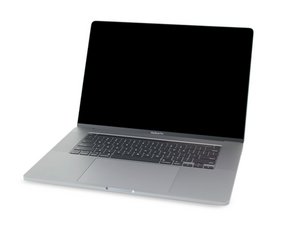
Repair guides and disassembly information for the MacBook Pro 16'' released in November of 2019. Model A2141, EMC 3347.

battery not detected ,fan at 100% spin,lagging

Block Image
Block Image

Hi. ok..i try to put new paste on logic board.but... obviously mine mistake what happen.. i disconeccted all connectors but didn't mine battery and in middle of process MB turn on..and i didn't know how to turn it of untill 30 sec he do it.after i assembly again, mine battery won't work and appl os can't see it in system report.also, fans are at 100% and all is lagging.tryed to reset smc but no help.any help would apreciate..thanks

Block Image
Yanıtlandı! Cevabı görüntüle Ben de bu sorunu yaşıyorum

Bu iyi bir soru mu?

Puan 0
Yorum Ekle

1 Cevap

Filtre ölçütü:
Seçilen Çözüm

This looks like the battery board data cable is not properly connected into the ZIF connections. Review Steps 9 to 14 in this guide MacBook Pro 16" 2019 Battery Replacement take note on the way the ZIF connectors work and make sure the cable is not damaged here's the replacement MacBook Pro 16" BMU Flex Cable

Bu yanıt yardımcı oldu mu?

Puan 2

9 Yorum:

ok,will check the cable and order.new one.But can u explain me is there a chance that something else is broken,sine MB suddenly by himself turn on while i was doing that?If i remember after the last one of the right side cables disconnected ,he turned on and,since i didn't know how to turn it off,he did it by himself 30 sec after,and in that stage fan eas spinning fully if I am remembering correctly

tarafından

i mean, can battery in that short period of time be broken somehow? it was 75% of battery capacity,and 240 cycle

tarafından

@icyeye - The battery is not the focus here as the communication between the battery to the logic board is not present (that cable). Your screenshot shows the battery is not talking to the logic board.

While you should have disconnected the battery before taking things apart. So you could still have issues but we need to solve the obvious issue first.

Start by checking the ZIF connectors if the latches are correctly set.

tarafından

ok.i edited post and add the picture. maybe u can see if there is something wierd. i only detached the right side of the cable...

tarafından

@icyeye The cable is not fully into the ZIF connector, read again the guide step mentioned above and take it slow and gentle. The cable needs to be fully inserted so none of the gold traces are visible. Gently lift up the latech, thread in the cable, lock the latch.

tarafından

4 tane daha yorum göster

Yorum Ekle

Yanıtını ekle

icy eye sonsuza kadar minnettar olacak.
İstatistikleri Görüntüle:

Son 24 Saat: 0

Son 7 gün: 0

Son 30 gün: 2

Her zaman: 59
