
Ana içeriğe geç
Onarım Topluluğuna Katılın - Hesap Oluşturun

Screen went totally black

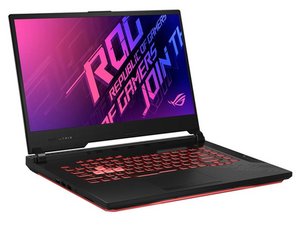
I got flickering in my screen and I powered off normally. When I opened back the screen was full of stripes. Rebooting once the screen went full black. I thought the display was the issue and tried changing it but no good even the ASUS authorised service centre said no issues in display screen.

By digging deep they said something went wrong and I need to replace the mother board. Is there any way to fix this

On the good part I can connect to external monitor by this way I can use my laptop

Bu soruyu yanıtla Ben de bu sorunu yaşıyorum

Bu iyi bir soru mu?

Puan 0
Yorum Ekle

1 Cevap

Filtre ölçütü:

@kavin41097 this "On the good part I can connect to external monitor" makes me wonder why you would need to change the motherboard. This sounds like an issue that is related to your LCD and not the processor. Looks like your laptop has 2 GPUs. One is the integrated Intel, which is combined with the CPU, and a discrete Nvidia which is separate. The Intel will work until your computer loads the OS (Windows I assume) which will then direct the video to the Nvidia processor. That means you should see a picture right up to the point where Windows is loading.

Check you LCD screen and the display cable. Also, check the display connector on your motherboard. Post some well focused pictures of that with your question. It will help if you can tell us what exact motherboard your computer uses. It is printed on the board itself, but maybe on the underside.

Looks like the display cable is part number LVDS Flex Video Cable 14005-03070000

Adding images to an existing question

Bu yanıt yardımcı oldu mu?

Puan 0
Yorum Ekle

Yanıtını ekle

Kavin sonsuza kadar minnettar olacak.
İstatistikleri Görüntüle:

Son 24 Saat: 0

Son 7 gün: 21

Son 30 gün: 43

Her zaman: 43
