
Ana içeriğe geç
Onarım Topluluğuna Katılın - Hesap Oluşturun

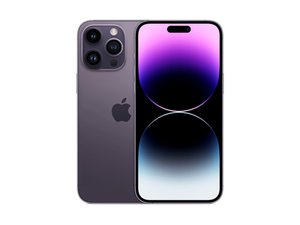
iPhone 14 Pro Max için tamir kılavuzları, el kitapları ve sorun giderme yardımı. iPhone 14 Pro Max cihazınızı kendiniz tamir etmek için ihtiyacınız olan her şeyi edinin.

Why is my screen flickering after recent update?

Screen Flickers every time while closing apps

Bu soruyu yanıtla Ben de bu sorunu yaşıyorum

Bu iyi bir soru mu?

Puan 0
Yorum Ekle

1 Cevap

Filtre ölçütü:

If your iPhone 14 Pro screen is flickering after a recent update, ******it’s most likely due to a software glitch related to the update, but there are a few other possible causes too. Here’s a clear breakdown of why this happens and what you can do about it:

  1. Software bugs from the update;
  2. Display features interacting strangely with the new software;
  3. Incompatible or unoptimized apps;
  4. System background processes;
  5. Rare hardware triggers

Things that usually fix it:

  1. Restart the phone (sounds basic, but it helps more than you’d think).
  2. Check for another iOS update — Apple often releases quick bug-fix updates.
  3. Go to Settings → Display & Brightness and try turning True Tone off.
  4. Go to Settings → Accessibility → Display & Text Size and turn Auto-Brightness off.
  5. If it happens only in certain apps, update or delete those apps.

When to worry:

  • The flicker is constant, even on the lock screen
  • You see lines, green flashes, or blackouts
  • It started after a drop, water exposure, or screen replacement

In those cases, it could be a hardware issue and worth having Apple check it.

Bu yanıt yardımcı oldu mu?

Puan 0
Yorum Ekle

Yanıtını ekle

Araf sonsuza kadar minnettar olacak.
İstatistikleri Görüntüle:

Son 24 Saat: 4

Son 7 gün: 40

Son 30 gün: 110

Her zaman: 552
