Ana içeriğe geç
Onarım Topluluğuna Katılın - Hesap Oluşturun

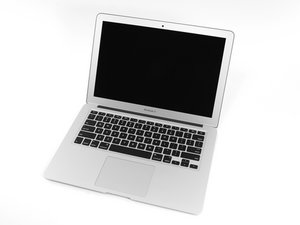
The March 2015 update of Apple's 13" MacBook Air features fifth generation Intel Core i5 and i7 processors, resulting in slightly increased performance and battery life.

Delayed Keyboard Response if anything at all.

2015 A1466 MacBook Air 1.6 GHz 8 GB RAM

I swapped over the keyboard / TP cable 4x with new parts

Changed 3x complete keyboard assemblies (All with new keyboards)

Using new track pads / Clean install Monterey 12.7.6 and was able to complete setup and all seemed OK but I noticed the keyboard response was delayed...... now next to nothing going on when I reboot and try to login.

Keyboard isn't responding and when it does it is 5 seconds late in displaying 'some' keys. Cables are seated and latched correctly etc. Connector looks clean (I have cleaned it out, no dirt and dust under the microscope) I have even put the SSD into another unit to check the OS, ALL fine!. This is driving me nuts.

Must be a board issue..... but it is working fine other that the KB issue.

It is 100% NOT in the dreaded CPU safe mode state. Any ideas?

UPDATE: It magically fixed itself. (Stuck right side command key!).

Bu soruyu yanıtla Ben de bu sorunu yaşıyorum

Bu iyi bir soru mu?

Puan 1

6 Yorum:

Try to see if you get the same response from an external keyboard. Also, did you replace the trackpad flex cable? The keyboard actions route through the trackpad and then into the motherboard. Comment back here so we can fix this.

tarafından

@somerandomguy_1 Read again, 4x new cables, 3x new KB's, etc etc.

tarafından

@livfe Ah, yes, my bad! I don't know what it could be other than a faulty motherboard connection to the keyboard cable.

tarafından

@somerandomguy_1 That is my thoughts also.... I can only transfer the board into another shell from a fully functional unit to see if that is the issue... mind blowing this one.

tarafından

@livfe logic board is a 820-00165? ;-)

tarafından

1 tane daha yorum göster

Yorum Ekle

1 Cevap

Filtre ölçütü:

See if the external USB as well as a Bluetooth keyboard is responsive. I'm suspecting the logic board it's self has an issue. You may want to see if diagnostics works without error.

Bu yanıt yardımcı oldu mu?

Puan 0

6 Yorum:

I plugged an external keyboard (new bought today) and it didn't get me into diagnosis mode, but the laptop booted as normal and it was working fine. I $@$* down, restarted with no external KB connected & it went directly to diagnosis! When diagnosis completed, it went to auto boot (no apple logo) to recovery mode!!. Shut down, restarted normally, keyboard working normally. It fixed itself seemingly, after 2 days of swapping this and that over to find the culprit. As Alex says, Amazing.

tarafından

@livfe - So a bit of magic then😁

All's good?

tarafından

@danj Yes it must have self healed or no longer wanted my magic touch!

(Stuck right side command key (I always used the left side one!).

tarafından

@livfe - Now you know why I love testing with externals with cases like this.

Here the Keyboard driver was messed up, by forcing the OS to use the external, the driver issue could fix its self.

tarafından

@danj Thinking back, I swapped over a few KB cases with new KB's and all were the same, so it wasn't a 'stuck' key.... Maybe the external kicked something back into action, but it never fixed itself immediately after the external KB was plugged, It still took a few restarts with no resolve. Still somewhat of a mystery, perhaps Siri read my mind as I was thinking 'Your going to be scrapped for parts & the rest of you to the Mac Graveyard' lol (Even though, to this day, I have NEVER turned Siri on).

tarafından

1 tane daha yorum göster

Yorum Ekle

Yanıtını ekle

livfe sonsuza kadar minnettar olacak.
İstatistikleri Görüntüle:

Son 24 Saat: 25

Son 7 gün: 86

Son 30 gün: 86

Her zaman: 86
