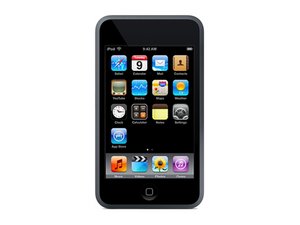

Unlock the screen and
My iPod touch 1g screen is not letting me slide it open
Bu iyi bir soru mu?
Puan
0
My iPod touch 1g screen is not letting me slide it open
Bu iyi bir soru mu?
İtibar: 73
 2
2
Clean the screen
Wipe the screen with a soft microfiber cloth.
Remove any screen protector if it's damaged or lifting.
Force restart
Hold the Sleep/Wake (Power) button and the Home button together.
Keep holding for about 10–15 seconds until the Apple logo appears.
Test the touchscreen
After it restarts, try sliding to unlock again.
If no part of the screen responds, the touchscreen (digitizer) may have failed.
Restore the iPod (if the touchscreen works enough to trust the computer)
Connect it to a computer with iTunes (or Apple Devices on Windows).
Put it into Recovery Mode:
Hold Power + Home until it turns off.
Keep holding Home while connecting the USB cable until the recovery screen appears.
Restore the device.
If it still won't slide
The most common cause on a 1st-generation iPod touch is a faulty digitizer (touchscreen layer) or a loose internal connector. The LCD may display normally, but touch input doesn't work. Replacing the front digitizer assembly usually. fixes the issue
Bu yanıt yardımcı oldu mu?
Son 24 Saat: 0
Son 7 gün: 10
Son 30 gün: 23
Her zaman: 75

