Ana içeriğe geç
Onarım Topluluğuna Katılın - Hesap Oluşturun

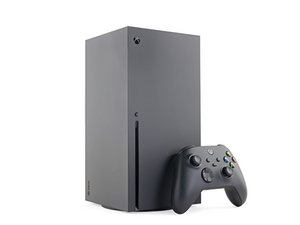
Microsoft'un 4K oyun konsolu olan Xbox Series X'e ait onarım, söküm ve sorun giderme bilgileri. Xbox Series X, tamamlayıcı konsolu Xbox Series S ile birlikte 10 Kasım 2020'de piyasaya sürülmüştür.

Series X no controller. Not wireless, Not wired.

One day I woke up and my controller would not connect. I spent hours trying to get it to connect. At one point, after I slapped it, the pairing button on the console did work, but then it stopped again.

Now the pairing button does nothing. Using the Xbox app to go into settings and try pairing it doesn't work either. When I use a USB-C cable that works fine with my PC and controller, nothing happens. I took the Xbox apart and reseated the accessory board. When I pressed the pairing button, it flashed for a second and then stopped.

Between when it first broke and now, the Xbox sat unplugged for a few weeks. I tried updating both the Xbox and the controller, but that didn't help. The controller, as well as two others I tried, work perfectly fine with my PC over the same cable.

I also tried unplugging everything external just to test it: no fan, no disc drive, no front-panel USB, and no accessory module. Still nothing. There is no change in behavior. It won't sync over a cable or wirelessly.

When I plug the controller in, it vibrates once. If I press the Xbox button, it turns on but just keeps flashing as if it's searching for something to connect to.

Does anybody have any idea what could be causing this? $800 for a new one is a rip-off, and I really don't want to buy a used one filled with weed smoke for $400 on eBay when I bought this one new for $500 a few years ago.

Bu soruyu yanıtla Ben de bu sorunu yaşıyorum

Bu iyi bir soru mu?

Puan 0
Yorum Ekle

1 Cevap

Filtre ölçütü:
En Yararlı Yanıt

Hi!

I would replace the accessory board and the sync button board together. I think 1 of them is starting to die…

You could also replace the sync button first and see how that goes.

Guide: Xbox Series X USB ve Eşleştirme Düğmesi Kartı Değişimi

If that fails, replace the other one as well.

Guide: Xbox Series X Aksesuar Anten Kartı Değişimi

Please let us know how it goes!

Xbox Series X Aksesuar Anten Kartı Görseli

Kılavuz

Xbox Series X Aksesuar Anten Kartı Değişimi

Zorluk:

Orta

—

15 minutes - 1 hour

Xbox Series X USB ve Eşleştirme Düğmesi Kartı Görseli

Kılavuz

Xbox Series X USB ve Eşleştirme Düğmesi Kartı Değişimi

Zorluk:

Orta

—

30 minutes - 1 hour

Bu yanıt yardımcı oldu mu?

Puan 2

8 Yorum:

But wouldn’t it still work wired? Even when I don’t have either board plugged in it still does not work.

tarafından

Hi!

The last one is also the USB board. Or did you tried other USB ports as well? Most likely it’s one of those 2. Could be the motherboard, but this is less likely. Can you let me know which USB ports you did use? Thank you!

tarafından

I tried front and rear.

tarafından

Okay, since you tried to reseat it and it did work for a second, I would assume this is it. I could be wrong though. Since the backside isn’t working as well, you could try to replace the southbridge board together with the cable to see if that is it. Testing components is probably the easiest way now.. sorry

tarafından

I just find it odd. Obviously something is probably wrong with wireless board/front button. I have always had connection issues. But I would assume it would work without it. Atleast wired.

tarafından

3 tane daha yorum göster

Yorum Ekle

Yanıtını ekle

1993 MAZDA MIATA sonsuza kadar minnettar olacak.
İstatistikleri Görüntüle:

Son 24 Saat: 0

Son 7 gün: 1

Son 30 gün: 48

Her zaman: 127