Ana içeriğe geç
Onarım Topluluğuna Katılın - Hesap Oluşturun

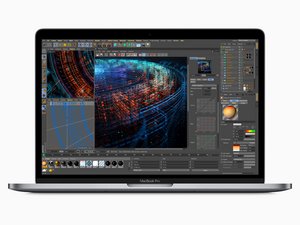
Temmuz 2018'de piyasaya sürülen 15 inç MacBook Pro, model A1990, True Tone teknolojisine sahip 15,4 inç LED arkadan aydınlatmalı ekran, TouchID ve 6 Çekirdekli i9 işlemciye kadar seçenekler sunar.

Start without power buttom

Problem Description

I have a 15-inch MacBook Pro 2018–2019 (A1990). The battery is connected, but it is completely discharged, so the MacBook is currently powered by the charger.

The problem is that:

  • the power button is not working;
  • Touch ID is also not working;
  • I previously disabled automatic startup when opening the lid using Terminal;
  • I also cannot properly press the power button.

As a result, the MacBook is connected to the charger, but I cannot turn it on using any standard method.

My Question

How can I safely turn on a MacBook Pro A1990 without a working power button or Touch ID, if automatic startup when opening the lid has also been disabled? Is there a safe way to trigger the Power On signal without using Touch ID?

Bu soruyu yanıtla Ben de bu sorunu yaşıyorum

Bu iyi bir soru mu?

Puan 0
Yorum Ekle

1 Cevap

Filtre ölçütü:

Sorry don't have any good answers which can solve all of your problems.

To start off if you are able to get the system running in its current state I would immediately backup your system so you don't loose all of your stuff and the current setup.

Instead of trying to gain direct access if you can get the system to power up since you state the Power/TouchID button is not working, if you have a second Mac system which you can connect to and have access to same iCloud account you should be able to treat the MacBook as an external drive to salvage your data.

So let's get into the needed repairs a bit...

Clearly you need a new battery at least, and if the Power/TouchID button is damaged replacing it will require a full system wipe to then connect a fresh Power/TouchID button only Apple can do that. But it does sound like the logic board still has issues which would require replacing or if you can find a talented Mac repair person who has the chops to dive deep into the circuitry they maybe able to repair the logic board instead.

You'll need to tally up the costs and decide if the outlay of funds is worth it! You might find a used system which is newer of if you can live with a 13" display the Neo is quite nice!

Bu yanıt yardımcı oldu mu?

Puan 0

2 Yorum:

Thanks. But I need start it. No start pads on motherboard?

tarafından

@semi72933 - Did someone disconnect the Power/TouchID ribbon cable and or take the button fully out?

Let's hope the Power/TouchID ribbon cable is not damaged and/or the ZIF Connector's compression bar is present and latched.

It's a very thin cable which can get damaged trying to take the button out. Here's the Button so you can see how thin it is passing through the case MacBook Pro 15" Retina (Late 2016-2019) Power Button so while iFixit offers the button TouchID won't work as the button and logic bd are married to each other! This is how Apple prevents access to your data by others!

tarafından

Yorum Ekle

Yanıtını ekle

Semi sonsuza kadar minnettar olacak.
İstatistikleri Görüntüle:

Son 24 Saat: 4

Son 7 gün: 28

Son 30 gün: 28

Her zaman: 28
