Giriş
Use this guide to replace the battery on the 4Sight 9
Neye ihtiyacın var
-
-
-
Place the tablet on its side so that the two screws are facing upward.
-
Remove two 1 mm screws from the left side of the tablet using a Phillips #00 screwdriver.
 FixBot'a Sor
-
-
-
Pry the case away from the device slowly by sliding a plastic opening tool along the device.
-
Once loosened, use your hands to separate the case from the device.
-
-
-
-
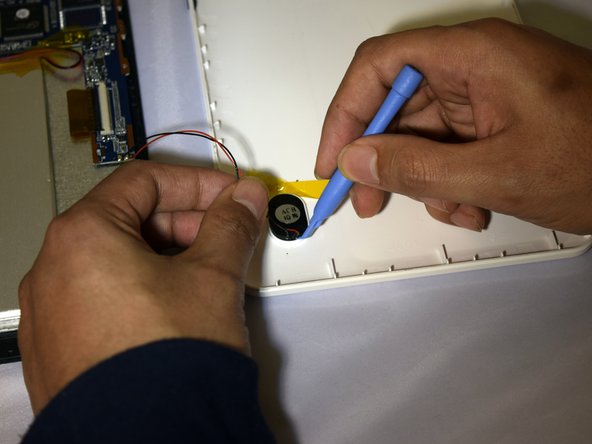
Hold the positive and negative wires as close as possible to the speaker.
-
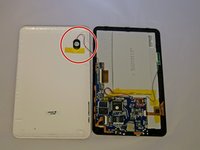
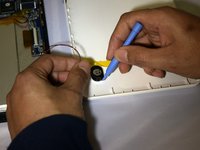
Use an opening tool and fingers to simultaneously lift the speaker from the cover.
-
-
-
-
-
Use soldering gun to remove the positive and negative wires connecting the battery to the circuit board.
-
-
-
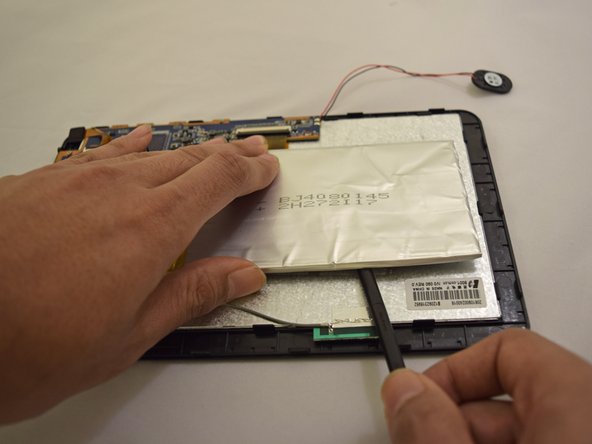
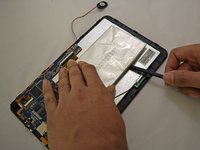
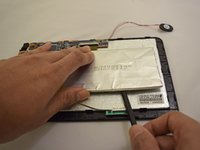
Insert plastic prying tool under upper-hand corner of battery and slide back and forth.
-
Once loosened, insert plastic prying tool under lower-hand corner and repeat sliding action.
-
-




To reassemble your device, follow these instructions in reverse order.
İptal et: Bu kılavuzu tamamlamadım.
7 farklı kişi bu kılavuzu tamamladı.

Ekip

Eastern Washington University, Team 1-2, Plummer Spring 2015 Eastern Washington University, Team 1-2, Plummer Spring 2015 üyesi
EWU-PLUMMER-S15S1G2
4 Üyeler
10 adet Kılavuz yazıldı
