Ana içeriğe geç
Onarım Topluluğuna Katılın - Hesap Oluşturun

Acer AL1916 VGA Input Replacement

Neye ihtiyacın var

  1. Acer AL1916 VGA Input Replacement, Stand: adım 1, 1 resimden 1.
    • Lay the monitor on a flat surface so that the back is facing up.

    FixBot'a Sor

    Yorum Ekle

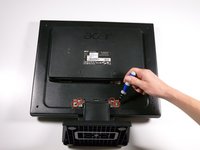
  2. Acer AL1916 VGA Input Replacement: adım 2, 2 resimden 1. Acer AL1916 VGA Input Replacement: adım 2, 2 resimden 2.
    • Grab the hinge cover with both hands on either side of the stand.

    • Squeeze inwards with your thumbs and fingers and lift up to remove the hinge cover.

    FixBot'a Sor

    Yorum Ekle

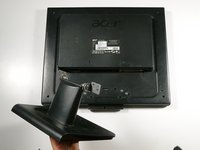
  3. Acer AL1916 VGA Input Replacement: adım 3, 2 resimden 1. Acer AL1916 VGA Input Replacement: adım 3, 2 resimden 2.
    • Remove the four 12.1 mm Phillips #2 screws that hold the stand to the monitor.

    • Support the monitor while removing the screws to prevent the monitor from falling.

    • Lift up to detach the stand.

    FixBot'a Sor
    Yorum Ekle

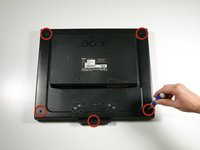
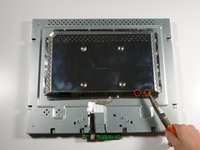
  4. Acer AL1916 VGA Input Replacement, Outer Case: adım 4, 2 resimden 1. Acer AL1916 VGA Input Replacement, Outer Case: adım 4, 2 resimden 2.
    • Remove the five 9.5 mm Phillips #2 screws located around the perimeter of the monitor.

    FixBot'a Sor
    Yorum Ekle

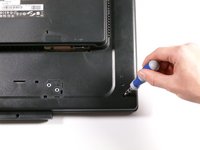
  5. Acer AL1916 VGA Input Replacement: adım 5, 3 resimden 1. Acer AL1916 VGA Input Replacement: adım 5, 3 resimden 2. Acer AL1916 VGA Input Replacement: adım 5, 3 resimden 3.
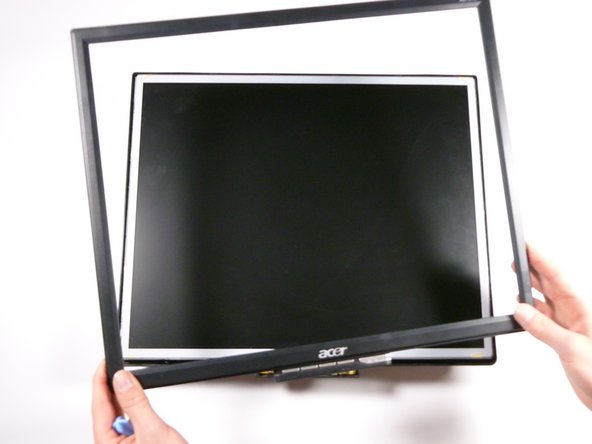
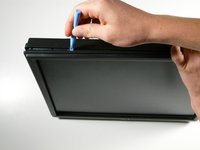
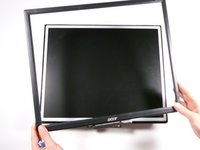
    • Starting at the corner of the monitor, wedge the small plastic opening tool between the back cover and the display bezel.

    • Tilt the plastic opening tool up to separate the back cover from the display bezel.

    • Continue around the perimeter of the monitor until the display bezel comes off.

    • A reasonable amount of force is necessary to detach the back cover from the display bezel.

    FixBot'a Sor

    Yorum Ekle

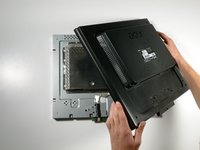
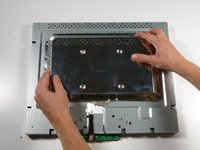
  6. Acer AL1916 VGA Input Replacement: adım 6, 2 resimden 1. Acer AL1916 VGA Input Replacement: adım 6, 2 resimden 2.
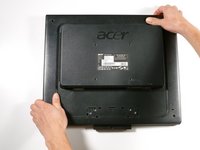
    • Reposition the monitor so that the back is facing up.

    • Grab the corners of the monitor and jiggle them upwards to detach the back cover from the inside of the monitor.

    • Lift the back cover up.

    FixBot'a Sor

    Yorum Ekle

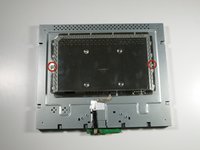
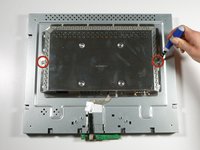
  7. Acer AL1916 VGA Input Replacement, EMI Shield: adım 7, 2 resimden 1. Acer AL1916 VGA Input Replacement, EMI Shield: adım 7, 2 resimden 2.
    • Remove the two 5.7 mm Phillips #2 screws located on either side of the EMI shield.

    FixBot'a Sor

    Yorum Ekle

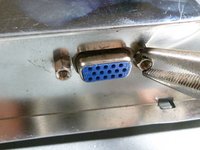
  8. Acer AL1916 VGA Input Replacement: adım 8, 2 resimden 1. Acer AL1916 VGA Input Replacement: adım 8, 2 resimden 2.
    • Using a nut driver (or if necessary, needle-nose pliers), remove the two nuts on either side of the VGA input.

    FixBot'a Sor
    Yorum Ekle

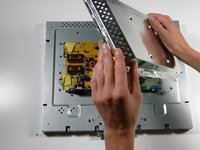
  9. Acer AL1916 VGA Input Replacement: adım 9, 3 resimden 1. Acer AL1916 VGA Input Replacement: adım 9, 3 resimden 2. Acer AL1916 VGA Input Replacement: adım 9, 3 resimden 3.
    • Grab the metal casing by the sides and slide it down towards the bottom of the monitor.

    • Lift up to remove the metal casing.

    • Beware, metal casing is sharp!

    FixBot'a Sor
    Yorum Ekle

  10. Acer AL1916 VGA Input Replacement, Motherboard: adım 10, 2 resimden 1. Acer AL1916 VGA Input Replacement, Motherboard: adım 10, 2 resimden 2.
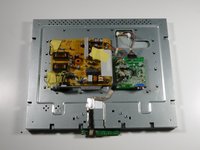
    • Remove the beige control cable to the left of the VGA input by pulling it up.

    FixBot'a Sor
    Yorum Ekle

  11. Acer AL1916 VGA Input Replacement: adım 11, 2 resimden 1. Acer AL1916 VGA Input Replacement: adım 11, 2 resimden 2.
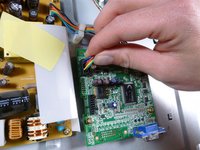
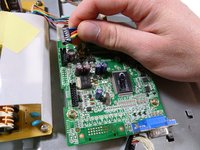
    • Remove the rainbow-colored power cable by pulling it straight up.

    FixBot'a Sor

    Yorum Ekle

  12. Acer AL1916 VGA Input Replacement: adım 12, 2 resimden 1. Acer AL1916 VGA Input Replacement: adım 12, 2 resimden 2.
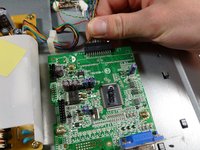
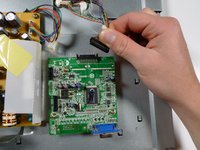
    • Remove the display cable located at the top of the motherboard by pulling it out towards the top of the monitor.

    FixBot'a Sor

    Yorum Ekle

  13. Acer AL1916 VGA Input Replacement: adım 13, 3 resimden 1. Acer AL1916 VGA Input Replacement: adım 13, 3 resimden 2. Acer AL1916 VGA Input Replacement: adım 13, 3 resimden 3.
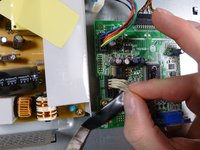
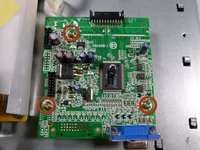
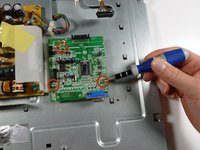
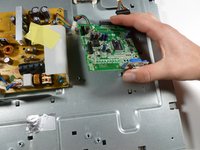
    • Remove the three 7.7 mm Phillips #2 screws from the motherboard, and take out the motherboard by lifting it up.

    FixBot'a Sor

    Yorum Ekle

  14. Acer AL1916 VGA Input Replacement, VGA Input: adım 14, 2 resimden 1. Acer AL1916 VGA Input Replacement, VGA Input: adım 14, 2 resimden 2.
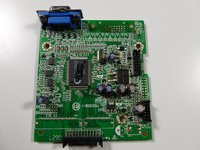
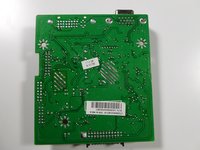
    • Set the circuit board down on its own, removed from the rest of the monitor.

    • Flip the circuit board over so that the VGA input is facing upwards.

    FixBot'a Sor

    Yorum Ekle

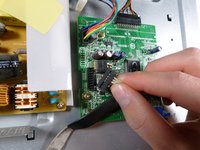
  15. Acer AL1916 VGA Input Replacement: adım 15, 3 resimden 1. Acer AL1916 VGA Input Replacement: adım 15, 3 resimden 2. Acer AL1916 VGA Input Replacement: adım 15, 3 resimden 3.
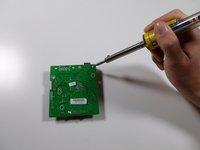
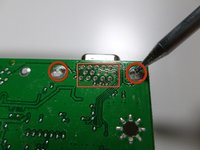
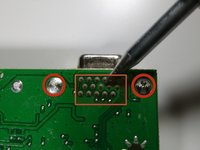
    • Using the soldering iron, desolder the VGA input at the indicated locations.

    • Solder the new VGA input into the circuit board at the same locations.

    • Click here for more information on component-level soldering.

    FixBot'a Sor

    Yorum Ekle

Sonuç

To reassemble your device, follow these instructions in reverse order.

İptal et: Bu kılavuzu tamamlamadım.

Taylor Atterbury

Üyelik tarihi: 10/06/11

747 İtibar

3 adet Kılavuz yazıldı

Ekip

Cal Poly, Team 20-26, Maness Fall 2011 Cal Poly, Team 20-26, Maness Fall 2011 üyesi

CPSU-MANESS-F11S20G26

4 Üyeler

14 adet Kılavuz yazıldı

0Kılavuz Yorumları

Yorum Ekle

İstatistikleri Görüntüle:

Son 24 Saat: 3

Son 7 gün: 15

Son 30 gün: 48

Her zaman: 3,791