Ana içeriğe geç
Onarım Topluluğuna Katılın - Hesap Oluşturun

Canon EOS 30 Remote Control Socket Replacement

Neye ihtiyacın var

  1. Canon EOS 30 Remote Control Socket Replacement, Front Panel: adım 1, 1 resimden 1.
    • Remove the two 4.8 mm black screws above the lens on the front of the camera.

    FixBot'a Sor

    Yorum Ekle

  2. Canon EOS 30 Remote Control Socket Replacement: adım 2, 1 resimden 1.
    • Remove the 4.3 mm black screw under the lens ring, and the 4.8 mm black screw under the camera.

    FixBot'a Sor

    Yorum Ekle

  3. Canon EOS 30 Remote Control Socket Replacement: adım 3, 1 resimden 1.
    • Remove the 4.8 mm black screw on the left side of the camera.

    FixBot'a Sor

    Yorum Ekle

  4. Canon EOS 30 Remote Control Socket Replacement: adım 4, 1 resimden 1.
    • Remove the front panel by lifting it away from the camera's body.

    FixBot'a Sor

    Yorum Ekle

  5. Canon EOS 30 Remote Control Socket Replacement, Bottom Panel: adım 5, 1 resimden 1.
    • Remove seven 4.25 mm black screws on the bottom panel.

    FixBot'a Sor

    Yorum Ekle

  6. Canon EOS 30 Remote Control Socket Replacement: adım 6, 1 resimden 1.
    • Remove the bottom panel.

    FixBot'a Sor

    Yorum Ekle

  7. Canon EOS 30 Remote Control Socket Replacement, Side Panel With Remote Control Socket: adım 7, 1 resimden 1.
    • Remove two 6.5 mm black screws from the panel.

    FixBot'a Sor

    Yorum Ekle

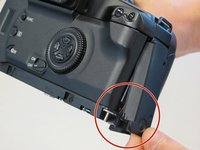
  8. Canon EOS 30 Remote Control Socket Replacement: adım 8, 1 resimden 1.
    • Remove the plastic remote control socket cap by pulling it straight out.

    FixBot'a Sor

    Yorum Ekle

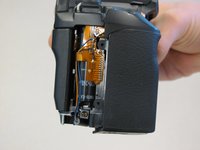
  9. Canon EOS 30 Remote Control Socket Replacement: adım 9, 2 resimden 1. Canon EOS 30 Remote Control Socket Replacement: adım 9, 2 resimden 2.
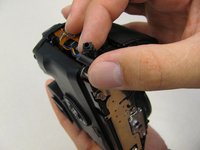
    • Slide the panel toward the bottom of the camera to remove.

    FixBot'a Sor

    Yorum Ekle

  10. Canon EOS 30 Remote Control Socket Replacement: adım 10, 1 resimden 1.
    • Remove the single 4.8 silver screw from the control socket.

    FixBot'a Sor

    Yorum Ekle

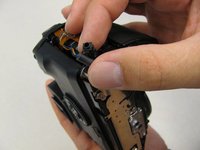
  11. Canon EOS 30 Remote Control Socket Replacement: adım 11, 2 resimden 1. Canon EOS 30 Remote Control Socket Replacement: adım 11, 2 resimden 2.
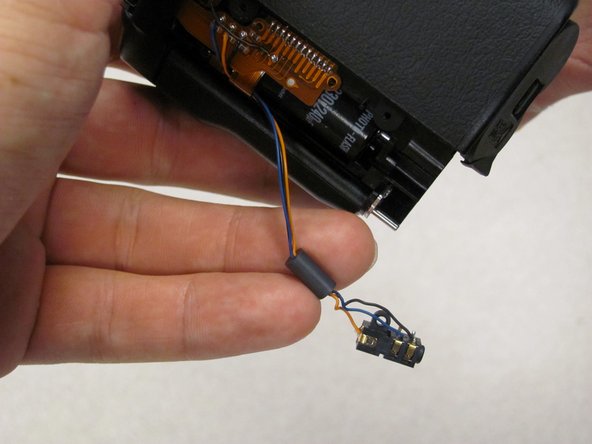
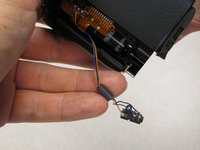
    • The control socket is now secure by three wires.

    • Desolder connections to replace the remote control socket.

    FixBot'a Sor

    Yorum Ekle

  12. Canon EOS 30 Remote Control Socket Replacement, Remote Control Socket: adım 12, 1 resimden 1.
    • Remove one 4.8 mm silver screw securing Remote Control Socket to camera.

    FixBot'a Sor

    Yorum Ekle

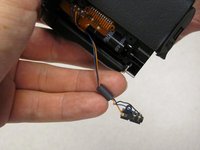
  13. Canon EOS 30 Remote Control Socket Replacement: adım 13, 2 resimden 1. Canon EOS 30 Remote Control Socket Replacement: adım 13, 2 resimden 2.
    • Remote Control Socket is now secured by 3 wires.

    • Desolder connections to replace Remote Control Socket.

    FixBot'a Sor

    Yorum Ekle

Sonuç

To reassemble your device, follow these instructions in reverse order.

İptal et: Bu kılavuzu tamamlamadım.

2 farklı kişi bu kılavuzu tamamladı.

Antonia

Üyelik tarihi: 04/17/11

124 İtibar

2 adet Kılavuz yazıldı

Ekip

Cal Poly, Team 8-8, Regan Spring 2011 Cal Poly, Team 8-8, Regan Spring 2011 üyesi

CPSU-REGAN-S11S8G8

5 Üyeler

22 adet Kılavuz yazıldı

0Kılavuz Yorumları

Yorum Ekle

İstatistikleri Görüntüle:

Son 24 Saat: 1

Son 7 gün: 10

Son 30 gün: 50

Her zaman: 3,404