Bu çeviri bir makine tarafından oluşturulmuştur ve henüz bir kişi tarafından incelenmemiştir. Bu dili konuşuyor musunuz? İnceleme için.

Computer King Muffin Kinder 7 Batarya Değişimi

Katherine ve 4 diğer katkıda bulunanlar
En son 17 Ağu 2026 tarihinde güncellendi
Görüntüleme: 821
İstatistikleri görüntüle:
- Son 24 Saat:
- 2
- Son 7 Gün:
- 16
- Son 30 Gün:
- 73
- Her zaman:
- 821
Yorumlar: 0
Hiç kimse bu kılavuza yorum bırakmadı. Birinci olacak mısın?
Go to guide commentsTamamlandı: 1 2
1 kişi bu kılavuzu "tamamlandı" olarak işaretledi. Sıradaki sen olacak mısın?
2 kişi bu kılavuzu "tamamlandı" olarak işaretledi. Siz de dahil - harika iş!
Sık Kullanılanlar: 0 1
Hiç kimse bu kılavuzu favorilere eklemedi (ve abone olmadı). İlk mi olacaksın?
1 kişi bu kılavuzu favorilerine ekledi (ve abone oldu) — ve bu sizsiniz!
Dilim ve Zar
Bu kılavuzdaki adımlar bölünerek bir dizi önkoşul kılavuzu olarak düzenlenmelidir.
Giriş
1. adıma git ↓Bu kılavuzu tamamlamak için cihazınızı parçalarına ayırmanız ve bataryayı değiştirmek için bir havya kullanmanız gerekecektir.
Cihazınızı parçalarına ayırmaya başlamadan önce cihazı kapattığınızdan emin olun. Bunu yapmamak, potansiyel olarak hasara yol açabilir.
Neye ihtiyacın var
Aletler


-
-
-
microSD kartı microSD yuvasından dışarı itmek için plastik açma aletini kullanın.
 FixBot'a Sor
-
-
-
Ön plastik paneli arka plastik panelden ayırmak için açma aletini kullanın. Ayırma işlemine başlamak için MicroSD yuvasını kullanın.
-
-
-
-
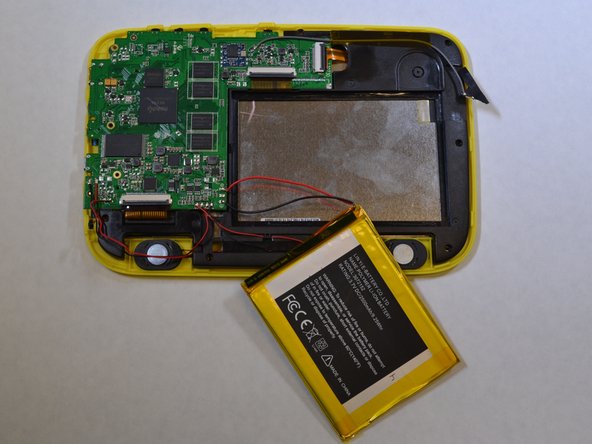
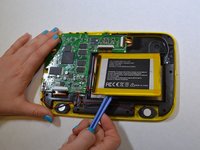
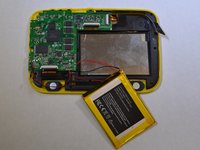
Batarya, siyah plastiğe yapıştırılmıştır. Bataryayı siyah plastikten ayırmak için açma aletini kullanın.
-
-
-
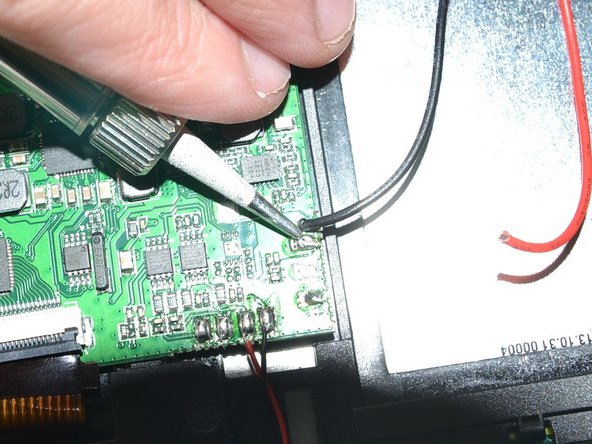
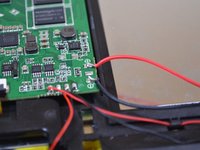
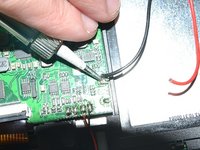
Bataryaya bağlı olan kırmızı ve siyah kabloları, bir havyaya kullanarak anakarttan lehimleyerek sökün.
-
Lehimleme konusunda ipuçlarını burada bulabilirsiniz.
-
-



Cihazınızı tekrar monte etmek için bu talimatları ters sırayla uygulayın.
İptal et: Bu kılavuzu tamamlamadım.
Bir başkası bu kılavuzu tamamladı.


