Ana içeriğe geç
Onarım Topluluğuna Katılın - Hesap Oluşturun

DJI Mavic Pro Controller Micro USB Port Replacement

Görüntüleme: 9,7 B

İstatistikleri görüntüle:

Son 24 Saat:
5
Son 7 Gün:
37
Son 30 Gün:
172
Her zaman:
9.729
Yorumlar: 11

2 comments on steps, 9 guide comments.

Go to guide comments
Tamamlandı: 5

5 kişi bu kılavuzu "tamamlandı" olarak işaretledi. Sıradaki sen olacak mısın?

Sık Kullanılanlar: 2

2 kişi bu kılavuzu favorilerine ekledi (ve abone oldu). Sıradaki sen olacak mısın?

Gerekli Süre: 20 dakika
Zorluk: Orta
Madde imleri!

İşaretler ve madde işaretlerinin rengi/tipi arasında daha iyi uyum bu kılavuzun daha anlaşılabilir olmasına yardımcı olur!

Daha İyi Resimler Gerekli

Daha iyi fotoğraflar bu kılavuzu geliştirecektir. Yeni fotoğraflar çekerek, düzenleyerek ya da yükleyerek katkıda bulunun!

Topluluk-Katkılı Kılavuz

Topluluğumuzdan muhteşem birisi bu kılavuzu hazırladı. Bu kılavuz iFixit elemanları tarafından oluşturulmamıştır.

DJI Mavic Pro Controller Micro USB Port Replacement
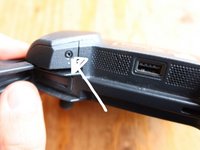
    1. DJI Mavic Pro Controller Micro USB Port Replacement, Identify broken part: adım 1, 1 resimden 1.
      • It's easy to put the micro USB in the wrong way around (turned 180 degrees) this will break your pins and makes the controller not able to charge anymore. Check if the inside of your port is all good

      FixBot'a Sor

      Yorum Ekle

    2. DJI Mavic Pro Controller Micro USB Port Replacement, Get the replacement part: adım 2, 2 resimden 1. DJI Mavic Pro Controller Micro USB Port Replacement, Get the replacement part: adım 2, 2 resimden 2.
      • get the replacement part for your controller where the Micro Usb is connected to

      FixBot'a Sor

      Yorum Ekle

    3. DJI Mavic Pro Controller Micro USB Port Replacement, Get started: adım 3, 1 resimden 1.
      • Get your tools, controller and part in place to get started

      FixBot'a Sor

      Yorum Ekle

    4. DJI Mavic Pro Controller Micro USB Port Replacement, Remove Joystick: adım 4, 1 resimden 1.
      • First remove the joystick. You can just pull this out. In my case I already lost it 2 years ago. Easy!

      FixBot'a Sor

      Yorum Ekle

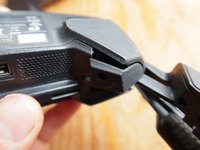
    5. DJI Mavic Pro Controller Micro USB Port Replacement, Unscrew 2 bottom caps: adım 5, 2 resimden 1. DJI Mavic Pro Controller Micro USB Port Replacement, Unscrew 2 bottom caps: adım 5, 2 resimden 2.
      • Unscrew the two screws on the bottom using a torx 6

      FixBot'a Sor

      Yorum Ekle

    6. DJI Mavic Pro Controller Micro USB Port Replacement, Open the cover: adım 6, 1 resimden 1.
      • This was the most complex step. Once you remove the 2 screws from the previous step you can open up the bottom. This is a tough piece of plastic clicked into the sides. It required some fiddling and squeezing. It looks like you will break the plastic. But you won't. Plastic is precious you know

      FixBot'a Sor

      Yorum Ekle

    7. DJI Mavic Pro Controller Micro USB Port Replacement, Remove the front panel: adım 7, 3 resimden 1. DJI Mavic Pro Controller Micro USB Port Replacement, Remove the front panel: adım 7, 3 resimden 2. DJI Mavic Pro Controller Micro USB Port Replacement, Remove the front panel: adım 7, 3 resimden 3.
      • First remove the 2 phillips screws on at the top corners. There are 2 places where the front panels locks on the controller. (those big round things) Just pull it of there and you can open up the controller and remove the panel

      FixBot'a Sor

      Yorum Ekle

    8. DJI Mavic Pro Controller Micro USB Port Replacement, Open the controller: adım 8, 2 resimden 1. DJI Mavic Pro Controller Micro USB Port Replacement, Open the controller: adım 8, 2 resimden 2.
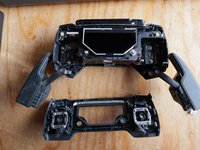
      • Now the controller is open, you can see the part you need to replace, just a few steps away

      FixBot'a Sor

      Yorum Ekle

    9. DJI Mavic Pro Controller Micro USB Port Replacement, Remove the keyboard cable: adım 9, 1 resimden 1.
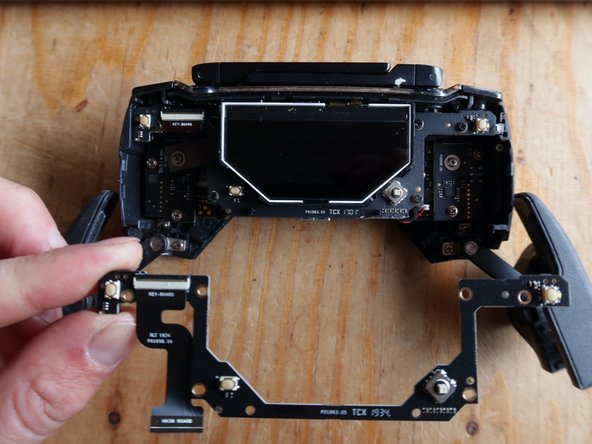
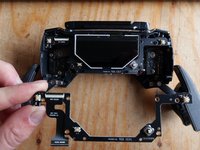
      • open up the tiny lever and you can remove the data cable of the keyboard

      FixBot'a Sor

      Yorum Ekle

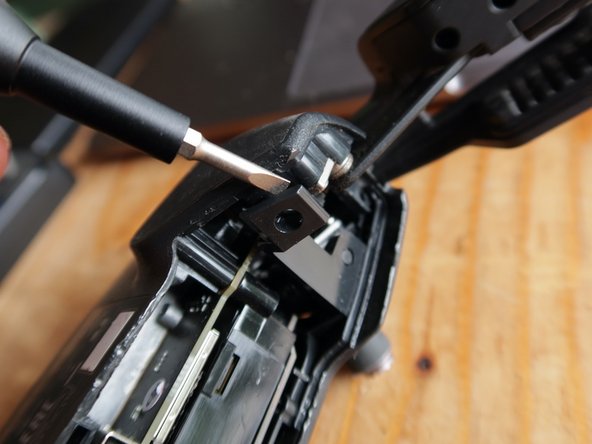
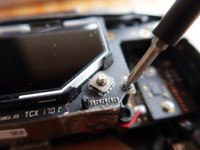
    10. DJI Mavic Pro Controller Micro USB Port Replacement, remove final 2 screw: adım 10, 2 resimden 1. DJI Mavic Pro Controller Micro USB Port Replacement, remove final 2 screw: adım 10, 2 resimden 2.
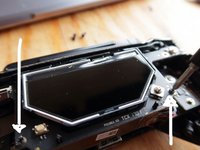
      • There are.2 screws that connect the part you want to replace. Unscrew and you can remove it

      FixBot'a Sor

      Yorum Ekle

    11. DJI Mavic Pro Controller Micro USB Port Replacement, Replace the part and check: adım 11, 1 resimden 1.
      • You can now replace the part, but before we put everything back together make sure it works (charges! :)

      FixBot'a Sor

      Yorum Ekle

    12. DJI Mavic Pro Controller Micro USB Port Replacement, Future Upgrade: adım 12, 1 resimden 1.
      • My part broke because I put the cable in wrong way around, apparently this is a common problem from this controller. Makes me wonder why it usually does not go wrong. Anyway, to prevent this in the future i've marked how the Micro USB cable should go in. Flat part down!

      FixBot'a Sor

      Yorum Ekle

Sonuç

To reassemble your device, follow these instructions in reverse order.

İptal et: Bu kılavuzu tamamlamadım.

5 farklı kişi bu kılavuzu tamamladı.

Dave Hakkens

Üyelik tarihi: 01/03/16

1.060 İtibar

3 adet Kılavuz yazıldı

9Kılavuz Yorumları

Thank you for sharing your experience and knowledge. :-)

Fernando Kojin - Yanıt Paylaş

How and where do you get this replacement part from DJI ?

I have the exact same issue

R4P70R - Yanıt Paylaş

I see you didn’t respond back to Romain and I have the same question now, after reviewing your incredible detailed example of replacement. Same reason, obviously, I put the connector in upside down and broke it… thank you, hope you respond soon

Pops Eagles - Yanıt Paylaş

Got it somewhere from ebay

Dave Hakkens - Yanıt Paylaş

Yorum Ekle

İstatistikleri Görüntüle:

Son 24 Saat: 5

Son 7 gün: 37

Son 30 gün: 172

Her zaman: 9,729