Ana içeriğe geç
Onarım Topluluğuna Katılın - Hesap Oluşturun

DualSense Controller v2 Adaptive Trigger Replacement

Neye ihtiyacın var

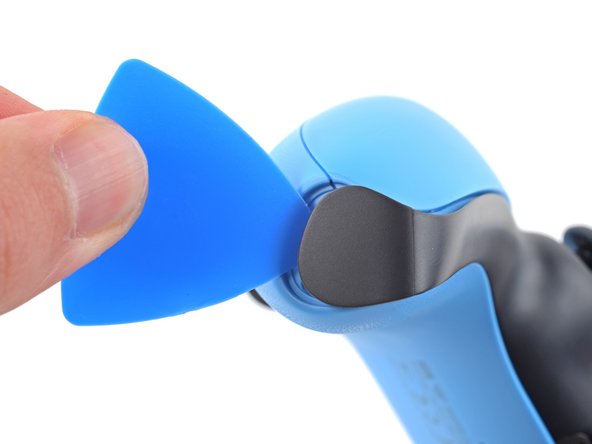
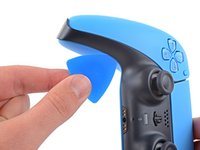
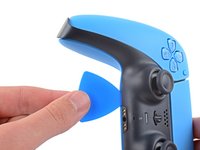
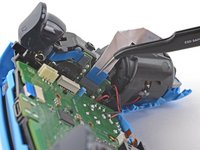
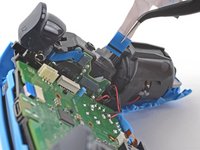
  1. DualSense Controller v2 Adaptive Trigger Replacement, Unclip the right end of the middle trim: adım 1, 2 resimden 1. DualSense Controller v2 Adaptive Trigger Replacement, Unclip the right end of the middle trim: adım 1, 2 resimden 2.
    • Disconnect and power down the controller before you begin.

    • Insert an opening pick underneath the middle trim at the bottom-right corner of the controller to release the clips securing it to the case.

    FixBot'a Sor

    Yorum Ekle

  2. DualSense Controller v2 Adaptive Trigger Replacement, Unclip the lower-right edge of the middle trim: adım 2, 3 resimden 1. DualSense Controller v2 Adaptive Trigger Replacement, Unclip the lower-right edge of the middle trim: adım 2, 3 resimden 2. DualSense Controller v2 Adaptive Trigger Replacement, Unclip the lower-right edge of the middle trim: adım 2, 3 resimden 3.
    • Slide the opening pick along the lower-right edge of the middle trim to release the clips securing it to the case.

    FixBot'a Sor

    Yorum Ekle

  3. DualSense Controller v2 Adaptive Trigger Replacement, Unclip the left end of the middle trim: adım 3, 2 resimden 1. DualSense Controller v2 Adaptive Trigger Replacement, Unclip the left end of the middle trim: adım 3, 2 resimden 2.
    • Insert an opening pick underneath the middle trim at the bottom-left corner of the controller to release the clips securing it to the case.

    FixBot'a Sor

    Yorum Ekle

  4. DualSense Controller v2 Adaptive Trigger Replacement, Unclip the lower-left edge of the middle trim: adım 4, 3 resimden 1. DualSense Controller v2 Adaptive Trigger Replacement, Unclip the lower-left edge of the middle trim: adım 4, 3 resimden 2. DualSense Controller v2 Adaptive Trigger Replacement, Unclip the lower-left edge of the middle trim: adım 4, 3 resimden 3.
    • Slide the opening pick along the lower-left edge of the middle trim to release the clips securing it to the case.

    FixBot'a Sor

    Yorum Ekle

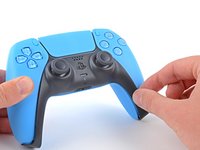
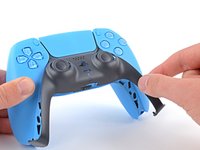
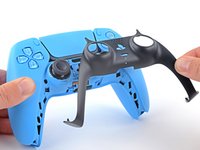
  5. DualSense Controller v2 Adaptive Trigger Replacement, Remove the middle trim: adım 5, 3 resimden 1. DualSense Controller v2 Adaptive Trigger Replacement, Remove the middle trim: adım 5, 3 resimden 2. DualSense Controller v2 Adaptive Trigger Replacement, Remove the middle trim: adım 5, 3 resimden 3.
    • Use your fingers to lift up the bottom edge of the middle trim to release the remaining clips.

    • Lift the middle trim over the joysticks to remove it.

    • During reassembly, position the middle trim into place and press along all edges to engage the clips securing it to the controller.

    FixBot'a Sor

    Yorum Ekle

  6. DualSense Controller v2 Adaptive Trigger Replacement, Remove the L1 button: adım 6, 3 resimden 1. DualSense Controller v2 Adaptive Trigger Replacement, Remove the L1 button: adım 6, 3 resimden 2. DualSense Controller v2 Adaptive Trigger Replacement, Remove the L1 button: adım 6, 3 resimden 3.
    • Insert the flat end of a spudger into the gap above the L1 button.

    • Cover the button with your thumb to prevent it from ejecting across the room.

    • Pry the spudger upward to remove the L1 button.

    FixBot'a Sor

    Yorum Ekle

  7. DualSense Controller v2 Adaptive Trigger Replacement, Remove the R1 button: adım 7, 3 resimden 1. DualSense Controller v2 Adaptive Trigger Replacement, Remove the R1 button: adım 7, 3 resimden 2. DualSense Controller v2 Adaptive Trigger Replacement, Remove the R1 button: adım 7, 3 resimden 3.
    • Insert the flat end of a spudger into the gap above the R1 button.

    • Cover the button with your thumb to prevent it from ejecting across the room.

    • Pry the spudger upward to remove the R1 button.

    FixBot'a Sor

    Yorum Ekle

  8. DualSense Controller v2 Adaptive Trigger Replacement, Remove the case screws: adım 8, 1 resimden 1.
    • Use a Phillips screwdriver to remove the two 6.5 mm screws securing the bottom corners of the lower case.

    FixBot'a Sor

    Yorum Ekle

  9. DualSense Controller v2 Adaptive Trigger Replacement: adım 9, 1 resimden 1.
    • Use a Phillips screwdriver to remove the two 6.5 mm screws behind the L1 and R1 buttons.

    FixBot'a Sor

    Yorum Ekle

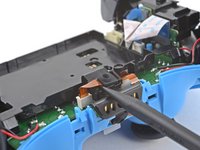
  10. DualSense Controller v2 Adaptive Trigger Replacement, Unclip the rear case: adım 10, 3 resimden 1. DualSense Controller v2 Adaptive Trigger Replacement, Unclip the rear case: adım 10, 3 resimden 2. DualSense Controller v2 Adaptive Trigger Replacement, Unclip the rear case: adım 10, 3 resimden 3.
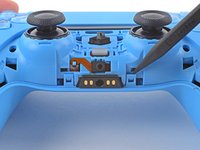
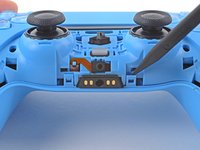
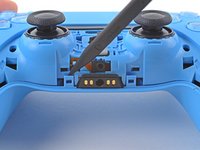
    • Use the pointed edge of a spudger to unclip the two clips on either side of the headset jack.

    FixBot'a Sor

    Yorum Ekle

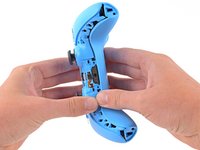
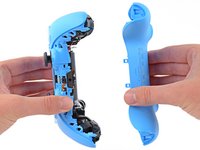
  11. DualSense Controller v2 Adaptive Trigger Replacement, Remove the rear case: adım 11, 2 resimden 1. DualSense Controller v2 Adaptive Trigger Replacement, Remove the rear case: adım 11, 2 resimden 2.
    • Use your hands to carefully pull the rear case off of the controller.

    • During reassembly, make sure the red and black vibration motor wires are not pinched between the front and rear case.

    FixBot'a Sor

    Yorum Ekle

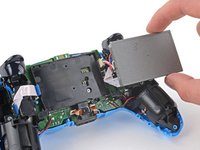
  12. DualSense Controller v2 Adaptive Trigger Replacement, Reposition the battery: adım 12, 2 resimden 1. DualSense Controller v2 Adaptive Trigger Replacement, Reposition the battery: adım 12, 2 resimden 2.
    • Lift the battery out of its bracket and reposition it to the right for better access to the battery connector.

    • Don't strain the battery cables.

    FixBot'a Sor

    Yorum Ekle

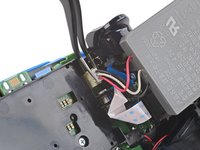
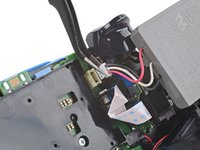
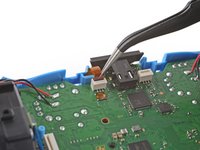
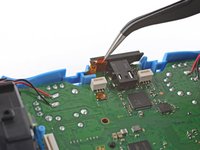
  13. DualSense Controller v2 Adaptive Trigger Replacement, Disconnect the battery: adım 13, 2 resimden 1. DualSense Controller v2 Adaptive Trigger Replacement, Disconnect the battery: adım 13, 2 resimden 2.
    Bu adımda kullanılan alet:
    Tweezers
    $4.99
    • Use a pair of tweezers or your fingers to disconnect the battery from the motherboard.

    • Don't pull on the wires to disconnect the battery.

    FixBot'a Sor

    Yorum Ekle

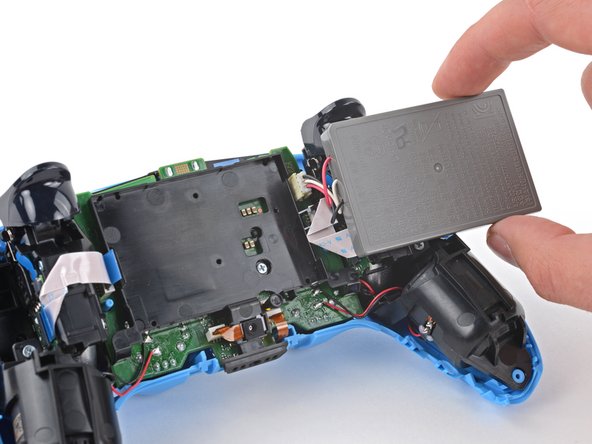
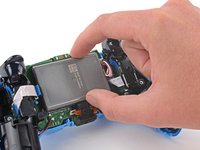
  14. DualSense Controller v2 Adaptive Trigger Replacement, Remove the battery: adım 14, 1 resimden 1.
    • Remove the battery.

    FixBot'a Sor

    Yorum Ekle

  15. DualSense Controller v2 Adaptive Trigger Replacement, Remove the lower microphone: adım 15, 2 resimden 1. DualSense Controller v2 Adaptive Trigger Replacement, Remove the lower microphone: adım 15, 2 resimden 2.
    • Use the pointed end of a spudger to remove the lower microphone from its bracket next to the battery.

    • During reassembly, make sure the end of the microphone's ribbon cable is slotted into the bracket.

    FixBot'a Sor

    Yorum Ekle

  16. DualSense Controller v2 Adaptive Trigger Replacement: adım 16, 2 resimden 1. DualSense Controller v2 Adaptive Trigger Replacement: adım 16, 2 resimden 2.
    Bu adımda kullanılan alet:
    Tweezers
    $4.99
    • Grab the lower microphone ribbon cable pull tab with your fingers or a pair of tweezers and disconnect it from the motherboard.

    FixBot'a Sor

    Yorum Ekle

  17. DualSense Controller v2 Adaptive Trigger Replacement, Remove the battery bracket: adım 17, 1 resimden 1.
    • Use a Phillips screwdriver to remove the 6.5 mm screw securing the battery bracket.

    FixBot'a Sor

    Yorum Ekle

  18. DualSense Controller v2 Adaptive Trigger Replacement: adım 18, 2 resimden 1. DualSense Controller v2 Adaptive Trigger Replacement: adım 18, 2 resimden 2.
    • Lift the battery bracket off of the motherboard.

    FixBot'a Sor

    Yorum Ekle

  19. DualSense Controller v2 Adaptive Trigger Replacement, Disconnect the right trigger assembly: adım 19, 2 resimden 1. DualSense Controller v2 Adaptive Trigger Replacement, Disconnect the right trigger assembly: adım 19, 2 resimden 2.
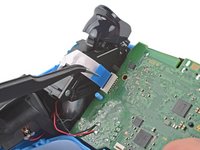
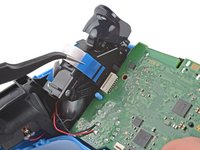
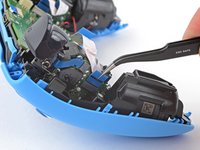
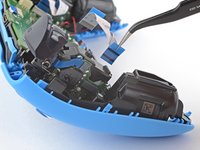
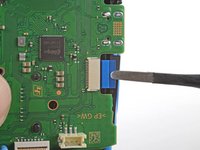
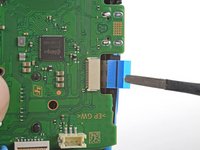
    • Grip the right trigger assembly cable with a pair of tweezers or your fingers and disconnect it from the motherboard.

    • Use the pull tab to disconnect the cable. Don't pull on the cable itself.

    • Don't completely remove the ribbon cable yet.

    FixBot'a Sor

    Yorum Ekle

  20. DualSense Controller v2 Adaptive Trigger Replacement: adım 20, 2 resimden 1. DualSense Controller v2 Adaptive Trigger Replacement: adım 20, 2 resimden 2.
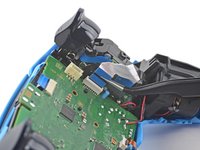
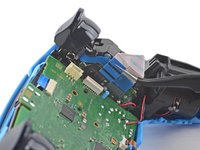
    • Grip the right trigger assembly cable with a pair of tweezers or your fingers, and disconnect it from the trigger assembly.

    • Use the pull tab to disconnect the cable. Don't pull on the cable itself.

    • Depending on the controller's model, the ribbon cable may block the motherboard from coming loose. If so, remove the cable from the trigger assembly.

    FixBot'a Sor

    Yorum Ekle

  21. DualSense Controller v2 Adaptive Trigger Replacement, Disconnect the left trigger assembly: adım 21, 2 resimden 1. DualSense Controller v2 Adaptive Trigger Replacement, Disconnect the left trigger assembly: adım 21, 2 resimden 2.
    • Grip the left trigger assembly cable with a pair of tweezers or your fingers to disconnect it from the motherboard.

    • Use the pull tab to disconnect the cable. Don't pull on the cable itself.

    • Don't completely remove the ribbon cable yet.

    FixBot'a Sor

    Yorum Ekle

  22. DualSense Controller v2 Adaptive Trigger Replacement: adım 22, 2 resimden 1. DualSense Controller v2 Adaptive Trigger Replacement: adım 22, 2 resimden 2.
    • Grip the left trigger assembly cable with a pair of tweezers or your fingers to disconnect it from the trigger assembly.

    • Use the pull tab to disconnect the cable. Don't pull on the cable itself.

    • Depending on the controller's model, the ribbon cable may block the motherboard from coming loose. If so, remove the cable from the trigger assembly.

    FixBot'a Sor

    Yorum Ekle

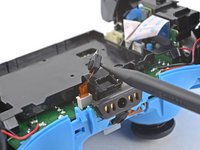
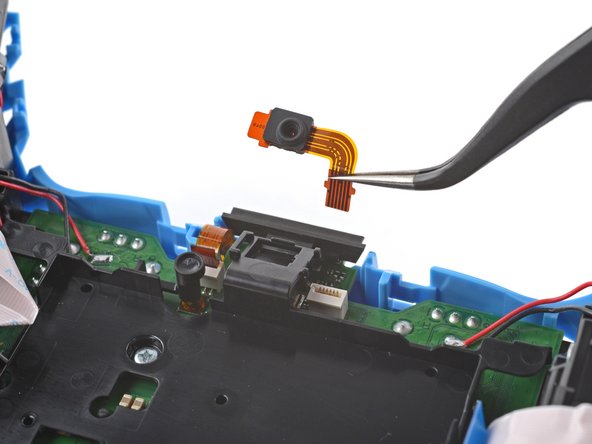
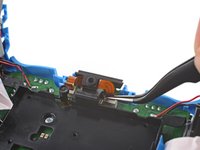
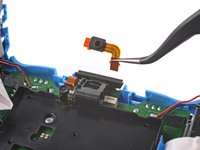
  23. DualSense Controller v2 Adaptive Trigger Replacement, Disconnect the upper microphone: adım 23, 2 resimden 1. DualSense Controller v2 Adaptive Trigger Replacement, Disconnect the upper microphone: adım 23, 2 resimden 2.
    • Use a pair of tweezers or your fingers to disconnect the upper microphone from the motherboard.

    • Use the pull tab to disconnect the cable. Don't pull on the cable itself.

    • If you're not replacing this microphone, don't remove it from the frame.

    FixBot'a Sor

    Yorum Ekle

  24. DualSense Controller v2 Adaptive Trigger Replacement, Disconnect the touchpad: adım 24, 2 resimden 1. DualSense Controller v2 Adaptive Trigger Replacement, Disconnect the touchpad: adım 24, 2 resimden 2.
    • Use a pair of tweezers or your fingers to disconnect the touchpad cable from the motherboard.

    • Use the pull tab to disconnect the cable. Don't pull on the cable itself.

    FixBot'a Sor

    Yorum Ekle

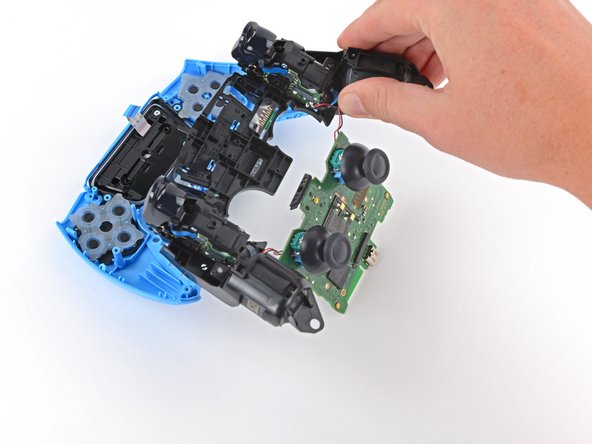
  25. DualSense Controller v2 Adaptive Trigger Replacement, Lift out the motherboard: adım 25, 3 resimden 1. DualSense Controller v2 Adaptive Trigger Replacement, Lift out the motherboard: adım 25, 3 resimden 2. DualSense Controller v2 Adaptive Trigger Replacement, Lift out the motherboard: adım 25, 3 resimden 3.
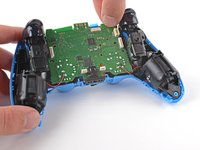
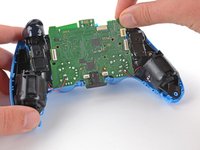
    • Carefully guide the joysticks through the front case and lift the motherboard out.

    • Don't strain the four soldered wires tethering the motherboard to the vibration motors.

    FixBot'a Sor

    Yorum Ekle

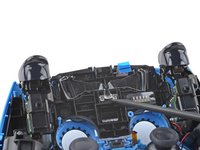
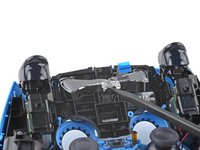
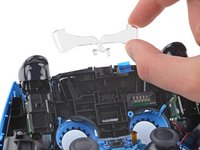
  26. DualSense Controller v2 Adaptive Trigger Replacement, Remove the light guide: adım 26, 3 resimden 1. DualSense Controller v2 Adaptive Trigger Replacement, Remove the light guide: adım 26, 3 resimden 2. DualSense Controller v2 Adaptive Trigger Replacement, Remove the light guide: adım 26, 3 resimden 3.
    • Use the pointed end of your spudger to lift the center of the light guide out of the controller.

    • Remove the light guide.

    FixBot'a Sor

    Yorum Ekle

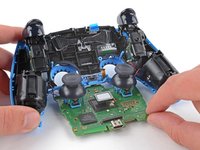
  27. DualSense Controller v2 Adaptive Trigger Replacement, Remove the midframe: adım 27, 1 resimden 1.
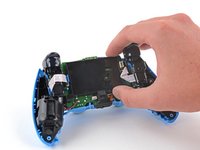
    • Use your Phillips driver to remove the two 6.5 mm screws securing the midframe to the front case.

    FixBot'a Sor

    Yorum Ekle

  28. DualSense Controller v2 Adaptive Trigger Replacement: adım 28, 3 resimden 1. DualSense Controller v2 Adaptive Trigger Replacement: adım 28, 3 resimden 2. DualSense Controller v2 Adaptive Trigger Replacement: adım 28, 3 resimden 3.
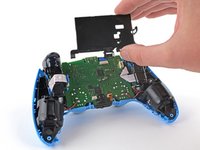
    • Carefully lift the midframe and motherboard up and out of the front case.

    • Be careful not to strain the vibrator motor wires.

    • During reassembly, feed the touchpad's ribbon cable back through its rectangular opening in the midframe.

    FixBot'a Sor

    Yorum Ekle

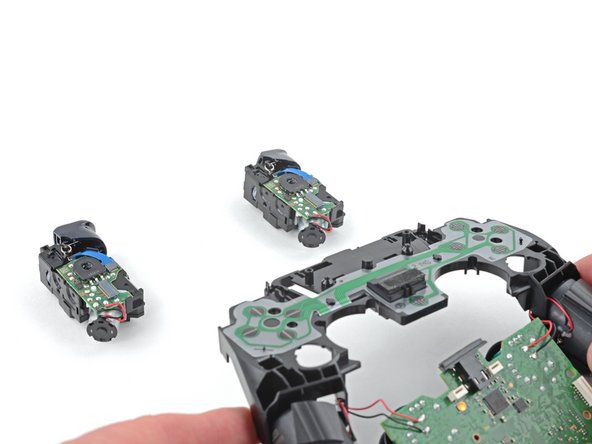
  29. DualSense Controller v2 Adaptive Trigger Replacement, Remove the adaptive triggers: adım 29, 1 resimden 1.
    • Use your Phillips screwdriver to remove the four 6.5 mm screws securing the adaptive triggers to the midframe.

    • The adaptive triggers are loose and will fall out of the midframe.

    • During reassembly, verify the conductive membrane is properly aligned by checking the screw holes and alignment posts.

    • Proper alignment of the conductive membrane is essential for button functionality.

    FixBot'a Sor

    Yorum Ekle

  30. DualSense Controller v2 Adaptive Trigger Replacement: adım 30, 2 resimden 1. DualSense Controller v2 Adaptive Trigger Replacement: adım 30, 2 resimden 2.
    • Lift the midframe off of the adaptive triggers.

    • Be careful not to pull the vibration motor wires out of the motherboard.

    FixBot'a Sor

    Yorum Ekle

Sonuç

To reassemble your device, follow these instructions in reverse order.

Take your e-waste to an R2 or e-Stewards certified recycler.

Repair didn’t go as planned? Try some basic troubleshooting, or ask our Answers community for help.

İptal et: Bu kılavuzu tamamlamadım.

2 farklı kişi bu kılavuzu tamamladı.

Sam Omiotek

Üyelik tarihi: 02/25/19

98.688 İtibar

290 adet Kılavuz yazıldı

4Kılavuz Yorumları

Anyone knows where to buy the Adaptive Triggers for this controller model, CFI-ZCT1W? Thanks in advance.

Obel Ortiz - Yanıt Paylaş

This is wrong. Not the instructions for V2 as V2 removed the screws that hold the adaptive triggers so now it's impossible to remove them.

Glen Senecal - Yanıt Paylaş

Does anyone know how to replace the l2 and r2 bumpers? I need to remove for a controller mod

MalicePalace - Yanıt Paylaş

For a BDM-020 controller, extremerate has a video about installing a clicky kit that requires you to take off the trigger caps. They also have mods for other controller versions, so I assume they have videos for those controller variations too.

https://youtu.be/JSpm7piCqgQ?si=SyotXDne...

Lone - Yanıt Paylaş

Yorum Ekle

İstatistikleri Görüntüle:

Son 24 Saat: 20

Son 7 gün: 187

Son 30 gün: 755

Her zaman: 26,228