Ana içeriğe geç
Onarım Topluluğuna Katılın - Hesap Oluşturun

Framework Laptop 12 Fastener Guide

Neye ihtiyacın var

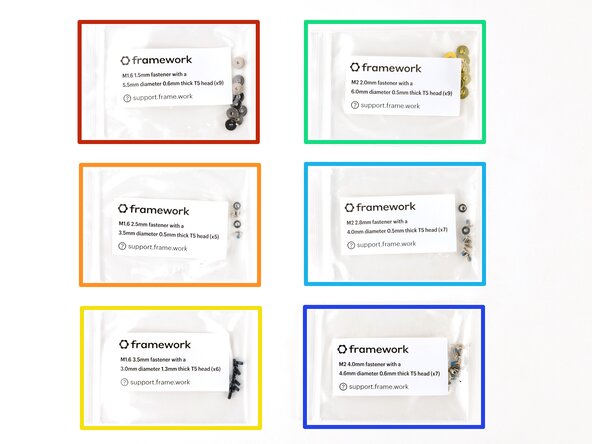
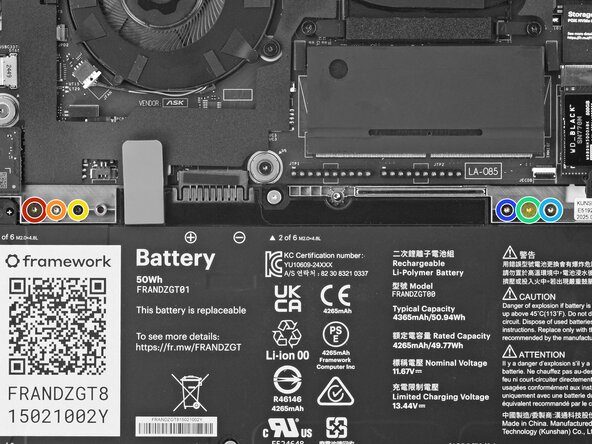
  1. Framework Laptop 12 Fastener Guide, Fasteners information: adım 1, 2 resimden 1. Framework Laptop 12 Fastener Guide, Fasteners information: adım 1, 2 resimden 2.
    • The Fastener Kit contains the following:

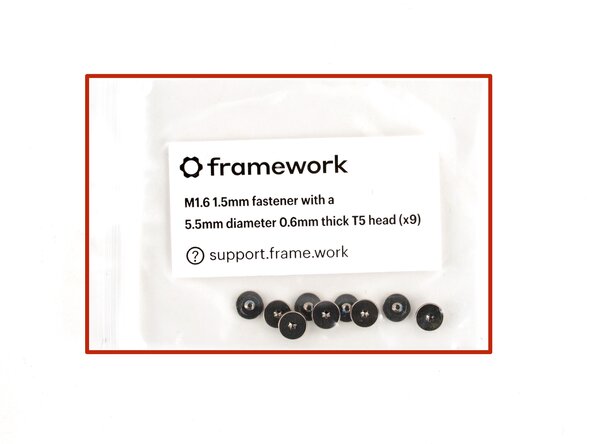
    • Grey screws labeled "M1.6 1.5mm fastener with a 5.5mm diameter 0.6mm thick T5 head"

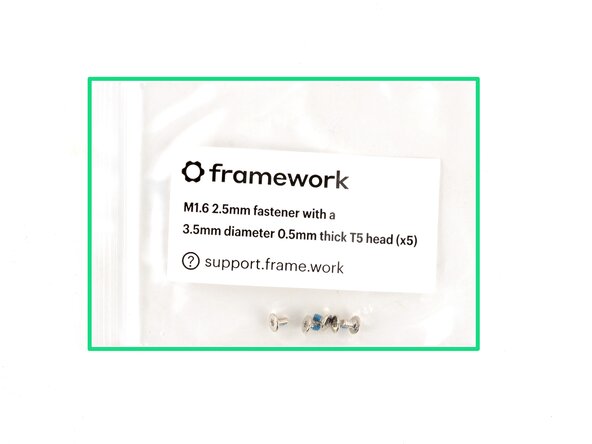
    • Silver screws labeled "M1.6 2.5mm fastener with a 3.5mm diameter 0.5mm thick T5 head"

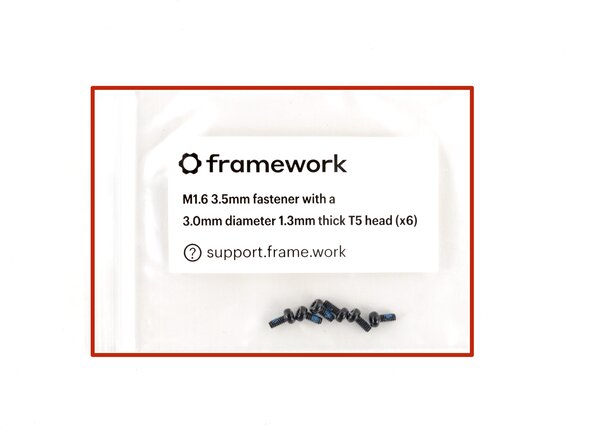
    • Black screws labeled "M1.6 3.5mm fastener with a 3.0mm diameter 1.3mm thick T5 head"

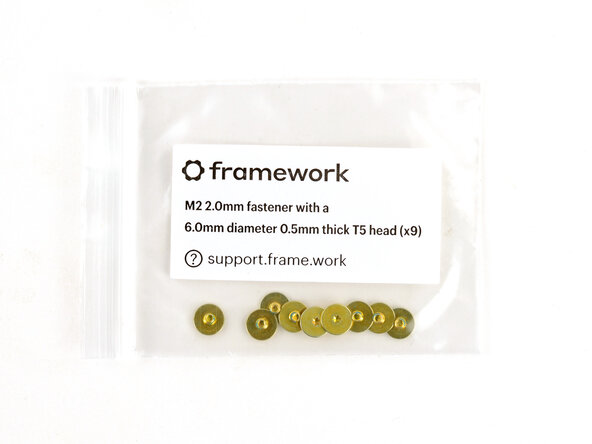
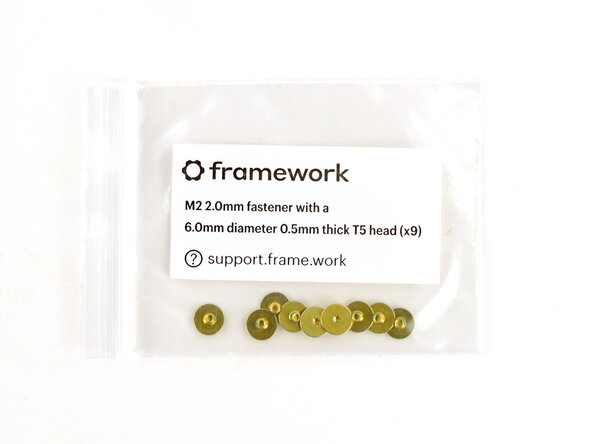
    • Gold screws labeled "M2 2.0mm fastener with a 6.0mm diameter 0.5mm thick T5 head"

    • Silver screws labeled "M2 2.8mm fastener with a 4.0mm diameter 0.5mm thick T5 head"

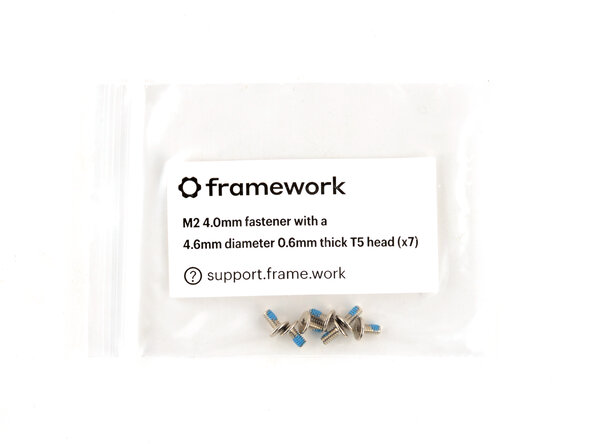
    • Silver screws labeled "M1.6 4.0mm fastener with a 4.6mm diameter 0.6mm thick T5 head"

    • Your Framework Laptop comes with a spare screw of each size, attached to the chassis above the battery. You can use the Fastener Kit to replenish any screws you used there.

    FixBot'a Sor

    Yorum Ekle

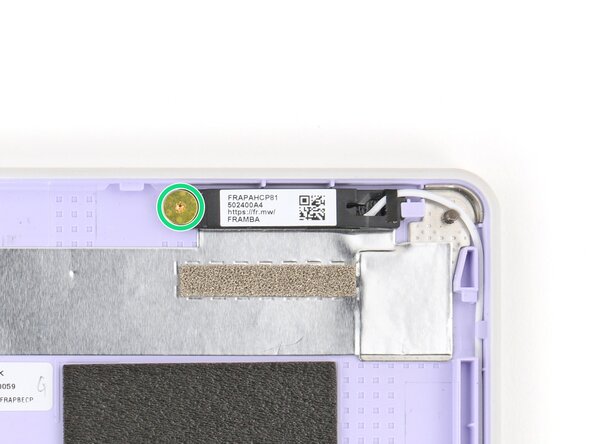
  2. Framework Laptop 12 Fastener Guide, Antenna screws: adım 2, 3 resimden 1. Framework Laptop 12 Fastener Guide, Antenna screws: adım 2, 3 resimden 2. Framework Laptop 12 Fastener Guide, Antenna screws: adım 2, 3 resimden 3.
    • Use the gold screws labeled "M2 2.0mm fastener with a 6.0mm diameter 0.5mm thick T5 head" to secure the antennas.

    FixBot'a Sor

    Yorum Ekle

  3. Framework Laptop 12 Fastener Guide, Display screws: adım 3, 2 resimden 1. Framework Laptop 12 Fastener Guide, Display screws: adım 3, 2 resimden 2.
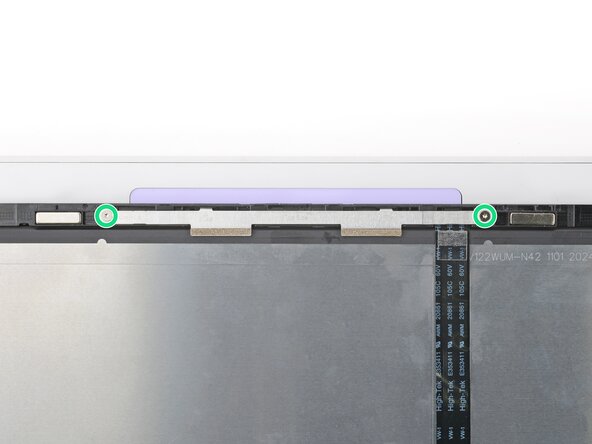
    • Use the silver screws labeled "M2 2.8mm fastener with a 4.0mm diameter 0.5mm thick T5 head" to secure the display.

    • Tighten the screws until they're snug. Don't over-tighten them, or you may break the screw tabs.

    FixBot'a Sor

    Yorum Ekle

  4. Framework Laptop 12 Fastener Guide, Expansion Card lock screws: adım 4, 3 resimden 1. Framework Laptop 12 Fastener Guide, Expansion Card lock screws: adım 4, 3 resimden 2. Framework Laptop 12 Fastener Guide, Expansion Card lock screws: adım 4, 3 resimden 3.
    • Use the black screws labeled "M1.6 3.5mm fastener with a 3.0mm diameter 1.3mm thick T5 head" to secure the Expansion Card latches.

    • Use the silver screws labeled "M1.6 2.5mm fastener with a 3.5mm diameter 0.5mm thick T5 head" to replace the Expansion Card lock screws.

    FixBot'a Sor

    Yorum Ekle

  5. Framework Laptop 12 Fastener Guide, Hinge screws (bottom): adım 5, 3 resimden 1. Framework Laptop 12 Fastener Guide, Hinge screws (bottom): adım 5, 3 resimden 2. Framework Laptop 12 Fastener Guide, Hinge screws (bottom): adım 5, 3 resimden 3.
    • Use the silver screws labeled "M2 4.0mm fastener with a 4.6mm diameter 0.6mm thick T5 head" to secure the hinges to the Bottom Cover.

    FixBot'a Sor

    Yorum Ekle

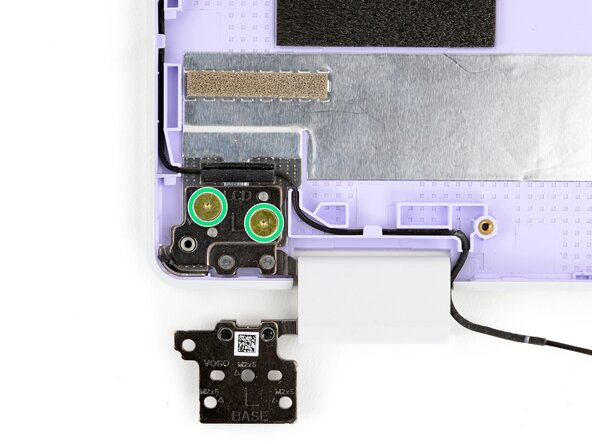
  6. Framework Laptop 12 Fastener Guide, Hinge screws (top): adım 6, 3 resimden 1. Framework Laptop 12 Fastener Guide, Hinge screws (top): adım 6, 3 resimden 2. Framework Laptop 12 Fastener Guide, Hinge screws (top): adım 6, 3 resimden 3.
    • Use the gold screws labeled "M2 2.0mm fastener with a 6.0mm diameter 0.5mm thick T5 head" to secure the hinges to the Top Cover.

    FixBot'a Sor

    Yorum Ekle

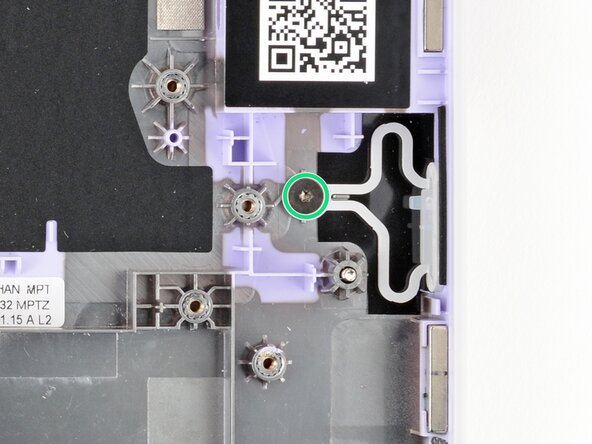
  7. Framework Laptop 12 Fastener Guide, Power Button screw: adım 7, 2 resimden 1. Framework Laptop 12 Fastener Guide, Power Button screw: adım 7, 2 resimden 2.
    • Use the grey screw labeled "M1.6 1.5mm fastener with a 5.5mm diameter 0.6mm thick T5 head" to secure the Power Button.

    FixBot'a Sor

    Yorum Ekle

  8. Framework Laptop 12 Fastener Guide, SSD clip screw: adım 8, 2 resimden 1. Framework Laptop 12 Fastener Guide, SSD clip screw: adım 8, 2 resimden 2.
    • Use the black screw labeled "M1.6 3.5mm fastener with a 3.0mm diameter 1.3mm thick T5 head" to secure the SSD clip.

    FixBot'a Sor

    Yorum Ekle

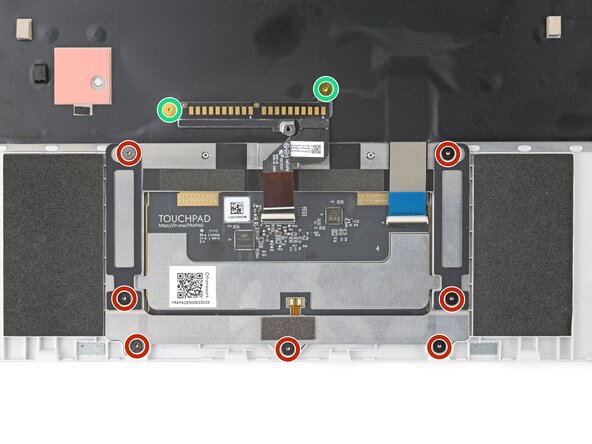
  9. Framework Laptop 12 Fastener Guide, Touchpad screws: adım 9, 3 resimden 1. Framework Laptop 12 Fastener Guide, Touchpad screws: adım 9, 3 resimden 2. Framework Laptop 12 Fastener Guide, Touchpad screws: adım 9, 3 resimden 3.
    • Use the grey screws labeled "M1.6 1.5mm fastener with a 5.5mm diameter 0.6mm thick T5 head" to secure the touchpad.

    • Use the gold screws labeled "M2 2.0mm fastener with a 6.0mm diameter 0.5mm thick T5 head" to secure the touchpad pogo connector.

    FixBot'a Sor

    Yorum Ekle

  10. Framework Laptop 12 Fastener Guide, Webcam screws: adım 10, 2 resimden 1. Framework Laptop 12 Fastener Guide, Webcam screws: adım 10, 2 resimden 2.
    • Use the silver screws labeled "M2 2.8mm fastener with a 4.0mm diameter 0.5mm thick T5 head" to secure the webcam.

    FixBot'a Sor

    Yorum Ekle

Sonuç

If you need help, contact Framework support.

İptal et: Bu kılavuzu tamamlamadım.

Arthur Shi

Üyelik tarihi: 01/03/18

337.010 İtibar

849 adet Kılavuz yazıldı

0Kılavuz Yorumları

Yorum Ekle

İstatistikleri Görüntüle:

Son 24 Saat: 3

Son 7 gün: 11

Son 30 gün: 52

Her zaman: 230