Ana içeriğe geç
Onarım Topluluğuna Katılın - Hesap Oluşturun

Garmin Nuvi 42LM USB Replacement

Neye ihtiyacın var

    1. Garmin Nuvi 42LM USB Replacement, Back Cover: adım 1, 3 resimden 1. Garmin Nuvi 42LM USB Replacement, Back Cover: adım 1, 3 resimden 2. Garmin Nuvi 42LM USB Replacement, Back Cover: adım 1, 3 resimden 3.
      • Remove the four screws on the back of the GPS using the T5 Torx screwdriver.

      FixBot'a Sor

      Yorum Ekle

    2. Garmin Nuvi 42LM USB Replacement: adım 2, 3 resimden 1. Garmin Nuvi 42LM USB Replacement: adım 2, 3 resimden 2. Garmin Nuvi 42LM USB Replacement: adım 2, 3 resimden 3.
      • Pry the GPS open using a plastic opening tool.

      • When prying open the device, use caution to avoid damaging the motherboard.

      FixBot'a Sor

      Yorum Ekle

    1. Garmin Nuvi 42LM USB Replacement, USB: adım 3, 3 resimden 1. Garmin Nuvi 42LM USB Replacement, USB: adım 3, 3 resimden 2. Garmin Nuvi 42LM USB Replacement, USB: adım 3, 3 resimden 3.
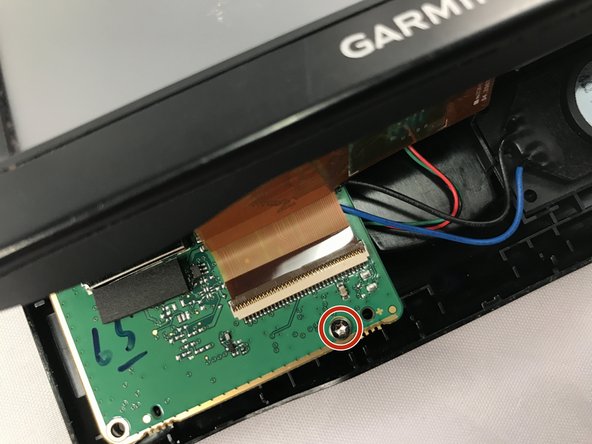
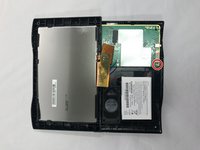
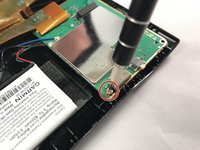
      • Using the T5 Torx screwdriver, remove the two screws located on the motherboard.

      • There are two screws - one in the front and one in the back of the motherboard.

      FixBot'a Sor

      Yorum Ekle

    2. Garmin Nuvi 42LM USB Replacement: adım 4, 1 resimden 1.
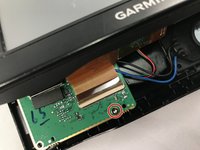
      • Move the motherboard from from its designated location on the GPS.

      • Do not pull on red, green, blue and black cables when repositioning the motherboard.

      FixBot'a Sor

      Yorum Ekle

    3. Garmin Nuvi 42LM USB Replacement: adım 5, 1 resimden 1.
      FixBot'a Sor

      Yorum Ekle

Sonuç

To reassemble your device, follow these instructions in reverse order.

İptal et: Bu kılavuzu tamamlamadım.

Bir başkası bu kılavuzu tamamladı.

0Kılavuz Yorumları

Yorum Ekle

İstatistikleri Görüntüle:

Son 24 Saat: 1

Son 7 gün: 6

Son 30 gün: 25

Her zaman: 868