Ana içeriğe geç
Onarım Topluluğuna Katılın - Hesap Oluşturun

Hamilton Beach 70740 Power Cord Replacement

Arşivlenmiş Kılavuz
Bu kılavuz sadece arşivsel amaçlarla muhafaza edilmiştir. Onarımınızı gerçekleştirmek için kılavuzun güncel halini kullanın.

Neye ihtiyacın var

    1. Hamilton Beach 70740 Power Cord Replacement, Base Removal: adım 1, 3 resimden 1. Hamilton Beach 70740 Power Cord Replacement, Base Removal: adım 1, 3 resimden 2. Hamilton Beach 70740 Power Cord Replacement, Base Removal: adım 1, 3 resimden 3.
      • Hold the food processor upside down and remove the two screws indicated with a screwdriver. Once unscrewed, remove the two rubber suction pads.

      FixBot'a Sor

      Yorum Ekle

    2. Hamilton Beach 70740 Power Cord Replacement: adım 2, 2 resimden 1. Hamilton Beach 70740 Power Cord Replacement: adım 2, 2 resimden 2.
      • Use a spudger to remove the 4 rubber base pads located at the corners of the device.

      FixBot'a Sor

      Yorum Ekle

    3. Hamilton Beach 70740 Power Cord Replacement: adım 3, 1 resimden 1.
      • Unscrew all 4 screws that are located beneath the pads with a screwdriver and remove the plastic grey base.

      FixBot'a Sor

      Yorum Ekle

    4. Hamilton Beach 70740 Power Cord Replacement: adım 4, 1 resimden 1.
      • Remove the screws indicated with a screw driver.

      FixBot'a Sor

      Yorum Ekle

    5. Hamilton Beach 70740 Power Cord Replacement: adım 5, 1 resimden 1.
      • Remove the two screws behind the knob with a screwdriver.

      FixBot'a Sor

      Yorum Ekle

    1. Hamilton Beach 70740 Power Cord Replacement, Motor/Cord: adım 6, 1 resimden 1.
      • Use a regular nylon spudger to remove the plastic caps at these locations with moderate pressure.

      • When working with electronics, it's important to choose a tool that's ESD-safe to avoid accidental damage to the device. The regular black nylon spudger or a plastic opening tool should be used whenever possible.

      • Apply pressure at the edge of the plastic cap circles. Apply stress elsewhere may damage the device.

      • Note that the plastic caps are glued

      FixBot'a Sor

      Yorum Ekle

    2. Hamilton Beach 70740 Power Cord Replacement: adım 7, 1 resimden 1.
      • Remove the 4 screws located under the plastic caps with a screw driver.

      FixBot'a Sor

      Yorum Ekle

    3. Hamilton Beach 70740 Power Cord Replacement: adım 8, 2 resimden 1. Hamilton Beach 70740 Power Cord Replacement: adım 8, 2 resimden 2.
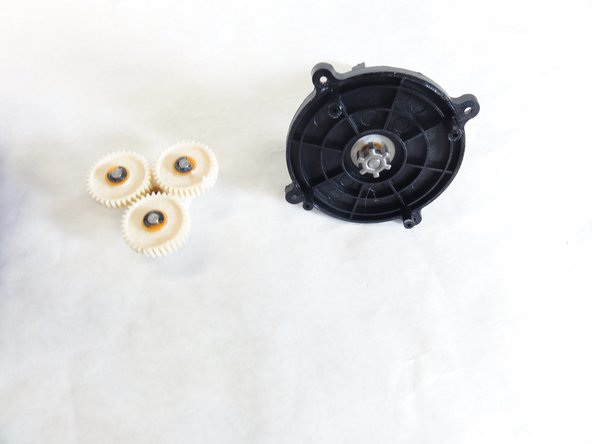
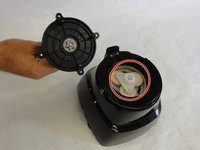
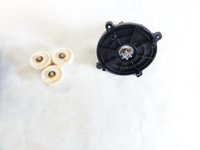
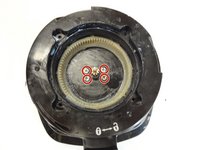
      • Lift and remove the plastic gears at the center of the device.

      • Remove any grease residue underneath the plastic gears.

      FixBot'a Sor

      Yorum Ekle

    4. Hamilton Beach 70740 Power Cord Replacement: adım 9, 2 resimden 1. Hamilton Beach 70740 Power Cord Replacement: adım 9, 2 resimden 2.
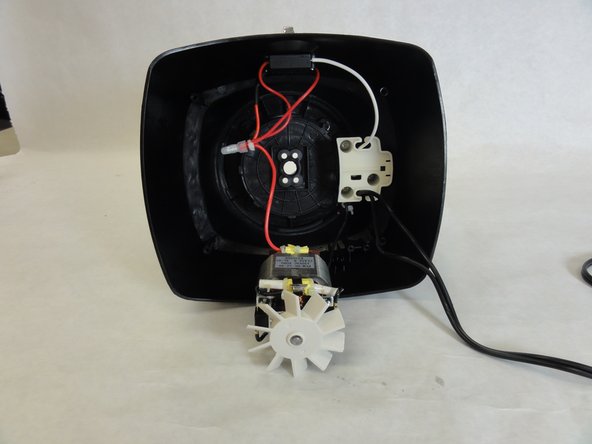
      • Remove the remaining screws to unhinge the motor located at the center of the device using a screw driver.

      FixBot'a Sor

      Yorum Ekle

    1. Hamilton Beach 70740 Power Cord Replacement, Power Cord: adım 10, 1 resimden 1.
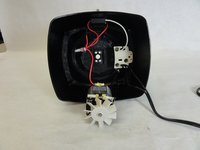
      • Solder the highlighted section of the power cord, and undo the wiring. Using soldering wire connect a new line with the soldering iron.

      • Learn more about soldering here.

      FixBot'a Sor

      Yorum Ekle

    2. Hamilton Beach 70740 Power Cord Replacement: adım 11, 1 resimden 1.
      • Connect the other end of your power cord to the motor terminal.

      FixBot'a Sor

      Yorum Ekle

Sonuç

To reassemble your device, follow these instructions in reverse order.

İptal et: Bu kılavuzu tamamlamadım.

David Gedeon

Üyelik tarihi: 09/17/15

806 İtibar

6 adet Kılavuz yazıldı

Ekip

IUPUI, Team 1-1, Baechle Fall 2015 IUPUI, Team 1-1, Baechle Fall 2015 üyesi

IUPUI-BAECHLE-F15S1G1

4 Üyeler

14 adet Kılavuz yazıldı

0Kılavuz Yorumları

Yorum Ekle

İstatistikleri Görüntüle:

Son 24 Saat: 1

Son 7 gün: 4

Son 30 gün: 21

Her zaman: 572