Ana içeriğe geç

How to Install the Self Repair Assistant App

Salt Önkoşul
Bu sadece bir ön koşul kılavuzudur! Bu kılavuz başka bir prosedürün parçasıdır ve tek başına kullanılması amaçlanmamıştır.
  1. How to Install the Self Repair Assistant App, Download the app: adım 1, 3 resimden 1. How to Install the Self Repair Assistant App, Download the app: adım 1, 3 resimden 2. How to Install the Self Repair Assistant App, Download the app: adım 1, 3 resimden 3.
    • Download the Self Repair Assistant app (2.0.12)here.

    • You may be prompted with a "File might be harmful" warning. If so, select "Download anyway."

    • Open the "My Files" app.

    • Navigate to the "Installation files" tab on the left side of the screen.

  2. How to Install the Self Repair Assistant App, Install the app: adım 2, 2 resimden 1. How to Install the Self Repair Assistant App, Install the app: adım 2, 2 resimden 2.
    • Select the app on the right side of the screen.

    • If the app doesn't show up on this panel, skip to the next step.

    • Select "Install" to confirm the app's installation.

    • Skip the next two steps.

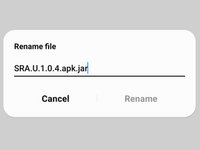
  3. How to Install the Self Repair Assistant App, Rename the app: adım 3, 3 resimden 1. How to Install the Self Repair Assistant App, Rename the app: adım 3, 3 resimden 2. How to Install the Self Repair Assistant App, Rename the app: adım 3, 3 resimden 3.
    • If your app didn't show up on the "Installation files" tab, follow the next two steps to rename the file.

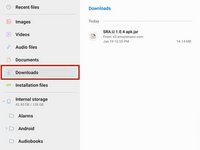
    • Navigate to the "Downloads" tab on the left side of the screen.

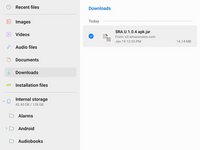
    • Long press the download file until an orange checkmark appears to the left of it.

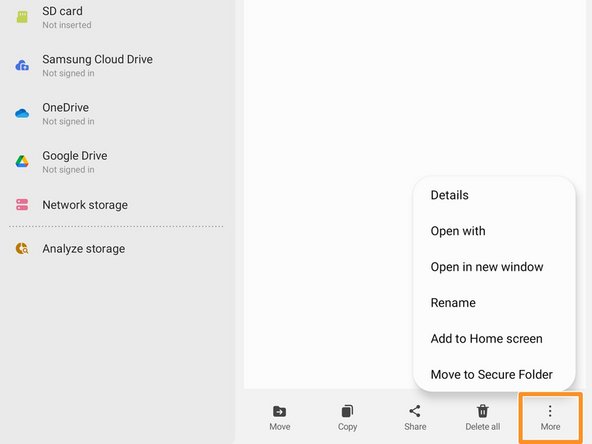
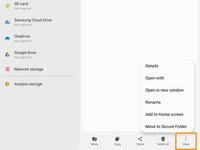
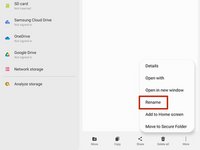
    • Navigate to the bottom of the screen and select the "More" option.

  4. How to Install the Self Repair Assistant App: adım 4, 3 resimden 1. How to Install the Self Repair Assistant App: adım 4, 3 resimden 2. How to Install the Self Repair Assistant App: adım 4, 3 resimden 3.
    • Select the "Rename" option.

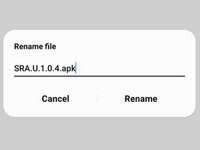
    • Delete the .jar at the end of the app's name.

    • Your file should now appear in the "Installation files" tab.

Sonuç

The Self Repair Assistant app is installed and ready for use.

If you need to calibrate the optical fingerprint sensor, follow this guide.

If you need to reset your battery cycle count, follow this guide.

2 farklı kişi bu kılavuzu tamamladı.

Alex Diaz-Kokaisl

Üyelik tarihi: 01/16/22

213.634 İtibar

1.040 adet Kılavuz yazıldı

Ekip

iFixit iFixit üyesi

Staff

123 Üyeler

23.651 adet Kılavuz yazıldı

0Kılavuz Yorumları

Yorum Ekle

İstatistikleri Görüntüle:

Son 24 Saat: 3

Son 7 gün: 21

Son 30 gün: 111

Her zaman: 2,110