Giriş
Follow this guide to open a Logitech G502 Lightspeed.
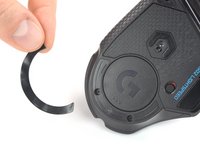
Opening the mouse requires removing its feet (skates/pads). If you plan to reuse the feet, you’ll need to apply heat to loosen the adhesive and avoid bending the feet. Bent or torn feet may require replacement.
Neye ihtiyacın var
-
-
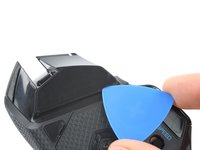
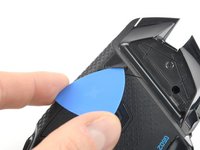
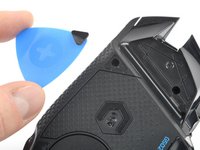
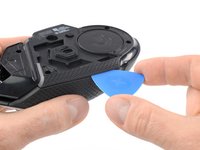
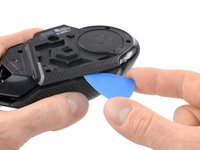
Insert the tip of an opening pick underneath the front foot at the gap in its recess.
-
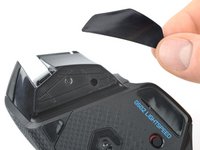
When possible, grab with your fingers and slowly pull to peel it off completely.
-
-
-
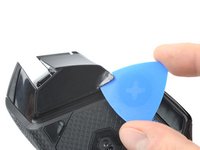
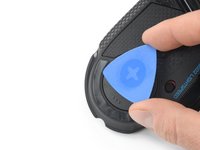
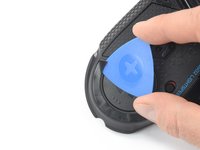
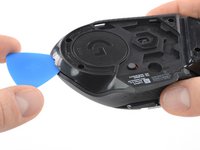
Insert the tip of an opening pick underneath the tiny front right foot at the gap in its recess.
-
-
-
-
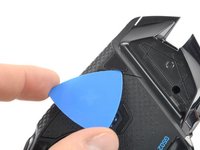
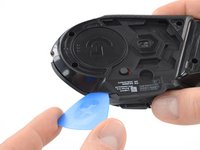
Insert the tip of an opening pick underneath the rear foot starting at the gap in its recess.
-
When possible, grab with your fingers and slowly pull to peel it off completely.
-
Use a spudger to carefully scrape up and remove any remaining adhesive bits.
-
Use isopropyl alcohol and a microfiber cloth to thoroughly clean all adhesive residue from the foot recesses. Allow the surface to completely dry.
-
Remove the feet from their backing and firmly press them into place.
-
-
-
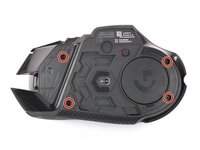
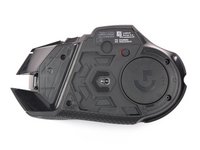
Use your fingers to remove the weight hatch by pulling the bottom part of the thumb rest straight down.
-
-
-
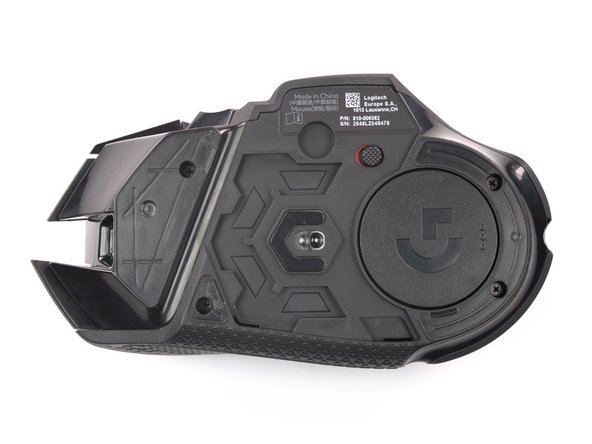
Remove the four 5.4 mm long Phillips screws at the underside of the mouse.
-
-
-
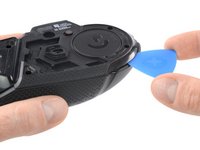
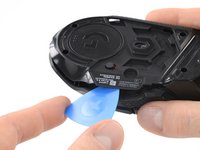
Insert an opening pick between the bottom plate and the upper shell starting at the rear of the mouse.
-
Slide the opening pick along the gap between the two halves towards the outer flank of the mouse.
-
Twist the opening pick to disengage the clips holding both halves together.
-
-
-
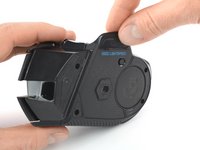
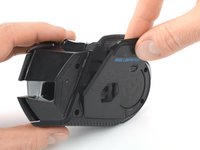
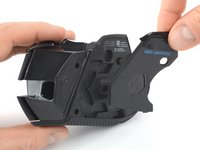
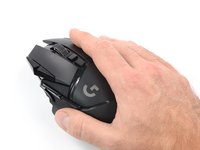
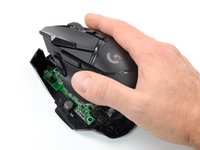
Flip the mouse over on its (removed) feet and hinge the top shell open towards the right side.
-
-
-
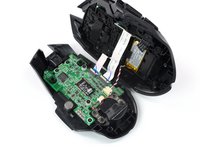
Hold the battery cable close to the connector and carefully "walk it out" by pulling parallel to the motherboard rocking the connector side to side.
-
You can also use a pair of angled tweezers to grip the connector head and pull it straight out of its socket.
-
-
-
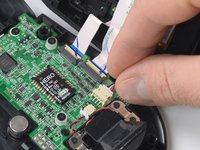
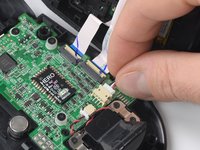
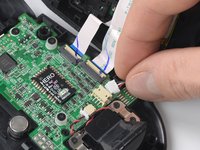
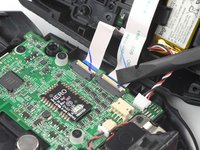
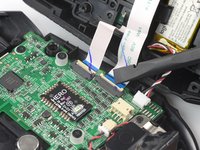
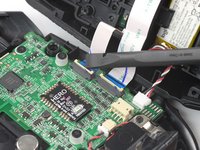
Use a spudger or your fingernail to flip up the small, hinged locking flap of both ZIF connectors to disconnect and free the interconnect cables.
-



















To reassemble your device, follow these instructions in reverse order. Apply new adhesive where necessary after cleaning the relevant areas with isopropyl alcohol (>90%).
Take your e-waste to an R2 or e-Stewards certified recycler.
Repair didn’t go as planned? Try some basic troubleshooting, or ask our Answers community for help.
İptal et: Bu kılavuzu tamamlamadım.
25 farklı kişi bu kılavuzu tamamladı.


Ekip

Tobias Isakeit - Repairability Engineer Tobias Isakeit - Repairability Engineer üyesi
Business
1 Üye
1.145 adet Kılavuz yazıldı
12Kılavuz Yorumları
Needs top half disassembly for micro switch swap
Check my link at the bottom
This helped so much! I had the button to turn on infinite scroll for the scroll wheel stuck and this allowed me to get it most of the way taken apart so I could take the rest apart myself.
Well, we've got it half way apart... Now where's the second half of the guide? lol
comes in a paid dlc
