Giriş
If your JBL stops turning on or won’t charge when showing no signs of working with a working charger or battery, use this guide to replace the internal motherboard.
Neye ihtiyacın var
-
-
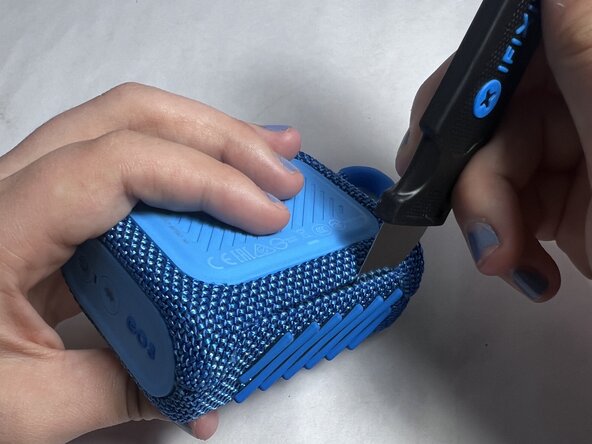
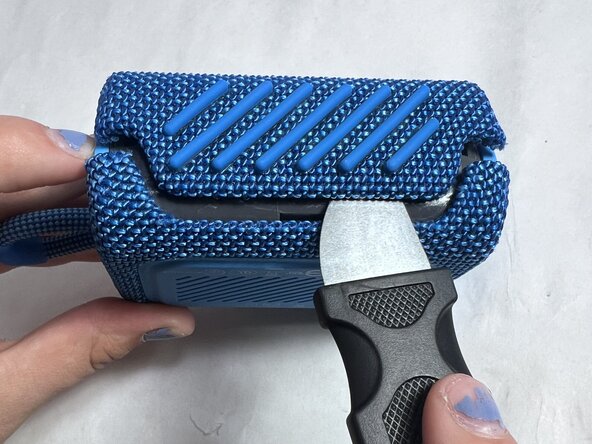
Using an iFixit Opening Pick or a Jimmy, pry along the seam between the rubber outer layer and the hard shell.
-
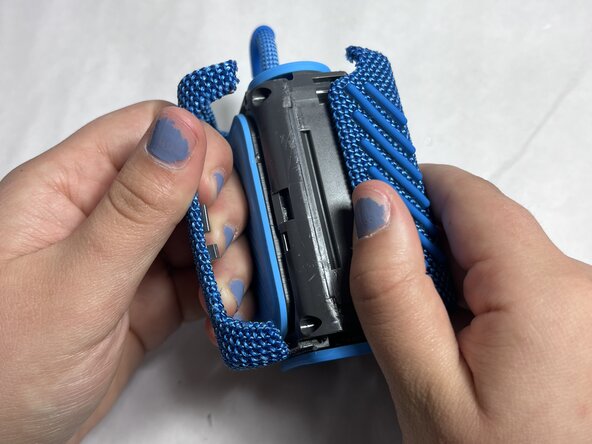
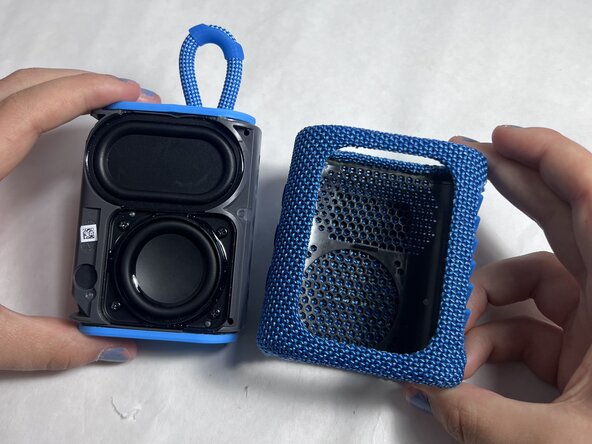
Work your way around the edges until the shell loosens and can be fully removed.
-
-
-
-
Locate the internal screws underneath the outer shell.
-
Use your precision screwdriver to remove all screws securing the plastic enclosure.
-
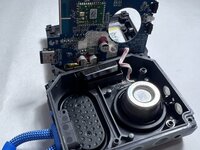
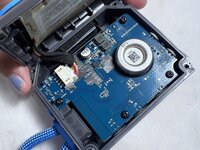
Carefully lift the casing to expose the motherboard and other internal components.
-





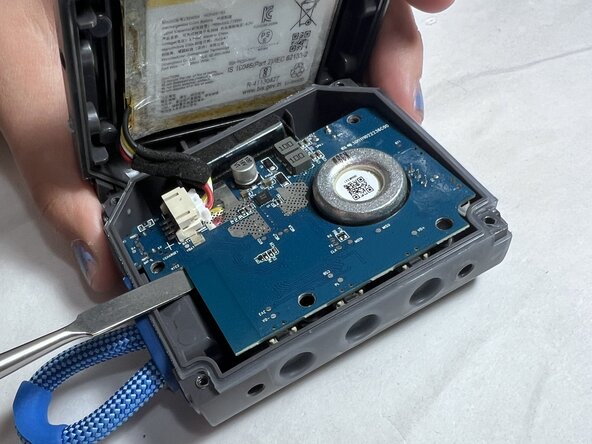

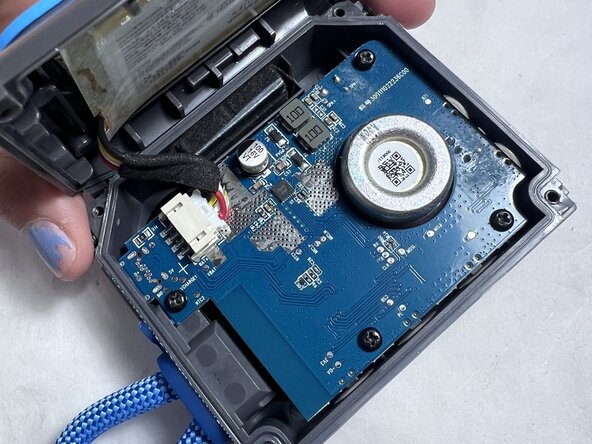
To reassemble your device, follow the above steps in reverse order.
Take your e-waste to an R2 or e-Stewards certified recycler.
Repair didn’t go as planned? Try some basic troubleshooting or ask our Answers community for help.


Ekip

UMass Dartmouth, Team 4-5, Konn Spring 2025 UMass Dartmouth, Team 4-5, Konn Spring 2025 üyesi
UMASSD-KONN-S25S4G5
4 Üyeler
5 adet Kılavuz yazıldı
