Giriş
Before using this guide, look at the JBL Tune 510BT headphones troubleshooting page for simple solutions to this problem. If none of these simple solutions work, consult this guide to fix your headphones.
This guide is designed to help you replace the damaged or corroded power button on your JBL Tune 510BT headphones. If you have noticed that the power button on your headphones isn't responsive or cannot be pressed down, this guide will provide step-by-step instructions to help you restore your headphones to optimal condition.
The power button on the headphones is crucial for headphone use. They allow the user to power on the headphones and pair them to the user's device. Without fully a functioning power button, it can be extremely difficult and even impossible for the user to use the headphones.
Neye ihtiyacın var
-
-
-
Firmly grasp the earmuff and pull away from the center until the lip of the earmuff is disengaged.
-
Pull the earmuff towards the center of the headphones until it is free.
 FixBot'a Sor
-
-
-
-
Carefully remove the faceplate by lifting it firmly.
-
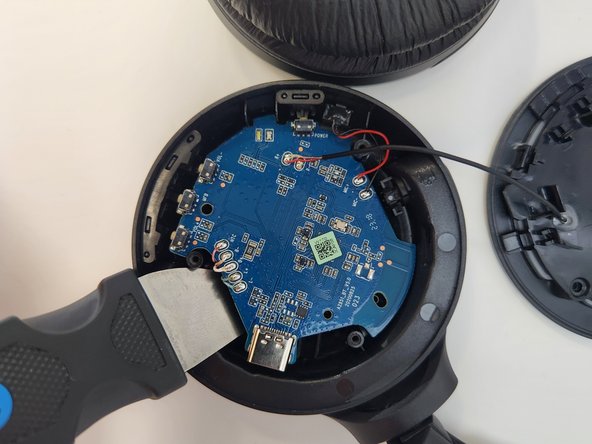
To completely detach the faceplate, desolder the wires from the connections on the motherboard.
-
-
-
-
-
Remove the 1 mm screw using a JIS #00 screwdriver.
-
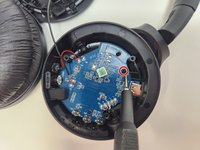
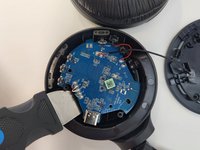
Using your finger or a Jimmy, gently pry the circuit board from the casing, being careful to not pull too hard to dislodge the connected wires.
-
-
-
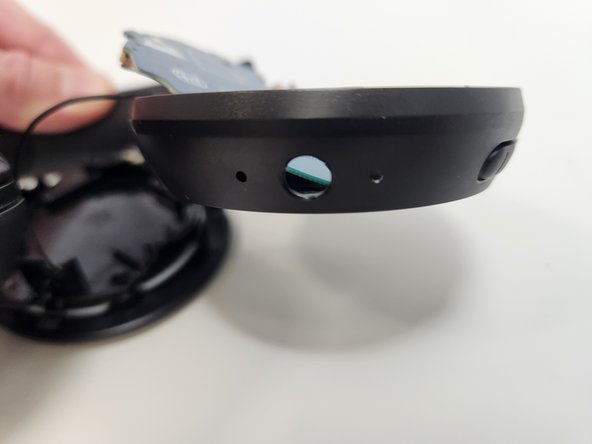
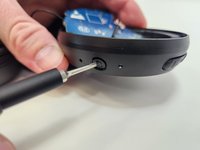
Gently push the damaged power button from the outside towards the inner part of the headphone casing until it dislodges.
-
-



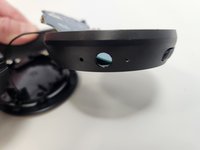
To reassemble your device, follow these instructions in reverse order.
İptal et: Bu kılavuzu tamamlamadım.
3 farklı kişi bu kılavuzu tamamladı.

Ekip

Utah Tech University, Team 1-2, McMurrin Spring 2024 Utah Tech University, Team 1-2, McMurrin Spring 2024 üyesi
UTAHTECH-MCMURRIN-S24S1G2
2 Üyeler
17 adet Kılavuz yazıldı
