Giriş
Use this guide to replace the metal midframe on the interior of the Kindle Fire HD 8.9". Removing this metal casing is a prerequisite for replacing most of the Kindle Fire HD's internal components.
Neye ihtiyacın var
-
-
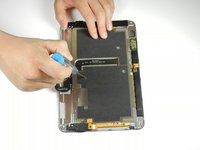
Insert a large plastic opening tool next to the Kindle's headphone jack.
-
Move the plastic opening tool evenly around the Kindle, separating the two halves.
 FixBot'a Sor
-
-
-
Set the Kindle down on the rear case.
-
Holding the display assembly near the camera, carefully open the display assembly up to about 90 degrees from the rear case.
-
-
-
-
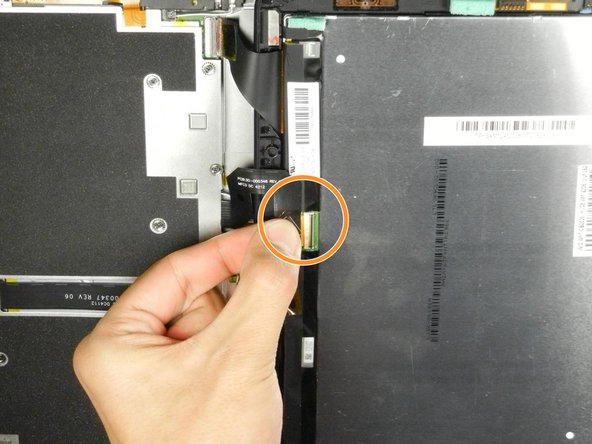
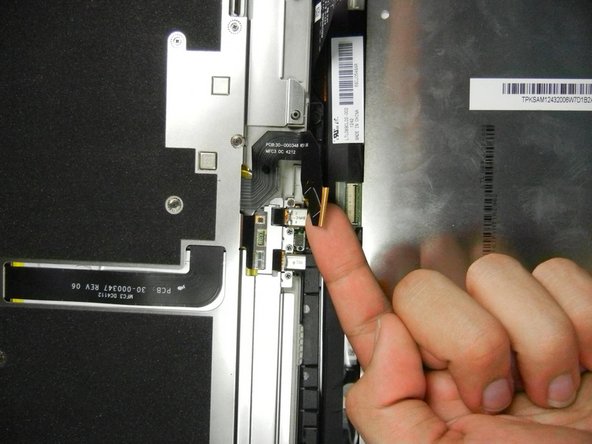
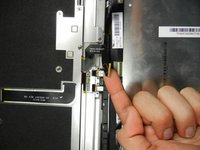
Lift the retaining flap on the ZIF connector of the upper flex cable.
-
Gently pull the cable out of its socket.
-
-
-
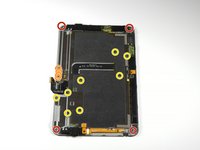
Remove the following sixteen screws from the metal midframe on the rear of the device:
-
Four 3 mm Phillips screw (located in each corner of the device - noted in red in the diagram)
-
Four 3 mm Phillips screws (surrounding the ports - noted in orange in the diagram)
-
Eight 3 mm Phillips screws (located around the body of the midframe - noted in yellow in the diagram)
-






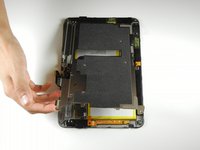
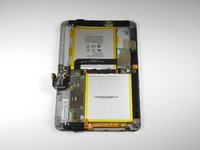
To reassemble your device, follow these instructions in reverse order.
İptal et: Bu kılavuzu tamamlamadım.
Bir başkası bu kılavuzu tamamladı.

Ekip

Cal Poly, Team 5-16, Forte Winter 2013 Cal Poly, Team 5-16, Forte Winter 2013 üyesi
CPSU-FORTE-W13S5G16
5 Üyeler
14 adet Kılavuz yazıldı
