Ana içeriğe geç
Onarım Topluluğuna Katılın - Hesap Oluşturun

Mac Pro Late 2013 Graphics Card Replacement

Neye ihtiyacın var

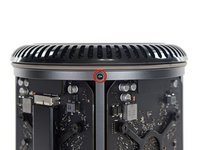
  1. Mac Pro Late 2013 Graphics Card Replacement, Outer Case: adım 1, 2 resimden 1. Mac Pro Late 2013 Graphics Card Replacement, Outer Case: adım 1, 2 resimden 2.
    • Slide the lock switch to the right, to the unlocked position.

    FixBot'a Sor

    Yorum Ekle

  2. Mac Pro Late 2013 Graphics Card Replacement: adım 2, 3 resimden 1. Mac Pro Late 2013 Graphics Card Replacement: adım 2, 3 resimden 2. Mac Pro Late 2013 Graphics Card Replacement: adım 2, 3 resimden 3.
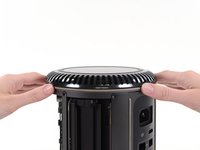
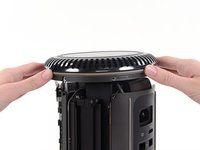
    • Lift the outer case straight up off the Mac Pro.

    • It may help to push down on the center of the fan while lifting the case up.

    FixBot'a Sor

    Yorum Ekle

  3. Mac Pro Late 2013 Graphics Card Replacement, Fan Assembly: adım 3, 3 resimden 1. Mac Pro Late 2013 Graphics Card Replacement, Fan Assembly: adım 3, 3 resimden 2. Mac Pro Late 2013 Graphics Card Replacement, Fan Assembly: adım 3, 3 resimden 3.
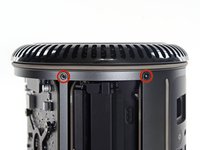
    • Remove five 5.1 mm T10 Torx screws from around the outer perimeter of the fan assembly.

    FixBot'a Sor

    Yorum Ekle

  4. Mac Pro Late 2013 Graphics Card Replacement: adım 4, 2 resimden 1. Mac Pro Late 2013 Graphics Card Replacement: adım 4, 2 resimden 2.
    • The fan assembly is attached to the rest of the computer by two cables on the IO board side.

    • Tilt the assembly up away from the IO board.

    • Do not try to remove the fan assembly yet, as it is still attached by two cables.

    FixBot'a Sor

    Yorum Ekle

  5. Mac Pro Late 2013 Graphics Card Replacement: adım 5, 1 resimden 1.
    • While supporting the fan assembly with one hand, loosen the two T8 captive screws in the fan cable bracket.

    • These screws are captive in the Mac Pro. Do not try to remove these screws from your Mac Pro.

    FixBot'a Sor

    Yorum Ekle

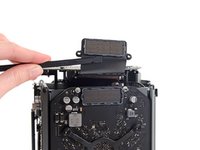
  6. Mac Pro Late 2013 Graphics Card Replacement: adım 6, 1 resimden 1.
    Bu adımda kullanılan alet:
    Tweezers
    $4.99
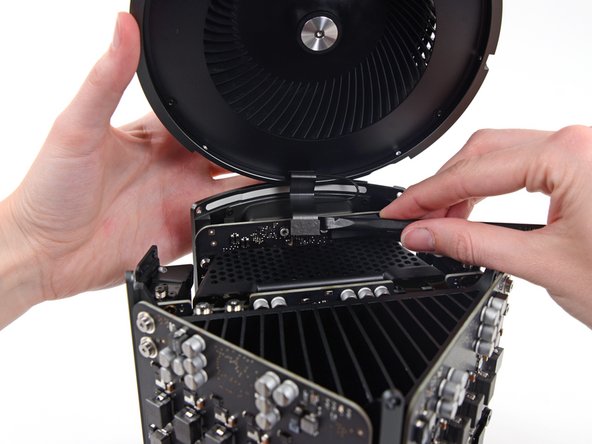
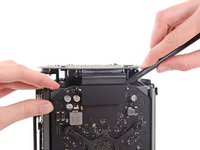
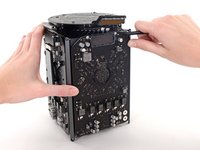
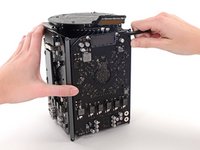
    • Use a pair of tweezers to pull the fan cable bracket away from the fan assembly.

    FixBot'a Sor

    Yorum Ekle

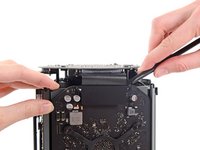
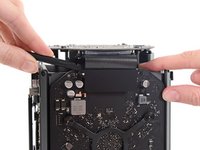
  7. Mac Pro Late 2013 Graphics Card Replacement: adım 7, 2 resimden 1. Mac Pro Late 2013 Graphics Card Replacement: adım 7, 2 resimden 2.
    • Use the flat end of a spudger to disconnect the fan assembly ribbon cable from the IO board.

    FixBot'a Sor

    Yorum Ekle

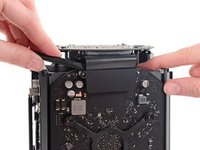
  8. Mac Pro Late 2013 Graphics Card Replacement: adım 8, 1 resimden 1.
    • Disconnect the fan assembly antenna cable from the IO board.

    • Remove the fan assembly from the Mac Pro.

    FixBot'a Sor

    Yorum Ekle

  9. Mac Pro Late 2013 Graphics Card Replacement, Lower Case: adım 9, 3 resimden 1. Mac Pro Late 2013 Graphics Card Replacement, Lower Case: adım 9, 3 resimden 2. Mac Pro Late 2013 Graphics Card Replacement, Lower Case: adım 9, 3 resimden 3.
    • Flip the Mac Pro upside down, 180 degrees.

    • Remove five 5.1 mm T10 Torx screws from the outer perimeter of the lower case.

    FixBot'a Sor

    Yorum Ekle

  10. Mac Pro Late 2013 Graphics Card Replacement: adım 10, 2 resimden 1. Mac Pro Late 2013 Graphics Card Replacement: adım 10, 2 resimden 2.
    • Carefully lift the lower case up and remove it from the Mac Pro.

    FixBot'a Sor

    Yorum Ekle

  11. Mac Pro Late 2013 Graphics Card Replacement, Graphics Card: adım 11, 2 resimden 1. Mac Pro Late 2013 Graphics Card Replacement, Graphics Card: adım 11, 2 resimden 2.
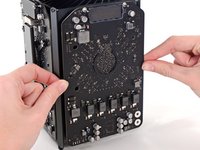
    • Use the flat end of a spudger and a twisting motion to gently separate one side of the graphics card data connection.

    FixBot'a Sor

    Yorum Ekle

  12. Mac Pro Late 2013 Graphics Card Replacement: adım 12, 3 resimden 1. Mac Pro Late 2013 Graphics Card Replacement: adım 12, 3 resimden 2. Mac Pro Late 2013 Graphics Card Replacement: adım 12, 3 resimden 3.
    • Gently separate the other side as well.

    • Flip the connector up and out of the way of the graphics card.

    FixBot'a Sor

    Yorum Ekle

  13. Mac Pro Late 2013 Graphics Card Replacement: adım 13, 1 resimden 1.
    • Remove the two 6.6 mm T8 Torx Security screws securing the GPU to the Mac Pro.

    • These screws fit into power cables behind the GPU. Be careful not to over-tighten and twist the cables.

    FixBot'a Sor

    Yorum Ekle

  14. Mac Pro Late 2013 Graphics Card Replacement: adım 14, 1 resimden 1.
    • Remove the four 8.4 mm T10 screws from the GPU heat sink bracket.

    FixBot'a Sor

    Yorum Ekle

  15. Mac Pro Late 2013 Graphics Card Replacement: adım 15, 1 resimden 1.
    • Remove the GPU heat sink bracket.

    FixBot'a Sor

    Yorum Ekle

  16. Mac Pro Late 2013 Graphics Card Replacement: adım 16, 3 resimden 1. Mac Pro Late 2013 Graphics Card Replacement: adım 16, 3 resimden 2. Mac Pro Late 2013 Graphics Card Replacement: adım 16, 3 resimden 3.
    • The graphics card is now held onto the central heat sink by thermal compound.

    • You may need to pry very gently with a spudger to separate the card from the heat sink.

    • Remove the graphics card from the heat sink.

    FixBot'a Sor

    Yorum Ekle

  17. Mac Pro Late 2013 Graphics Card Replacement: adım 17, 1 resimden 1.
    • During reassembly, be sure to clean off and replace the thermal compound. Use our Applying Thermal Paste guide if you require assistance.

    • Repeat this procedure if you wish to remove the secondary graphics card.

    FixBot'a Sor

    Yorum Ekle

Sonuç

To reassemble your device, follow these instructions in reverse order.

İptal et: Bu kılavuzu tamamlamadım.

50 farklı kişi bu kılavuzu tamamladı.

Andrew Optimus Goldheart

Üyelik tarihi: 10/17/09

515.157 İtibar

407 adet Kılavuz yazıldı

Ekip

iFixit iFixit üyesi

Staff

122 Üyeler

26.514 adet Kılavuz yazıldı

20Kılavuz Yorumları

hey! is it possible to upgrade the GPU or is this just for replacing exactly the same part?

Ben - Yanıt Paylaş
I am guessing you can upgrade them with OEM parts, but where would we find them?

Fernando Bernardino - Yanıt Paylaş

Yes. I recently swapped out D300 pairs for D700 pairs without a blip. I did an NVRAM reset afterwards just to be safe.

Technology Research - Yanıt Paylaş

I have the D300s, and would like to upgrade to the D500s or D700s. Where might I find the replacement graphics cards? Also, any recommendations on service providers who would do this procedure?

Chris M Balz - Yanıt Paylaş

I'd love to know this as well. The only reason I picked up the ,ad pro was the potential for upgrades. As it turns out D300s are crap. I can't even run boot camp properly.

jerimiahy - Yanıt Paylaş

Yorum Ekle

İstatistikleri Görüntüle:

Son 24 Saat: 13

Son 7 gün: 72

Son 30 gün: 421

Her zaman: 116,465