Ana içeriğe geç

Mac Studio 2023 Antenna 2 Replacement

Neye ihtiyacın var

  1. Mac Studio 2023 Antenna 2 Replacement, Prepare your Mac Studio for disassembly: adım 1, 3 resimden 1. Mac Studio 2023 Antenna 2 Replacement, Prepare your Mac Studio for disassembly: adım 1, 3 resimden 2. Mac Studio 2023 Antenna 2 Replacement, Prepare your Mac Studio for disassembly: adım 1, 3 resimden 3.
    • Completely shut down your Mac Studio.

    • Unplug all cables from your device.

  2. Mac Studio 2023 Antenna 2 Replacement, Flip your Mac Studio over: adım 2, 1 resimden 1.
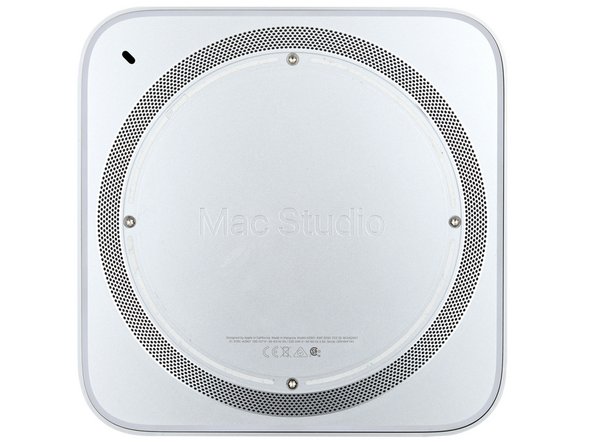
    • Flip your Mac Studio over and lay it down so the bottom faces up and the SD card slot and two front USB‑C ports are facing you.

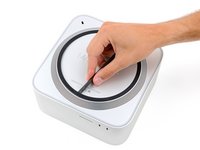
  3. Mac Studio 2023 Antenna 2 Replacement, Heat the bottom cover screw pad: adım 3, 3 resimden 1. Mac Studio 2023 Antenna 2 Replacement, Heat the bottom cover screw pad: adım 3, 3 resimden 2. Mac Studio 2023 Antenna 2 Replacement, Heat the bottom cover screw pad: adım 3, 3 resimden 3.
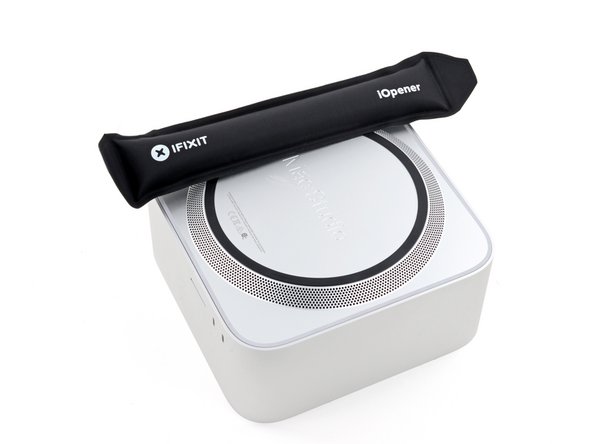
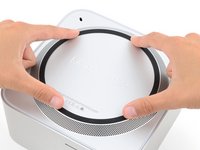
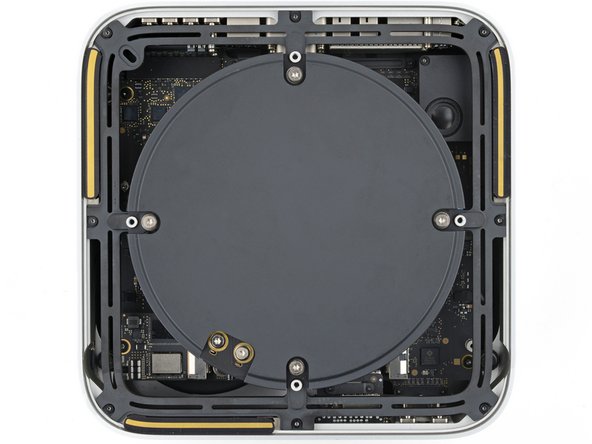
    • Adhesive strips secure the bottom cover screw pad.

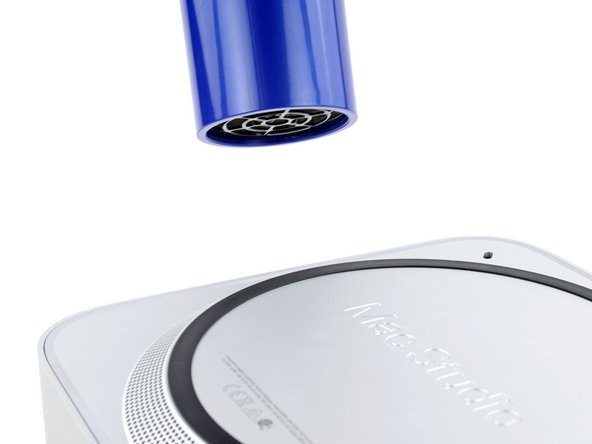
    • Heat an iOpener and lay it over one of the bottom cover screws for two minutes to soften the adhesive near the screw—this is where you'll insert a spudger in the next step.

    • You can also use a hair dryer or heat gun, but be careful as extreme heat will warp the pad.

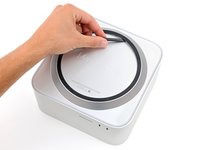
  4. Mac Studio 2023 Antenna 2 Replacement, Lift a section of bottom cover screw pad: adım 4, 3 resimden 1. Mac Studio 2023 Antenna 2 Replacement, Lift a section of bottom cover screw pad: adım 4, 3 resimden 2. Mac Studio 2023 Antenna 2 Replacement, Lift a section of bottom cover screw pad: adım 4, 3 resimden 3.
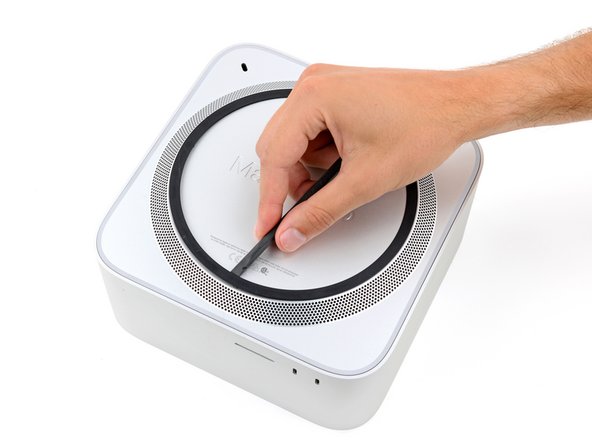
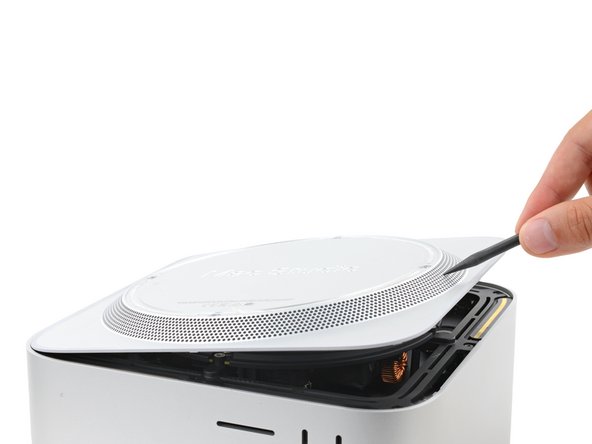
    • Insert the point of a spudger under the pad's inner edge, near the screw you applied heat to in the previous step.

    • This may take some force. If you're having trouble, apply more heat and try again.

    • Use the spudger to lift the pad and separate the adhesive.

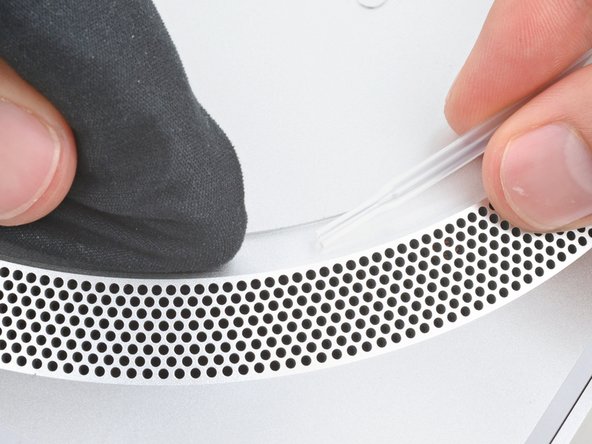
  5. Mac Studio 2023 Antenna 2 Replacement, Separate the remaining adhesive: adım 5, 3 resimden 1. Mac Studio 2023 Antenna 2 Replacement, Separate the remaining adhesive: adım 5, 3 resimden 2. Mac Studio 2023 Antenna 2 Replacement, Separate the remaining adhesive: adım 5, 3 resimden 3.
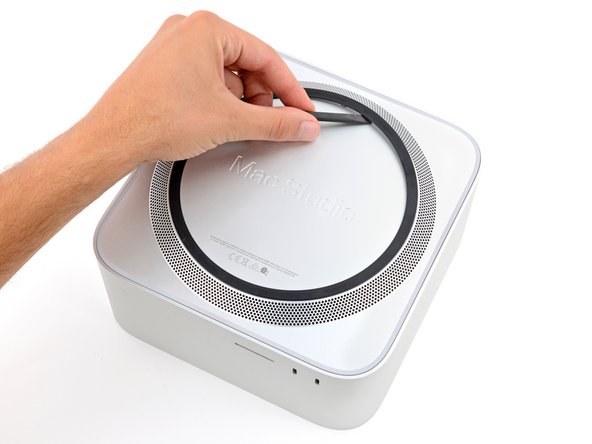
    • Insert the flat end of a spudger under the pad.

    • Slide the spudger under the entire pad to separate the remaining adhesive.

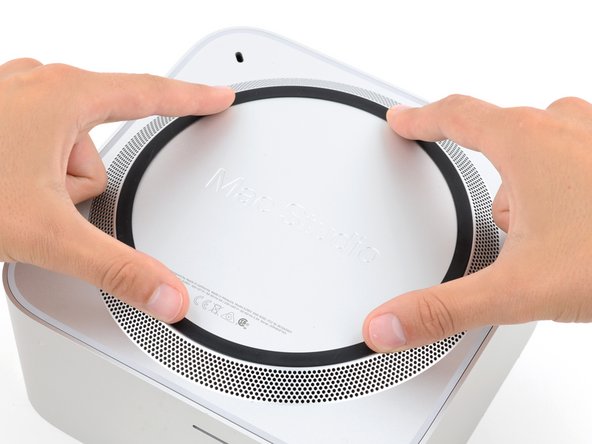
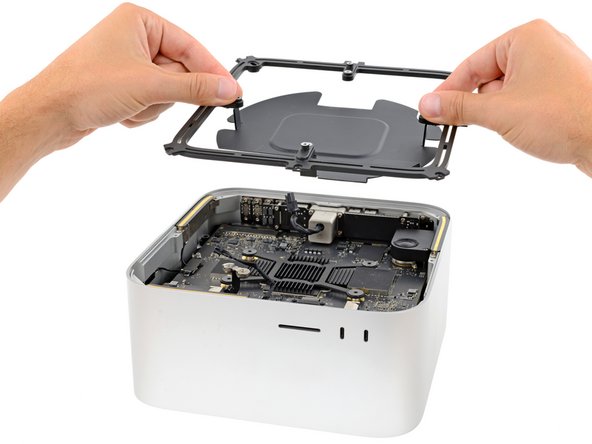
  6. Mac Studio 2023 Antenna 2 Replacement, Remove the bottom cover screw pad: adım 6, 1 resimden 1.
    • Remove the bottom cover screw pad.

  7. Mac Studio 2023 Antenna 2 Replacement, Reassembly information: adım 7, 3 resimden 1. Mac Studio 2023 Antenna 2 Replacement, Reassembly information: adım 7, 3 resimden 2. Mac Studio 2023 Antenna 2 Replacement, Reassembly information: adım 7, 3 resimden 3.
    Bu adımda kullanılan alet:
    Tesa 61395 Tape
    $2.99
    • During reassembly:

    • If the adhesive strips are still sticky, you can reuse them.

    • If you're applying new adhesive:

    • Use the flat end of a spudger and your fingers to scrape up and remove the old adhesive strips.

    • Use isopropyl alcohol and a microfiber cloth to remove the old adhesive residue.

    • If you don't have replacement adhesive, you can use strips of thin, double-sided tape 2–3 mm wide.

    • Apply the new adhesive strips to the bottom cover and remove their liners.

    • Firmly press the bottom cover screw pad into its recess to secure it.

  8. Mac Studio 2023 Antenna 2 Replacement, Remove the bottom cover screws: adım 8, 2 resimden 1. Mac Studio 2023 Antenna 2 Replacement, Remove the bottom cover screws: adım 8, 2 resimden 2.
    Bu adımda kullanılan alet:
    FixMat
    $36.95
    • While the Mac Studio uses Torx Plus screws, standard Torx bits work. Make sure to apply constant, downward force to prevent stripping.

    • Use a T10 Torx screwdriver to remove the four 8 mm‑long screws securing the bottom cover.

    • Throughout this repair, keep track of each screw and make sure it goes back exactly where it came.

  9. Mac Studio 2023 Antenna 2 Replacement, Remove the bottom cover: adım 9, 3 resimden 1. Mac Studio 2023 Antenna 2 Replacement, Remove the bottom cover: adım 9, 3 resimden 2. Mac Studio 2023 Antenna 2 Replacement, Remove the bottom cover: adım 9, 3 resimden 3.
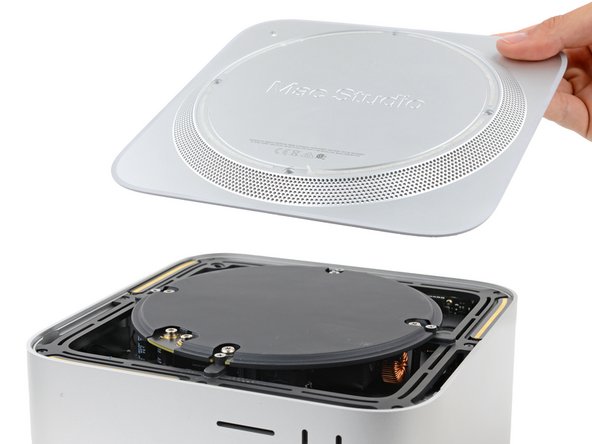
    • Insert the point of a spudger in one of the bottom cover's ventilation holes and lift the cover until you can grab it with your fingers.

    • Remove the bottom cover.

    • To orient the bottom cover, align the Kensington lock cutout in the top left corner with the corresponding one on the internal frame.

  10. Mac Studio 2023 Antenna 2 Replacement, Remove the power supply screws: adım 10, 2 resimden 1. Mac Studio 2023 Antenna 2 Replacement, Remove the power supply screws: adım 10, 2 resimden 2.
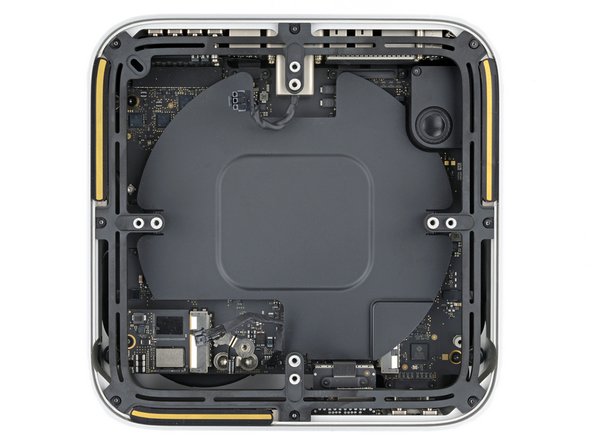
    • Use a T10 Torx screwdriver to remove the six screws securing the power supply:

    • Four 6 mm‑long screws

    • Two 7 mm‑long screws with washers

    • You may need to remove a sticker to access these screws. If you do, save it for reassembly.

  11. Mac Studio 2023 Antenna 2 Replacement, Reposition your Mac Studio: adım 11, 1 resimden 1.
    • Flip your Mac Studio around so the rear ports are facing you.

  12. Mac Studio 2023 Antenna 2 Replacement, Disconnect the power cord port cable: adım 12, 3 resimden 1. Mac Studio 2023 Antenna 2 Replacement, Disconnect the power cord port cable: adım 12, 3 resimden 2. Mac Studio 2023 Antenna 2 Replacement, Disconnect the power cord port cable: adım 12, 3 resimden 3.
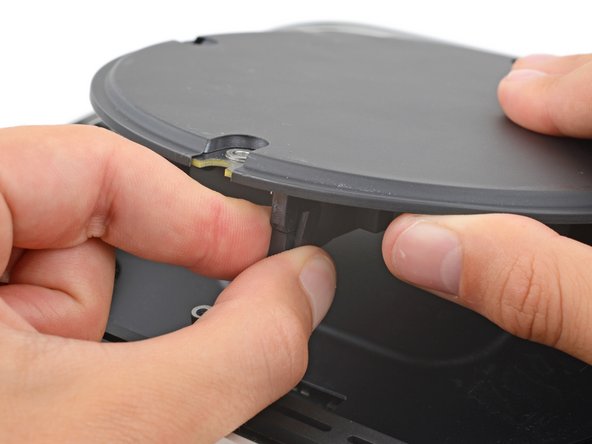
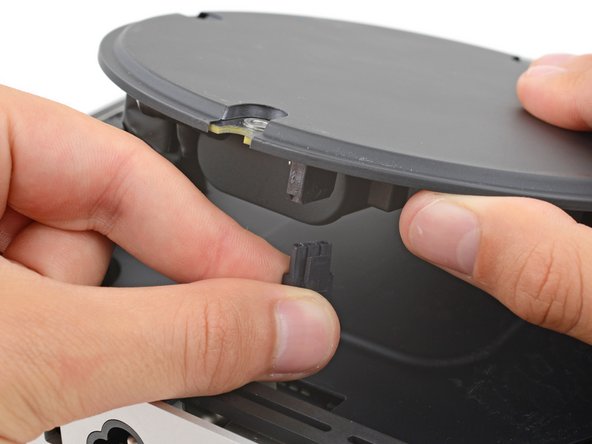
    • A tight plastic latch secures the power cord port cable.

    • Firmly hold the power supply with one hand and lift up the edge near the power cord port.

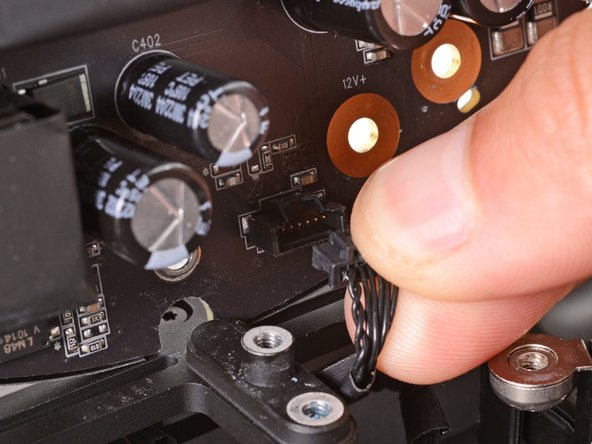
    • With your free hand, pinch the head of the power cord port connector to unclip it and pull straight down to disconnect the cable.

  13. Mac Studio 2023 Antenna 2 Replacement, Tilt up the power supply: adım 13, 1 resimden 1.
    • Only grab the power supply by its edges. Various power components and capacitors are left exposed.

    • Carefully tilt the power supply away from the power cord port so it's at a 90-degree angle.

    • Be careful not to strain the cable that's still connected to the power supply.

    • Keep the power supply tilted up for the next step.

  14. Mac Studio 2023 Antenna 2 Replacement, Disconnect the power supply signal cable: adım 14, 3 resimden 1. Mac Studio 2023 Antenna 2 Replacement, Disconnect the power supply signal cable: adım 14, 3 resimden 2. Mac Studio 2023 Antenna 2 Replacement, Disconnect the power supply signal cable: adım 14, 3 resimden 3.
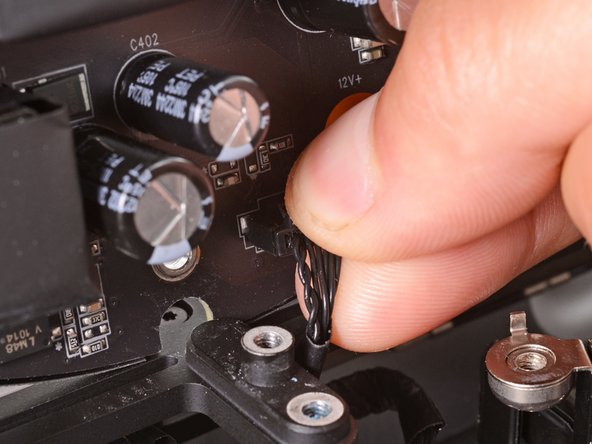
    • A delicate plastic clip secures the power supply signal cable.

    • With your free hand, pinch the head of the power supply connector to unclip it and pull straight away from the socket to disconnect the cable.

  15. Mac Studio 2023 Antenna 2 Replacement, Remove the power supply: adım 15, 1 resimden 1.
    • Remove the power supply.

  16. Mac Studio 2023 Antenna 2 Replacement, Reposition your Mac Studio: adım 16, 1 resimden 1.
    • Flip your Mac Studio around so the SD card reader and two front USB‑C ports are facing you.

  17. Mac Studio 2023 Antenna 2 Replacement, Remove the internal frame screws: adım 17, 2 resimden 1. Mac Studio 2023 Antenna 2 Replacement, Remove the internal frame screws: adım 17, 2 resimden 2.
    • Use a T6 Torx screwdriver to remove the eight screws securing the internal frame:

    • Seven 5 mm‑long screws

    • One 4 mm‑long screw

  18. Mac Studio 2023 Antenna 2 Replacement, Remove the internal frame: adım 18, 2 resimden 1. Mac Studio 2023 Antenna 2 Replacement, Remove the internal frame: adım 18, 2 resimden 2.
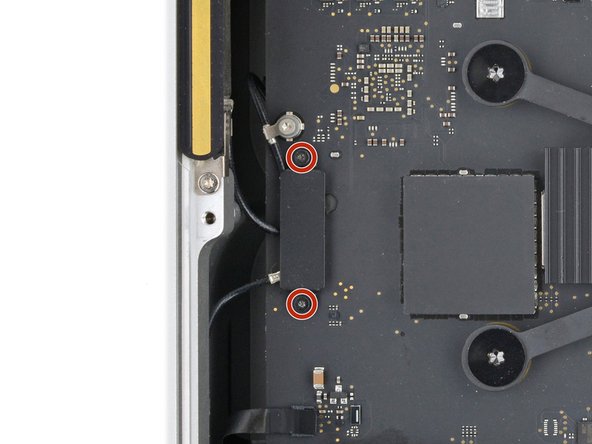
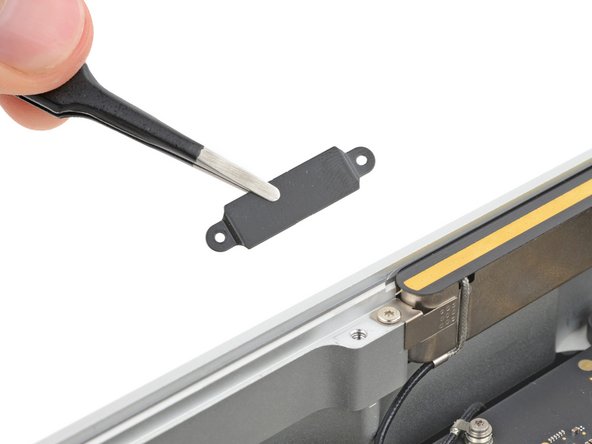
  19. Mac Studio 2023 Antenna 2 Replacement, Remove the antenna cable cover: adım 19, 3 resimden 1. Mac Studio 2023 Antenna 2 Replacement, Remove the antenna cable cover: adım 19, 3 resimden 2. Mac Studio 2023 Antenna 2 Replacement, Remove the antenna cable cover: adım 19, 3 resimden 3.
    • Use a T3 Torx screwdriver to remove the two 2 mm‑long screws securing the antenna cable cover.

    • Use tweezers or your fingers to remove the cover.

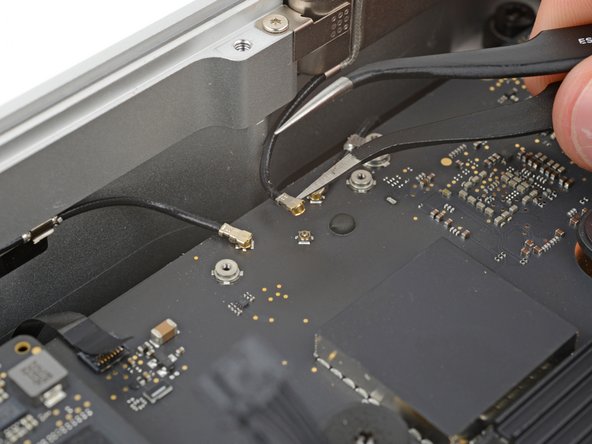
  20. Mac Studio 2023 Antenna 2 Replacement, Disconnect antenna 2: adım 20, 2 resimden 1. Mac Studio 2023 Antenna 2 Replacement, Disconnect antenna 2: adım 20, 2 resimden 2.
    • Insert one arm of a pair of angled tweezers under the metal neck of antenna 2's coaxial connector and lift straight up to disconnect it.

    • To reconnect the cable, hold the connector in place over its socket and press down with the flat end of a spudger—the connector should snap into place. If you're having trouble, don't try to force the connector over the socket. Reposition it and try again.

  21. Mac Studio 2023 Antenna 2 Replacement, Remove antenna 2's screws: adım 21, 2 resimden 1. Mac Studio 2023 Antenna 2 Replacement, Remove antenna 2's screws: adım 21, 2 resimden 2.
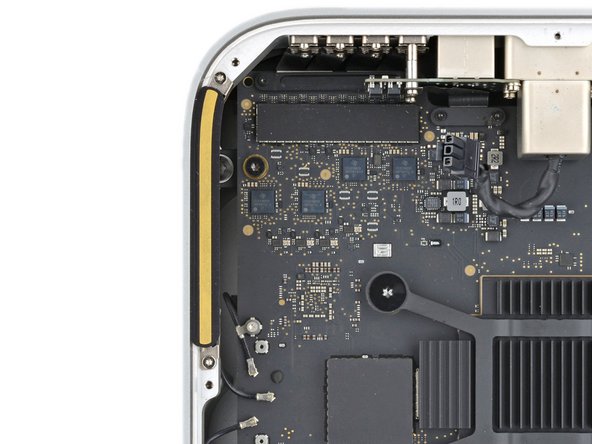
    • Use a T5 Torx screwdriver to remove the two 3.5 mm‑long screws securing antenna 2.

  22. Mac Studio 2023 Antenna 2 Replacement, Remove antenna 2: adım 22, 2 resimden 1. Mac Studio 2023 Antenna 2 Replacement, Remove antenna 2: adım 22, 2 resimden 2.
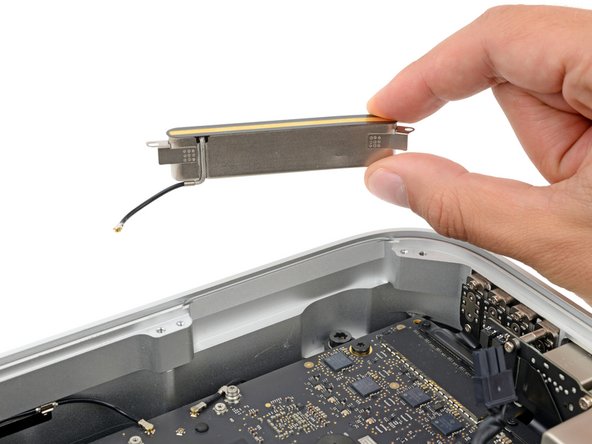
    • Remove antenna 2.

Sonuç

To reassemble your device, follow these instructions in reverse order.

Take your e-waste to an R2 or e-Stewards certified recycler.

Repair didn’t go as planned? Try some basic troubleshooting, or ask our Answers community for help.

Spencer Day

Üyelik tarihi: 09/14/22

149.840 İtibar

995 adet Kılavuz yazıldı

Ekip

iFixit iFixit üyesi

Staff

123 Üyeler

23.639 adet Kılavuz yazıldı

0Kılavuz Yorumları

Yorum Ekle

İstatistikleri Görüntüle:

Son 24 Saat: 1

Son 7 gün: 6

Son 30 gün: 18

Her zaman: 262