Giriş
Use this guide to replace the CMOS battery in your Mac mini (2024).
This CMOS battery is a standard 3V BR1632 coin cell battery.
Neye ihtiyacın var
-
-
Fully shut down your Mac mini and unplug all cables from it.
-
Flip over your Mac mini and place it on a clean, flat surface to avoid scratching the chassis.
-
-
-
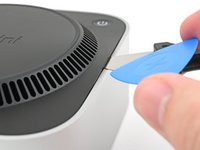
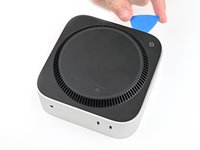
Insert a Jimmy into the gap between the bottom cover and the chassis.
-
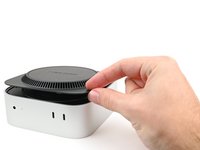
Pry up the bottom cover to create a gap.
-
Keep the Jimmy inserted under the bottom cover.
-
-
-
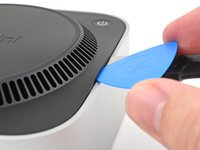
Insert an opening pick into the gap created by the Jimmy.
-
Remove the Jimmy.
-
-
-
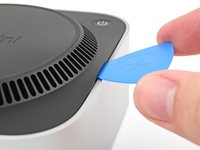
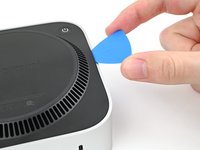
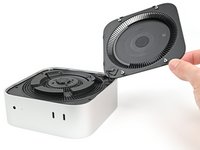
Slide the opening pick along the bottom cover until you feel it snag on a pin.
-
Twist the pick to lift the pin out of its slot.
-
-
-
-
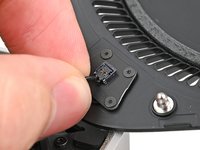
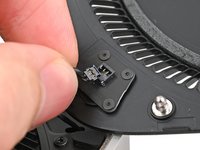
Grip the power button cable close to the head and pull it away from its socket to disconnect it.
-
-
Bu adımda kullanılan alet:FixMat$31.41
-
Use a Torx Plus 3IP screwdriver to remove the two 2.1 mm‑long screws securing the CMOS battery screws.
-
-
-
Lift the CMOS battery and its housing off the inner plate and remove it.
-
-
-
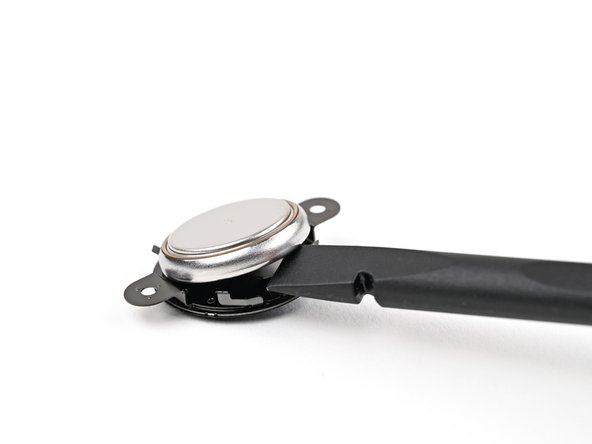
Use the flat end of a spudger, or your fingernail, to lift the CMOS battery out of its housing.
-




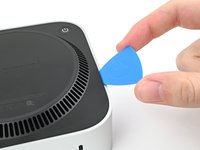
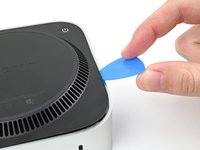


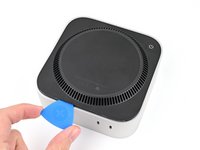
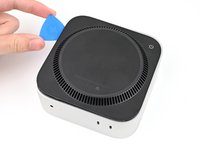








To reassemble your device, follow these instructions in reverse order.
Take your e-waste to an R2 or e-Stewards certified recycler.
Repair didn’t go as planned? Try some basic troubleshooting, or ask our Mac mini (2024) Answers Community for help.



