Bu çeviri bir makine tarafından oluşturulmuştur ve henüz bir kişi tarafından incelenmemiştir. Bu dili konuşuyor musunuz? İnceleme için.
Giriş
MacBook Pro 13” 2013 Sonu modelindeki katı hal sürücüsünü (SSD) yükseltmek veya değiştirmek için bu kılavuzu kullanın. Bu MacBook Pro, özel bir depolama sürücüsü konnektörü kullanır ve bu nedenle bir adaptör kullanılmadan yaygın M.2 sürücülerle uyumlu değildir.
Bu onarımı gerçekleştirmeden önce, mümkünse mevcut SSD'nizi yedekleyin. Ardından, macOS'i yeni sürücünüze yüklemeye ve verilerinizi yeni SSD'ye aktarmaya hazır olmak için internet üzerinden kurtarma veya önyüklenebilir bir harici sürücü oluşturma konularına göz atın.
Son olarak, MacBook Pro'nuzdaki orijinal SSD'yi değiştirmeden önce macOS 10.13 High Sierra (veya daha yeni bir macOS sürümü) yüklemenizi şiddetle tavsiye ederiz. Çoğu yeni SSD, macOS'in High Sierra'dan önceki sürümlerinde bulunmayan güncel depolama sürücülerini gerektirir.
Neye ihtiyacın var
-
-
Bu adımda kullanılan alet:Magnetic Project Mat$19.95
-
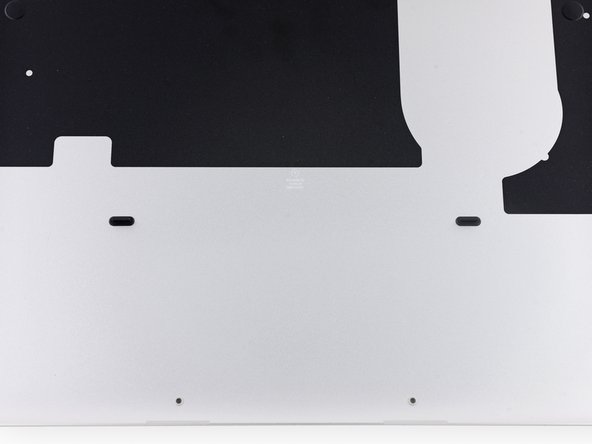
Alt kasayı üst kasaya sabitleyen aşağıdaki on vidayı çıkarın:
-
İki adet 2,3 mm P5 Pentalobe vida
-
Sekiz adet 3,0 mm P5 Pentalobe vida
 FixBot'a Sor
-
-
-
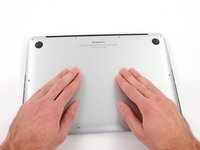
Parmaklarınızı üst kasa ile alt kasa arasına yerleştirin.
-
Alt kasayı çıkarmak için üst kasadan nazikçe ayırarak çekin.
-
-
-
-
-
-
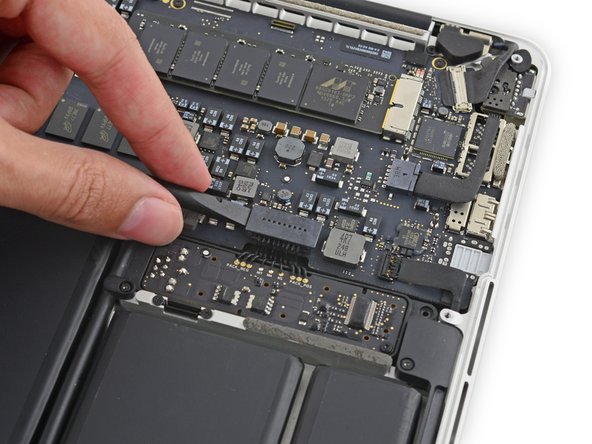
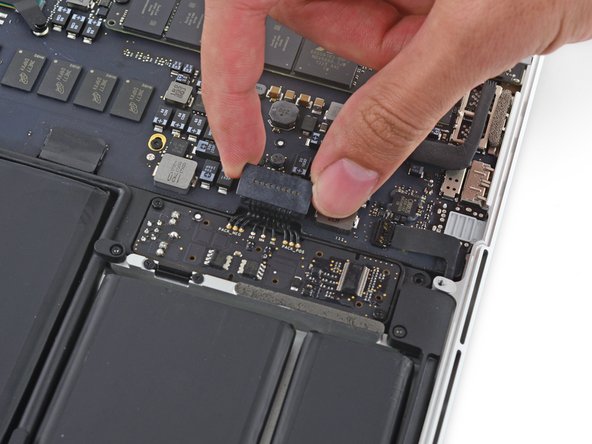
Batarya konnektörünü anakart üzerindeki soketinden düz bir şekilde yukarı doğru kaldırmak için plastik kanırtma aparatının yassı ucunu kullanın.
-
-
-
-
SSD'nin serbest ucunu hafifçe yukarı kaldırın ve SSD'yi anakart üzerindeki soketinden düz bir şekilde çekerek çıkarın.
-









Cihazınızı yeniden toplamak için bu talimatları ters sırayla uygulayın.
İptal et: Bu kılavuzu tamamlamadım.
155 farklı kişi bu kılavuzu tamamladı.


26Kılavuz Yorumları
So… can I just buy the new PCIe SSDs and use it in the 2013 rMBP? I'm very confused about these PCIe SSDs.
My retina 15" got the logic board damage and fix it is just stupid. Now in the mean time the new ones come up next quarter, I'm using my macbook pro 2011. Now, because the 2011 is no Retina, SSD and all the other good stuff in it (crying in silence) I did some research to make the 2011 better and I found out I can upgrade to 16 ram and a SSD. Now I check and is not that expensive at least for a SSD 128. BUT this morning it hit me, and I want to ask and make research about this idea. Guys I was wondering, can I take the SSD from my Retina that is actually SSD 256 and put it in my 2011? And save in the SSD? I mean, if possible of curse, if not I would go to buy it how I plan in the first place. Anyway guys any suggestions, ideas or advice are all welcome. I want to know whats best to improve the 2011 meanwhile the new ones get the upgrade. Thanks in advance! :)
Can I use an Intel SSD 540s SSD M.2? Intel says it doesn't support NVMe. Does it need to or would that just add extra performance?
You can put an NVMe drive (with an adapter) in a late 2013 MBP, but you must have updated the OS to the latest version because the original, native OS does not support NVMe. Use Clonezilla to make a bare metal backup and use Clonezilla to restore it once NVMe is installed. Clonezilla wont work going down in size ie from a 1TB to 500GB drive.
Can you also please put a link how to reinstall mac os after installing a new hardrive? thanks
