Ana içeriğe geç
Onarım Topluluğuna Katılın - Hesap Oluşturun

Martian Victory LED Screen Replacement

Neye ihtiyacın var

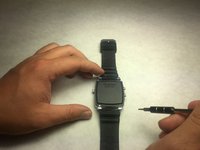
    1. Martian Victory LED Screen Replacement, Back Plate: adım 1, 2 resimden 1. Martian Victory LED Screen Replacement, Back Plate: adım 1, 2 resimden 2.
      • Unscrew the four 3.4 mm flat head screws

      FixBot'a Sor

      Yorum Ekle

    2. Martian Victory LED Screen Replacement: adım 2, 1 resimden 1.
      • Carefully lift the back plate off the watch. You will notice a lithium battery and rubber gasket attached to the back plate.

      FixBot'a Sor

      Yorum Ekle

    1. Martian Victory LED Screen Replacement, Lithium Battery: adım 3, 1 resimden 1.
      • If not replacing lithium battery, skip down two steps.

      • Using the plastic removal tool, pry the battery from the backing plate. The battery is simply attached with glue.

      FixBot'a Sor

      Yorum Ekle

    2. Martian Victory LED Screen Replacement: adım 4, 1 resimden 1.
      • Desolder the battery connections from the motherboard. Learn how to solder components here!

      FixBot'a Sor

      Yorum Ekle

    1. Martian Victory LED Screen Replacement, LED Screen: adım 5, 1 resimden 1.
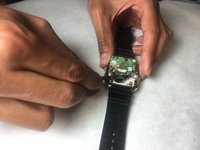
      • Locate the ribbon connection, and use remove the clips holding the strip on each side using needle tool.

      FixBot'a Sor

      Yorum Ekle

    2. Martian Victory LED Screen Replacement: adım 6, 1 resimden 1.
      Bu adımda kullanılan alet:
      Tweezers
      $4.99
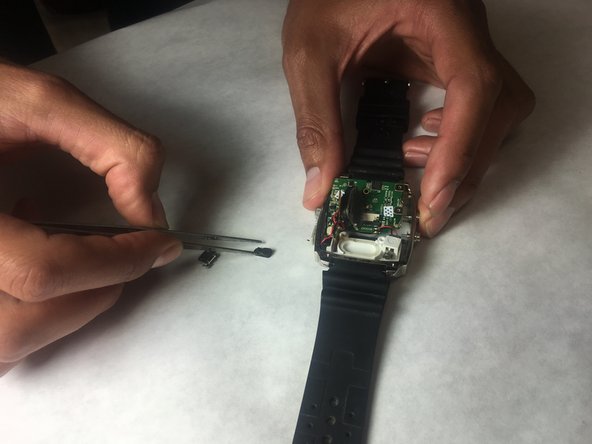
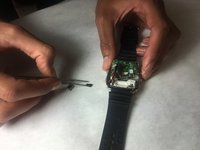
      • With a pair of tweezers, carefully remove the ribbon strip connection.

      FixBot'a Sor

      Yorum Ekle

    3. Martian Victory LED Screen Replacement: adım 7, 1 resimden 1.
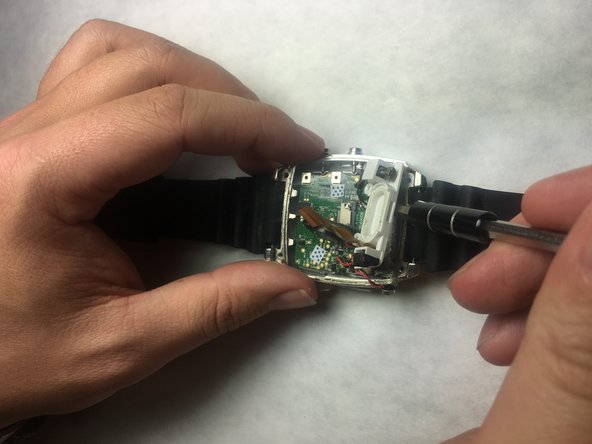
      • Remove the screw driver holding the LED screen and Speaker in place.

      FixBot'a Sor

      Yorum Ekle

    4. Martian Victory LED Screen Replacement: adım 8, 1 resimden 1.
      • Insert a small flat screw driver under the speaker in order to remove it.

      FixBot'a Sor

      Yorum Ekle

    5. Martian Victory LED Screen Replacement: adım 9, 2 resimden 1. Martian Victory LED Screen Replacement: adım 9, 2 resimden 2.
      • Using tweezers, remove the speaker and move off to the side.

      FixBot'a Sor

      Yorum Ekle

    6. Martian Victory LED Screen Replacement: adım 10, 2 resimden 1. Martian Victory LED Screen Replacement: adım 10, 2 resimden 2.
      • Place a small flat head screwdriver under the LED screen, and carefully push it out of it's socket.

      FixBot'a Sor

      Yorum Ekle

    7. Martian Victory LED Screen Replacement: adım 11, 1 resimden 1.
      • Remove final connection to accelerometer. The LED screen is now separated from the device.

      FixBot'a Sor

      Yorum Ekle

Sonuç

To reassemble your device, follow these instructions in reverse order.

İptal et: Bu kılavuzu tamamlamadım.

Robert Sanchez

Üyelik tarihi: 10/31/16

201 İtibar

2 adet Kılavuz yazıldı

Ekip

IUPUI, Team 3-3, Baechle Fall 2016 IUPUI, Team 3-3, Baechle Fall 2016 üyesi

IUPUI-BAECHLE-F16S3G3

4 Üyeler

16 adet Kılavuz yazıldı

0Kılavuz Yorumları

Yorum Ekle

İstatistikleri Görüntüle:

Son 24 Saat: 0

Son 7 gün: 3

Son 30 gün: 13

Her zaman: 426