Giriş
Use this guide to replace the battery.
Neye ihtiyacın var
-
-
-
Insert plastic opening tool and pry back case away from the device, slowly moving the plastic opening tool along the device.
 FixBot'a Sor
-
-
-
-
Follow the red and black wires from the battery to where they are soldered to the motherboard.
-
Use a soldering iron to separate the positive and negative wires from the motherboard.
-
-
-
Insert plastic spudger under the battery and slide back and forth, separating the battery from the case.
-
-


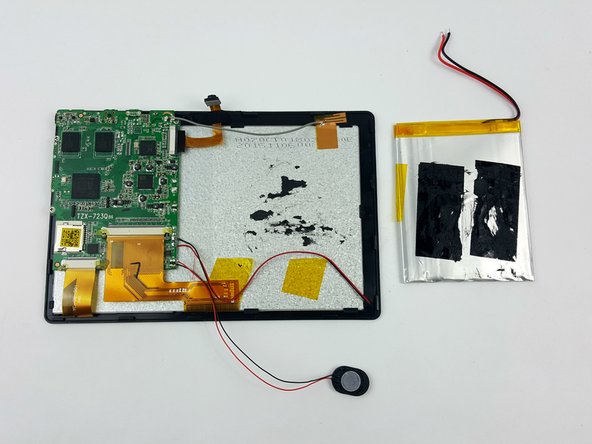
To reassemble your device, follow these instructions in reverse order.
İptal et: Bu kılavuzu tamamlamadım.
3 farklı kişi bu kılavuzu tamamladı.

Ekip

USF Tampa, Team 7-1, Cheng Spring 2016 USF Tampa, Team 7-1, Cheng Spring 2016 üyesi
USFT-CHENG-S16S7G1
3 Üyeler
10 adet Kılavuz yazıldı
