Ana içeriğe geç
Onarım Topluluğuna Katılın - Hesap Oluşturun

Nokia 2630b Screen / Front Case Replacement

Neye ihtiyacın var

  1. Nokia 2630b Screen / Front Case Replacement, Battery Case: adım 1, 2 resimden 1. Nokia 2630b Screen / Front Case Replacement, Battery Case: adım 1, 2 resimden 2.
    • Press and the release button on both sides of the battery cover. While holding down the release buttons pull the battery cover away from the phone

    FixBot'a Sor
  2. Nokia 2630b Screen / Front Case Replacement: adım 2, 1 resimden 1.
    • Pull out the battery by holding the top of the battery and tilting out.

    FixBot'a Sor
  3. Nokia 2630b Screen / Front Case Replacement, Screen / Front Case: adım 3, 1 resimden 1.
    • Remove the two screws on either side of the battery case using a T5 Torx screwdriver.

    FixBot'a Sor
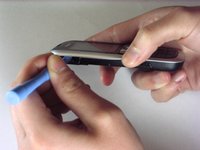
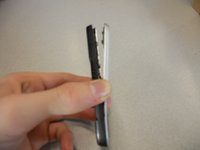
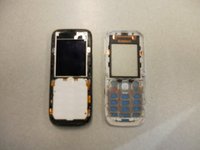
  4. Nokia 2630b Screen / Front Case Replacement: adım 4, 3 resimden 1. Nokia 2630b Screen / Front Case Replacement: adım 4, 3 resimden 2. Nokia 2630b Screen / Front Case Replacement: adım 4, 3 resimden 3.
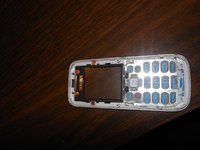
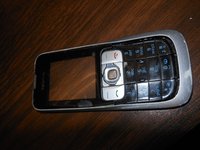
    • Separate the front case from the back case using the iPod opener.

    • The keypad is a loose piece and may fall out.

    FixBot'a Sor
  5. Nokia 2630b Screen / Front Case Replacement: adım 5, 1 resimden 1.
    • Remove screws using the T5 Torx screwdriver to release the computer chip from the case.

    FixBot'a Sor
  6. Nokia 2630b Screen / Front Case Replacement: adım 6, 1 resimden 1.
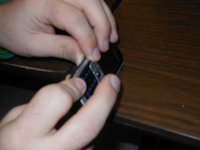
    • Carefully lift the black frame off the screen with your fingers.

    FixBot'a Sor
  7. Nokia 2630b Screen / Front Case Replacement: adım 7, 1 resimden 1.
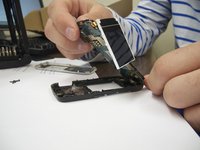
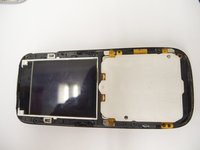
    • Carefully remove the computer chip and screen out of the black case with your fingers.

    FixBot'a Sor
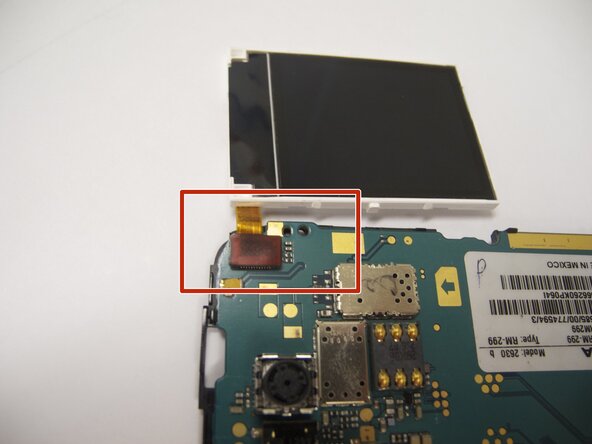
  8. Nokia 2630b Screen / Front Case Replacement: adım 8, 2 resimden 1. Nokia 2630b Screen / Front Case Replacement: adım 8, 2 resimden 2.
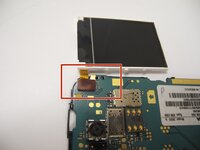
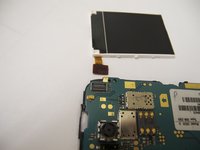
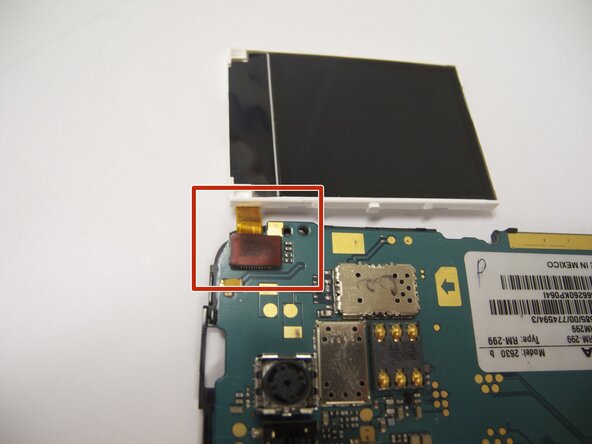
    • The screen is attached to the motherboard by an orange ribbon.

    • Carefully detach the ribbon from the motherboard using your fingers.

    FixBot'a Sor
  9. Nokia 2630b Screen / Front Case Replacement: adım 9, 1 resimden 1.
    • Reattach new screen by connecting the orange ribbon to the computer chip.

    FixBot'a Sor
  10. Nokia 2630b Screen / Front Case Replacement: adım 10, 2 resimden 1. Nokia 2630b Screen / Front Case Replacement: adım 10, 2 resimden 2.
    • Place computer chip and screen back into black case.

    FixBot'a Sor
  11. Nokia 2630b Screen / Front Case Replacement: adım 11, 1 resimden 1.
    • Place black frame back over screen.

    FixBot'a Sor
  12. Nokia 2630b Screen / Front Case Replacement: adım 12, 2 resimden 1. Nokia 2630b Screen / Front Case Replacement: adım 12, 2 resimden 2.
    • Carefully place keypad back in place.

    FixBot'a Sor
  13. Nokia 2630b Screen / Front Case Replacement: adım 13, 2 resimden 1. Nokia 2630b Screen / Front Case Replacement: adım 13, 2 resimden 2.
    • Snap the front case back in place with the bottom case with your fingers.

    FixBot'a Sor
  14. Nokia 2630b Screen / Front Case Replacement: adım 14, 1 resimden 1.
    • Reassemble screws with microscrewdriver.

    FixBot'a Sor
  15. Nokia 2630b Screen / Front Case Replacement: adım 15, 1 resimden 1.
    • Slide battery back into place.

    FixBot'a Sor
  16. Nokia 2630b Screen / Front Case Replacement: adım 16, 1 resimden 1.
    • Snap battery cover back into place.

    FixBot'a Sor
Sonuç

To reassemble your device, follow these instructions in reverse order. Make sure to snap the new screen / front case securely into place.

Eric

Üyelik tarihi: 04/07/11

57 İtibar

4 adet Kılavuz yazıldı

Ekip

Cal Poly, Team 9-61, Walters Spring 2011 Cal Poly, Team 9-61, Walters Spring 2011 üyesi

CPSU-WALTERS-S11S9G61

5 Üyeler

6 adet Kılavuz yazıldı

2Kılavuz Yorumları

Great guide :-) I have a Nokia 2630 too and people can no longer hear me on calls, even though I can hear them. Do you know what could be wrong? Do you think this is something I could fix myself? Thanks!

jfg - Yanıt Paylaş

You could try getting a neodymium magnet and run it across the earpiece grill. In my father's case, a lot of metal powder was in there, pressing in the speaker membrane; the alternative is cleaning it (which does require opening the phone using Eric's very nice guide). The alternative to those is ordering an earpiece online - but usually those are really bad quality, so trying to fix the original one would be advisable

Darie H - Yanıt Paylaş

Yorum Ekle

İstatistikleri Görüntüle:

Son 24 Saat: 4

Son 7 gün: 16

Son 30 gün: 104

Her zaman: 4,322