Bu çeviri bir makine tarafından oluşturulmuştur ve henüz bir kişi tarafından incelenmemiştir. Bu dili konuşuyor musunuz? İnceleme için.

PlayStation 4 Sabit Disk Değişimi

Sam Omiotek ve 8 diğer katkıda bulunanlar
En son 29 Tem 2026 tarihinde güncellendi
Görüntüleme: 213 B
İstatistikleri görüntüle:
- Son 24 Saat:
- 27
- Son 7 Gün:
- 325
- Son 30 Gün:
- 1.245
- Her zaman:
- 212.540
Yorumlar: 23
7 comments on steps, 16 guide comments.
Go to guide commentsTamamlandı: 254 255
254 kişi bu kılavuzu "tamamlandı" olarak işaretledi. Sıradaki sen olacak mısın?
255 kişi bu kılavuzu "tamamlandı" olarak işaretledi. Siz de dahil - harika iş!
Sık Kullanılanlar: 97 98
97 kişi bu kılavuzu favorilerine ekledi (ve abone oldu). Sıradaki sen olacak mısın?
Siz de dahil olmak üzere 98 kişi bu kılavuzu favorilerine ekledi (ve abone oldu)!
Öne Çıkan Kılavuzlar
Bu kılavuz, iFixit kadrosu tarafından acayip havalı bulundu.
Giriş
1. adıma git ↓Sony PlayStation 4'ünüzdeki sabit diski değiştirmek için bu kılavuzu izleyin. Eğer sabit diski yükseltiyor ve kayıtlı oyun verileriniz ile ayarlarınızı korumak istiyorsanız, bu işleme başlamadan önce verilerinizi ayrı bir harici depolama cihazına yedeklediğinizden emin olun.
Herhangi bir onarıma başlamadan önce PS4'ünüzün fişini çekin.
Neye ihtiyacın var


-
-
-
PS4'ü her iki elinizle üst kılıftaki boşluktan tutun.
-
Üst kılıfın parlak tarafını, yana doğru açılana kadar başparmaklarınızla itin.
-
Parlak üst kılıfı yukarı ve geriye doğru kaldırarak PS4'ten çıkarın.
 FixBot'a Sor
-
-
-
Sabit disk braketini kasaya sabitleyen 6,5 mm vidayı çıkarmak için bir yıldız tornavida kullanın.
-
-
-
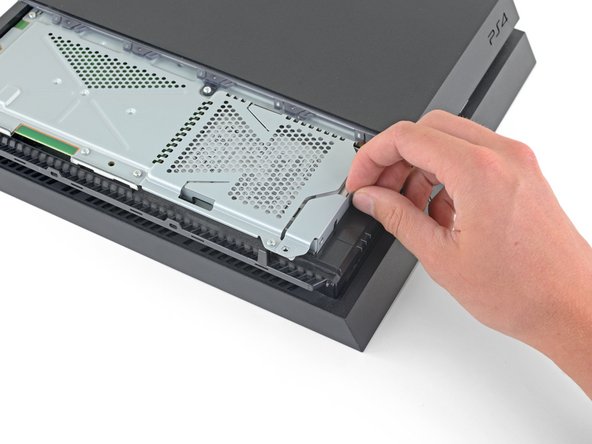
Sabit disk braketini muhafazadan dışarı doğru çekin.
-
-
-
-
-
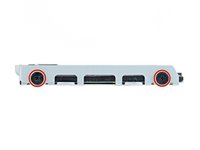
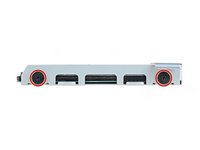
Sabit disk tepsisinin sağ tarafından iki adet 7,2 mm vidayı çıkarın.
-
-
-






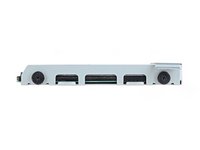


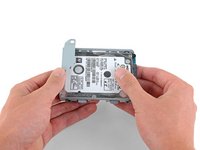
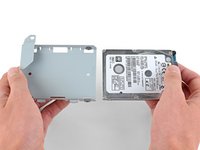
Cihazınızı tekrar toplamak için yukarıdaki adımları ters sırayla izleyin.
Sabit diskinizi değiştirdikten sonra PS4 işletim sistemini yeniden kurmanız gerekecektir. PS4'ünüzü başlatmak ve sistem yazılımını yeniden yüklemek için Sony'nin talimatlarını izleyin.
Elektronik atıklarınızı R2 veya e-Stewards sertifikalı bir geri dönüşüm tesisine götürün.
Onarım planladığınız gibi gitmedi mi? Sorun giderme yardımı için Cevaplar topluluğumuza göz atın.
İptal et: Bu kılavuzu tamamlamadım.
254 farklı kişi bu kılavuzu tamamladı.

16Kılavuz Yorumları
This article needs to be vetted. There is a very specific type of hard drive needed for this machine. Also, the machine will need to be backed up to either the PS Network(for PS Plus members) or a removable storage device. Additionally, the latest system update must be available after the new hard drive is installed. Below is an excellent article for this procedure.
can I take out my 500 gig and put in a 1 tb or no ?
Hey Phil,
Yes, you can. I have successfully replaced the original hard drive with a 2TB hard drive I purchased. Just make sure you buy the correct type of hard drive. I recommend using the article Kenneth has linked above in the comment section: http://www.ign.com/wikis/playstation-4/H...
I backed up my saved data on the PS network instead of using an external hard drive and that worked great.
Enjoy the extra storage!
Yes you can upgrade to 1TB or even bigger. Last PS4 firmware update was in august, and it supports storage up to 4TB. You can also use bigger storage but it may result in error.
You can update 2.4-internal HDD or use something like Nyko data bank to use 3.5 inch drives. Also external hard drives is an option, but in order to use them you will need to install the software and games on it.
ps4 hard drives:
Yes you can upgrade to 1TB or even bigger. Last PS4 firmware update was in august, and it supports storage up to 4TB. You can also use bigger storage but it may result in error.
You can update 2.4-internal HDD or use something like Nyko data bank to use 3.5 inch drives. Also external hard drives is an option, but in order to use them you will need to install the software and games on it.
