Ana içeriğe geç
Onarım Topluluğuna Katılın - Hesap Oluşturun

RCA RCT6272W23 Display Replacement

Neye ihtiyacın var

  1. RCA RCT6272W23 Display Replacement, Case: adım 1, 2 resimden 1. RCA RCT6272W23 Display Replacement, Case: adım 1, 2 resimden 2.
    • Use a Phillips #00 screwdriver to remove both 4.1 mm screws at the top of the device which hold it together.

    FixBot'a Sor

    Yorum Ekle

  2. RCA RCT6272W23 Display Replacement: adım 2, 2 resimden 1. RCA RCT6272W23 Display Replacement: adım 2, 2 resimden 2.
    • Press the plastic opening tool into the space between the front and back portions of the case.

    • Run it along the perimeter of the device to unhook the plastic tabs.

    • Gently pull both sides apart.

    • The speaker is connected to the back cover, so be careful when separating.

    FixBot'a Sor

    Yorum Ekle

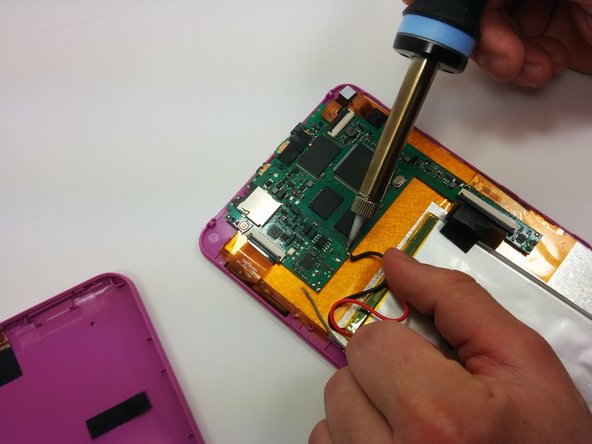
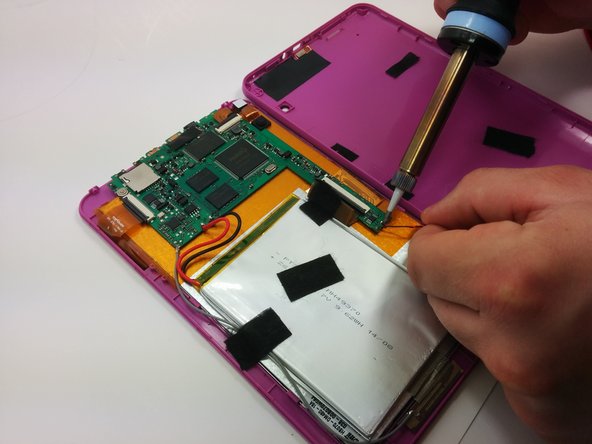
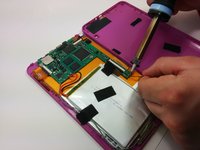
  3. RCA RCT6272W23 Display Replacement, Motherboard: adım 3, 3 resimden 1. RCA RCT6272W23 Display Replacement, Motherboard: adım 3, 3 resimden 2. RCA RCT6272W23 Display Replacement, Motherboard: adım 3, 3 resimden 3.
    • Use a soldering iron to remove the soldered connections on the motherboard

    • For your safety and to ensure a correct repair, be sure to exercise caution when using the soldering iron.

    • For more information about soldering, check out this guide.

    FixBot'a Sor

    Yorum Ekle

  4. RCA RCT6272W23 Display Replacement: adım 4, 1 resimden 1.
    • Use a philips #00 screwdriver to unscrew the three 4.064mm screws which attach the motherboard to the front of the device.

    FixBot'a Sor

    Yorum Ekle

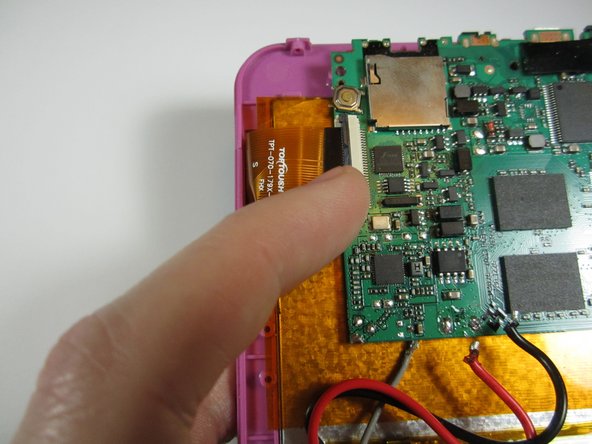
  5. RCA RCT6272W23 Display Replacement: adım 5, 2 resimden 1. RCA RCT6272W23 Display Replacement: adım 5, 2 resimden 2.
    • Use your fingers to pop the three black tabs up to release the flat plastic data transfer cables.

    FixBot'a Sor

    Yorum Ekle

  6. RCA RCT6272W23 Display Replacement: adım 6, 1 resimden 1.
    • Pull up the motherboard from the rest of the body.

    FixBot'a Sor

    Yorum Ekle

  7. RCA RCT6272W23 Display Replacement, Display: adım 7, 1 resimden 1.
    • Using a plastic opening tool, pry the battery off of the rest of the body.

    • The battery is attached to the display with double sided tape. It may be best to have a new strip of double sided tape to reattach the battery.

    FixBot'a Sor

    Yorum Ekle

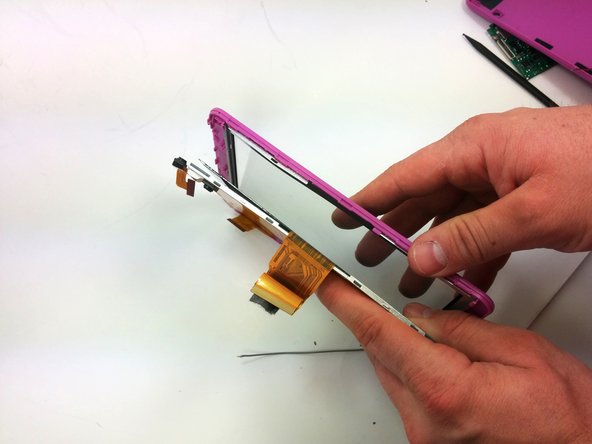
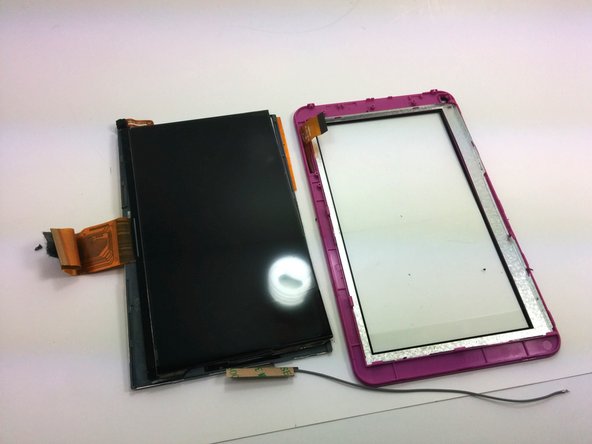
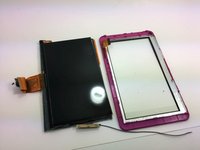
  8. RCA RCT6272W23 Display Replacement: adım 8, 3 resimden 1. RCA RCT6272W23 Display Replacement: adım 8, 3 resimden 2. RCA RCT6272W23 Display Replacement: adım 8, 3 resimden 3.
    • Using a spudger, separate the display surface from the front cover.

    • Be careful not to break the tabs that hold the display screen in place.

    • A second spudger may be necessary to help hold the position of the display screen.

    FixBot'a Sor

    Yorum Ekle

Sonuç

To reassemble your device, follow these instructions in reverse order.

İptal et: Bu kılavuzu tamamlamadım.

4 farklı kişi bu kılavuzu tamamladı.

Ross Pennala

Üyelik tarihi: 03/19/15

214 İtibar

1 Kılavuz yazıldı

Ekip

Michigan Tech, Team 1-5, Lauer Spring 2015 Michigan Tech, Team 1-5, Lauer Spring 2015 üyesi

MTU-LAUER-S15S1G5

2 Üyeler

12 adet Kılavuz yazıldı

0Kılavuz Yorumları

Yorum Ekle

İstatistikleri Görüntüle:

Son 24 Saat: 1

Son 7 gün: 4

Son 30 gün: 30

Her zaman: 2,598