Giriş
Follow the steps in order to replace your battery.
If your battery is swollen, take appropriate precautions.
Neye ihtiyacın var
-
-
Insert a fingernail or plastic opening tool in the gap between the rear case and the base of the phone.
 FixBot'a Sor
-
-
-
-
Slide your fingernail or plastic opening tool along the edge of the rear case.
-
Lift the case gently from the base.
-
-
-
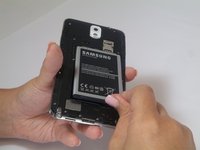
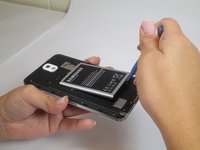
Insert a fingernail or plastic opening tool into the small gap between the battery and the phone base.
-
Lift the battery out of its recess.
-


To reassemble your device, follow these instructions in reverse order.
İptal et: Bu kılavuzu tamamlamadım.
48 farklı kişi bu kılavuzu tamamladı.

4Kılavuz Yorumları
Mon telephone ne garde pas la charge plus d'une heure même si j'ai changé la batterie mais reste le même problème
