Giriş
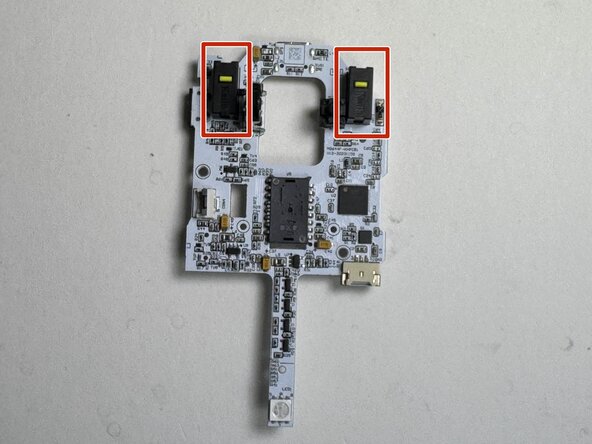
Use this guide to access and identify the left and right click microswitches in the Turtle Beach Pure Air White wireless RGB gaming mouse (Model TBM-1102-15). These motherboard-mounted switches register button presses—if they wear out or fail, clicks may not register, may register inconsistently, or may “double-click.” If your mouse buttons aren’t responding, review Turtle Beach Pure Air Buttons Not Registering Input for symptom checks first. This guide focuses on locating the microswitches and related components; microswitch replacement requires desoldering and soldering on the motherboard.
Neye ihtiyacın var
-
-
-
Power off the mouse by moving the power switch to the center.
 FixBot'a Sor
-
-
-
Peel back the mouse feet.
-
Remove the three 1.6mm screws using a JIS #000 screwdriver.
-
Remove the single 1.6mm screws using remove using a 1.3 mm hex screwdriver.
-
-
-
-
Disconnect the ribbon cable securing the upper shell to the motherboard.
-
Lift the locking clip to release the cable from its connector.
-
-
-
-
-
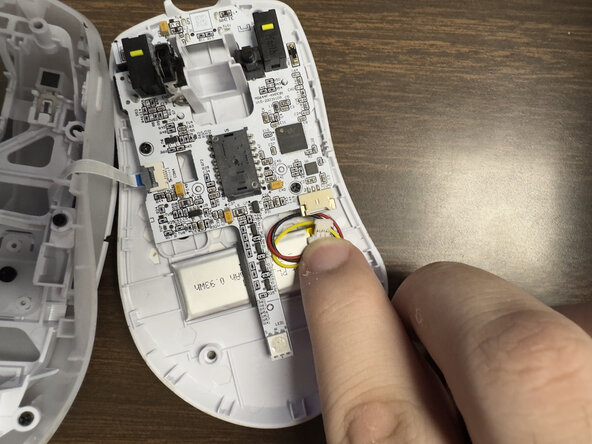
Carefully disconnect the battery clip from the motherboard socket by softly pulling the bottom of the clip.
-
-
-
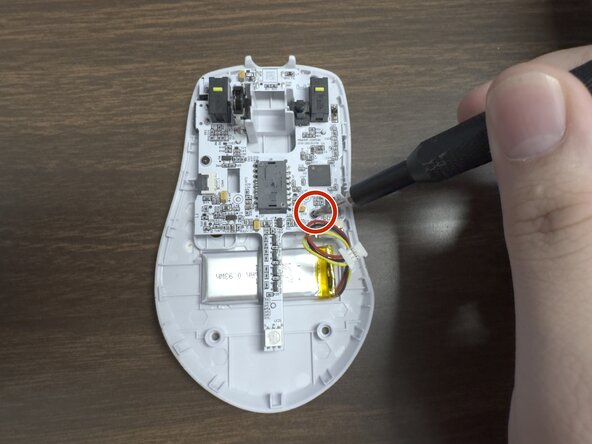
Remove the two 1.6 mm screws on the middle left and lower right sides with a JIS000 screwdriver to disconnect the motherboard from the lower shell.
-
-
-
-
-
-
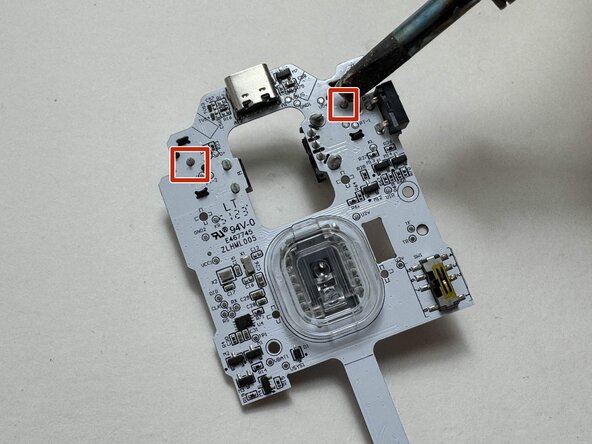
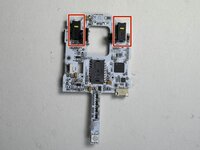
Carefully lift the motherboard to expose the rear side of the board, including the microswitch solder joints.
-
Desolder the solder joints of the microswitch.
-
-







This guide is rated Moderate for disassembly. Replacing the microswitch itself requires soldering and is recommended only for users with advanced repair experience.To reassemble your device, follow these instructions in reverse order.

Ekip

Austin Community College, Team 9-1, Watkins Spring 2026 Austin Community College, Team 9-1, Watkins Spring 2026 üyesi
AUSTINCC-WATKINS-S26S9G1
3 Üyeler
6 adet Kılavuz yazıldı
