Ana içeriğe geç
Onarım Topluluğuna Katılın - Hesap Oluşturun

Vtech Kidizoom Smart Watch DX Buttons Replacement

Neye ihtiyacın var

  1. Vtech Kidizoom Smart Watch DX Buttons Replacement, Master Switch: adım 1, 1 resimden 1.
    • Make sure the master switch is "OFF" before disassembly, to avoid an electric shock.

    • Flip the watch over with the back facing up.

    FixBot'a Sor
  2. Vtech Kidizoom Smart Watch DX Buttons Replacement: adım 2, 1 resimden 1.
    • Remove the four 6.0 mm screws on the back plate with the Phillips #00 screwdriver.

    FixBot'a Sor
  3. Vtech Kidizoom Smart Watch DX Buttons Replacement: adım 3, 1 resimden 1.
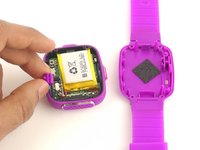
    • Gently pull the back plate from the watch casing.

    FixBot'a Sor
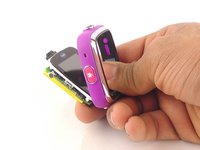
  4. Vtech Kidizoom Smart Watch DX Buttons Replacement: adım 4, 2 resimden 1. Vtech Kidizoom Smart Watch DX Buttons Replacement: adım 4, 2 resimden 2.
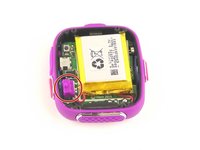
    • Lift the master switch from the circuit board.

    FixBot'a Sor
  5. Vtech Kidizoom Smart Watch DX Buttons Replacement, Circuit Board: adım 5, 2 resimden 1. Vtech Kidizoom Smart Watch DX Buttons Replacement, Circuit Board: adım 5, 2 resimden 2.
    • The speaker wires are fragile. They may break if excessive force is used to remove the circuit board.

    • Removal of the circuit board requires soldering.

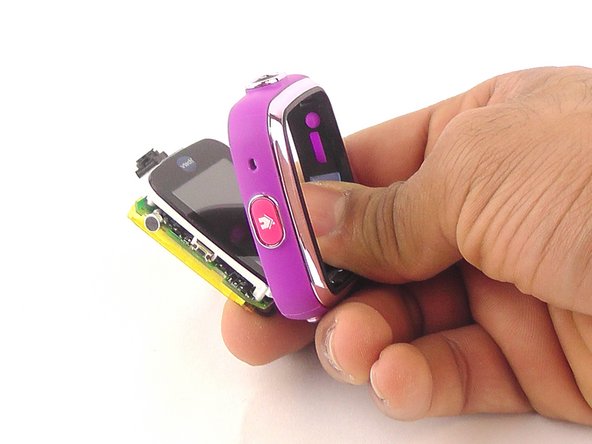
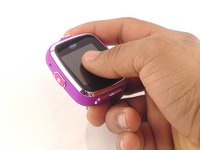
    • Gently push on the display from the front, near the camera. The circuit board and display will pop out through the back.

    FixBot'a Sor
  6. Vtech Kidizoom Smart Watch DX Buttons Replacement: adım 6, 1 resimden 1.
    • Lift the circuit board carefully from the casing, without breaking or detaching the speaker wires at the bottom of the circuit board.

    FixBot'a Sor
  7. Vtech Kidizoom Smart Watch DX Buttons Replacement: adım 7, 1 resimden 1.
    • Note which wire is connected to which lead before continuing. There are no markers on the circuit board to indicate where each wire belongs.

    • De-solder the black speaker wire from the circuit board.

    FixBot'a Sor
  8. Vtech Kidizoom Smart Watch DX Buttons Replacement: adım 8, 1 resimden 1.
    • De-solder the red speaker wire, as in the previous step.

    FixBot'a Sor
  9. Vtech Kidizoom Smart Watch DX Buttons Replacement: adım 9, 1 resimden 1.
    • Wait for the solder to cool down and solidify, then remove the circuit board from the casing.

    FixBot'a Sor
  10. Vtech Kidizoom Smart Watch DX Buttons Replacement, Buttons: adım 10, 1 resimden 1.
    Bu adımda kullanılan alet:
    Tweezers
    $4.99
    • Use the the tweezers to pull off the blue rubber cover behind the button.

    • The blue cover is adhesive, so you can stick it back onto the back of the buttons after replacement.

    FixBot'a Sor
  11. Vtech Kidizoom Smart Watch DX Buttons Replacement: adım 11, 1 resimden 1.
    • Use tweezers to separate the backside tab from the front side of the button.

    FixBot'a Sor
  12. Vtech Kidizoom Smart Watch DX Buttons Replacement: adım 12, 1 resimden 1.
    • Push the other half of the button out of the casing.

    • Repeat steps 11 and 12 for all buttons.

    FixBot'a Sor
Sonuç

To reassemble your device, follow these instructions in reverse order.

2 farklı kişi bu kılavuzu tamamladı.

Ekip

USF Tampa, Team 10-6, Remmell Spring 2016 USF Tampa, Team 10-6, Remmell Spring 2016 üyesi

USFT-REMMELL-S16S10G6

4 Üyeler

12 adet Kılavuz yazıldı

1Rehber Yorum

Where can you buy the replacement cover?

Katrina Nullatamby - Yanıt Paylaş

Yorum Ekle

İstatistikleri Görüntüle:

Son 24 Saat: 1

Son 7 gün: 8

Son 30 gün: 72

Her zaman: 6,416