Ana içeriğe geç
Onarım Topluluğuna Katılın - Hesap Oluşturun

ZTE Blade X Max LCD Replacement

Neye ihtiyacın var

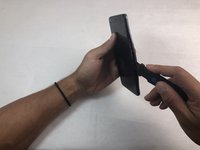
  1. ZTE Blade X Max LCD Replacement, Back Cover: adım 1, 2 resimden 1. ZTE Blade X Max LCD Replacement, Back Cover: adım 1, 2 resimden 2.
    • Use the iOpener or heating pad to heat around the edges of the phone to melt the adhesive.

    • It will take about ten minutes for the adhesive to be heated enough to remove the backing.

    • You will have to reheat the iOpener or heating pad a few times.

    FixBot'a Sor

    Yorum Ekle

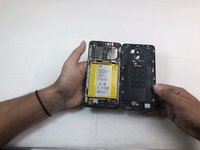
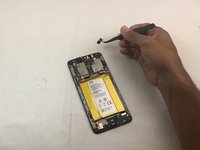
  2. ZTE Blade X Max LCD Replacement: adım 2, 3 resimden 1. ZTE Blade X Max LCD Replacement: adım 2, 3 resimden 2. ZTE Blade X Max LCD Replacement: adım 2, 3 resimden 3.
    • Slide the Jimmy along the under backing and lightly push the plastic up.

    • You will hear a snapping sound as you slide the Jimmy along the backing. This is from the closures releasing. There should be seven total closures on either side of the device, and three on the top and bottom.

    FixBot'a Sor

    Yorum Ekle

  3. ZTE Blade X Max LCD Replacement: adım 3, 1 resimden 1.
    • Carefully remove the backing from the phone once the closures are released.

    • If you do not open all of the closures on the backing do not attempt to pry it off.

    • Be careful when opening the back of the phone. The fingerprint scanner is connected by a thin film that will tear if pulled too roughly.

    FixBot'a Sor

    Yorum Ekle

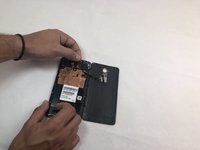
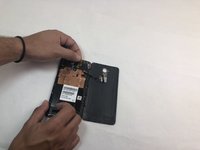
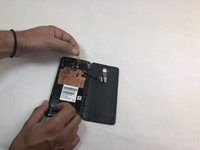
  4. ZTE Blade X Max LCD Replacement: adım 4, 3 resimden 1. ZTE Blade X Max LCD Replacement: adım 4, 3 resimden 2. ZTE Blade X Max LCD Replacement: adım 4, 3 resimden 3.
    • Remove the opaque yellow sticker that indicates where the fingerprint scanner is connected to the back of the device.

    FixBot'a Sor

    Yorum Ekle

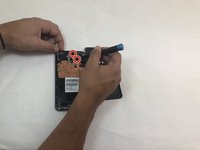
  5. ZTE Blade X Max LCD Replacement: adım 5, 3 resimden 1. ZTE Blade X Max LCD Replacement: adım 5, 3 resimden 2. ZTE Blade X Max LCD Replacement: adım 5, 3 resimden 3.
    Bu adımda kullanılan alet:
    Tweezers
    $4.99
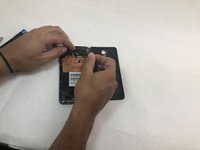
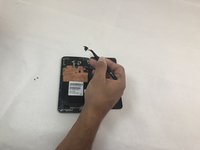
    • Remove the two 1mm Phillips #000 screws on the small panel that was underneath the sticker.

    • Use the tweezers to remove the panel.

    FixBot'a Sor

    Yorum Ekle

  6. ZTE Blade X Max LCD Replacement: adım 6, 2 resimden 1. ZTE Blade X Max LCD Replacement: adım 6, 2 resimden 2.
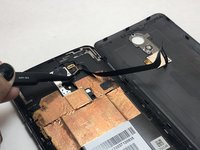
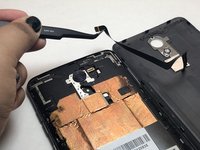
    • Use the tweezers to pull at the base of the film to remove the fingerprint scanner.

    FixBot'a Sor

    Yorum Ekle

  7. ZTE Blade X Max LCD Replacement, Midframe: adım 7, 1 resimden 1.
    • Remove the SD and SIM cards by pulling out the card tray from the slot on the right side of the device.

    FixBot'a Sor

    Yorum Ekle

  8. ZTE Blade X Max LCD Replacement: adım 8, 3 resimden 1. ZTE Blade X Max LCD Replacement: adım 8, 3 resimden 2. ZTE Blade X Max LCD Replacement: adım 8, 3 resimden 3.
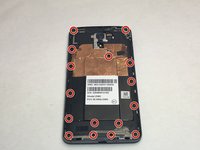
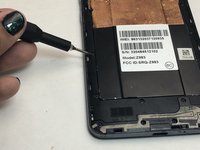
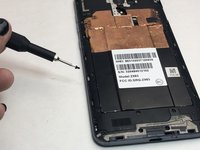
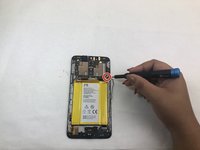
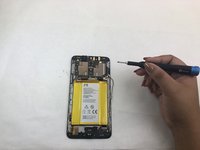
    • Remove the sixteen 1mm Phillips #000 screws from the midframe of the phone.

    FixBot'a Sor

    Yorum Ekle

  9. ZTE Blade X Max LCD Replacement: adım 9, 3 resimden 1. ZTE Blade X Max LCD Replacement: adım 9, 3 resimden 2. ZTE Blade X Max LCD Replacement: adım 9, 3 resimden 3.
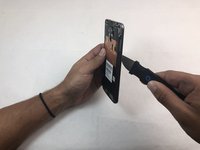
    • Use the Jimmy to remove the midframe from the device.

    FixBot'a Sor

    Yorum Ekle

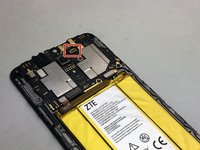
  10. ZTE Blade X Max LCD Replacement, Front Camera: adım 10, 3 resimden 1. ZTE Blade X Max LCD Replacement, Front Camera: adım 10, 3 resimden 2. ZTE Blade X Max LCD Replacement, Front Camera: adım 10, 3 resimden 3.
    Bu adımda kullanılan alet:
    Tweezers
    $4.99
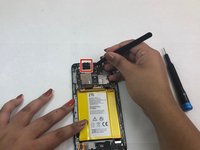
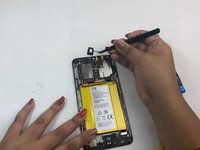
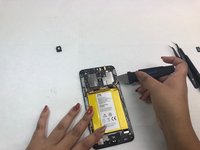
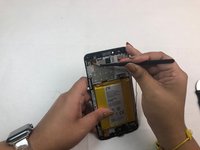
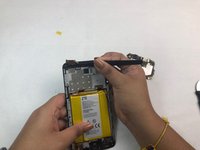
    • Once the motherboard is exposed, locate the front camera connection in the top right corner of the motherboard.

    • Use the tweezers to remove the front camera.

    FixBot'a Sor

    Yorum Ekle

  11. ZTE Blade X Max LCD Replacement, Battery: adım 11, 1 resimden 1.
    • Use the iOpener or heating pad to heat the phone. This will loosen the adhesive below the battery.

    • Do not apply the iOpener directly to the battery. Place the iOpener on the opposite side of the phone to indirectly melt the battery's adhesive.

    FixBot'a Sor

    Yorum Ekle

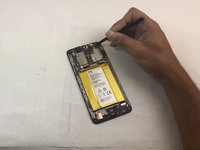
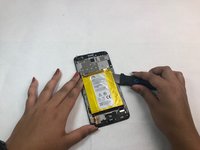
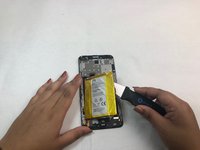
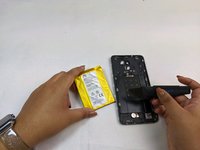
  12. ZTE Blade X Max LCD Replacement: adım 12, 3 resimden 1. ZTE Blade X Max LCD Replacement: adım 12, 3 resimden 2. ZTE Blade X Max LCD Replacement: adım 12, 3 resimden 3.
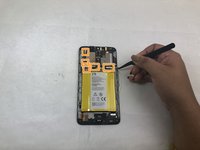
    • Use the spudger to pry the battery out of its slot after it has been thoroughly heated.

    • If the adhesive is still strong, reheat the opposite side of the phone until you can easily remove the battery.

    FixBot'a Sor

    Yorum Ekle

  13. ZTE Blade X Max LCD Replacement, Motherboard: adım 13, 3 resimden 1. ZTE Blade X Max LCD Replacement, Motherboard: adım 13, 3 resimden 2. ZTE Blade X Max LCD Replacement, Motherboard: adım 13, 3 resimden 3.
    • Remove the single 1mm Phillips #000 screw from the motherboard.

    • Detach the five flat connectors.

    FixBot'a Sor

    Yorum Ekle

  14. ZTE Blade X Max LCD Replacement: adım 14, 2 resimden 1. ZTE Blade X Max LCD Replacement: adım 14, 2 resimden 2.
    Bu adımda kullanılan alet:
    Tweezers
    $4.99
    • Use tweezers to remove the protective foam surrounding the headphone jack at the top left of the device.

    • The foam is attached with a thin layer of adhesive which is easy to remove.

    FixBot'a Sor

    Yorum Ekle

  15. ZTE Blade X Max LCD Replacement: adım 15, 3 resimden 1. ZTE Blade X Max LCD Replacement: adım 15, 3 resimden 2. ZTE Blade X Max LCD Replacement: adım 15, 3 resimden 3.
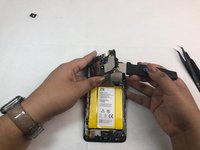
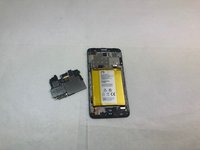
    • Use the Jimmy to pry the motherboard out of the phone.

    FixBot'a Sor

    Yorum Ekle

  16. ZTE Blade X Max LCD Replacement, LCD: adım 16, 2 resimden 1. ZTE Blade X Max LCD Replacement, LCD: adım 16, 2 resimden 2.
    Bu adımda kullanılan alet:
    Tweezers
    $4.99
    • The LCD cable will be completely exposed once the motherboard is removed.

    • Use the tweezers to remove the protective sticker and the entire component.

    FixBot'a Sor

    Yorum Ekle

  17. ZTE Blade X Max LCD Replacement: adım 17, 1 resimden 1.
    • The LCD and its frame are now free to be replaced with a new component.

    FixBot'a Sor

    Yorum Ekle

Sonuç

To reassemble your device, follow these instructions in reverse order.

İptal et: Bu kılavuzu tamamlamadım.

Bir başkası bu kılavuzu tamamladı.

0Kılavuz Yorumları

Yorum Ekle

İstatistikleri Görüntüle:

Son 24 Saat: 1

Son 7 gün: 9

Son 30 gün: 45

Her zaman: 1,161