Ana içeriğe geç

Repair guides and support for external portable storage by Western Digital including the My Book series, My Passport and others.

Not detecting or not showing in My Computer

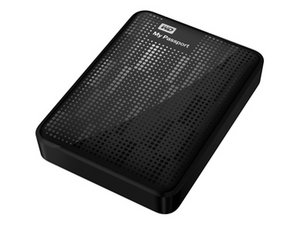
My Sweetheart's WD 1TB passport[USB 3.0] was not showing on my computer but its showing in Disk Management very clearly.

In spite of checking it so many times and waited for long time after connecting it to the laptop I can't see any change but the power is blinking,I can feel the drive vibration by touching it.

I want to solve this for her :)

Bu soruyu yanıtla Ben de bu sorunu yaşıyorum

Bu iyi bir soru mu?

Puan 1
Yorum Ekle

1 Cevap

Filtre ölçütü:

It sounds like the driver is corrupt. When you plug many devices in using USB, they automatically upload their driver (interface instructions) to your computer. Delete the drive in Disk Management, unplug it for a couple of minutes, and then plug it back in. That will cause it to reload the driver.

Update

You are only wanting to delete it from Disk Management. You don't want to actually do a delete on the drive. Depending on the version of you operating system, you might be wanting to right click on the drive and select uninstall from the contextual menu.

Bu yanıt yardımcı oldu mu?

Puan 0

1 Yorum:

How can I delete that drive its external drive and we need the data in it.

tarafından

Yorum Ekle

Yanıtını ekle

Tezzz sonsuza kadar minnettar olacak.
İstatistikleri Görüntüle:

Son 24 Saat: 0

Son 7 gün: 0

Son 30 gün: 0

Her zaman: 220