
Ana içeriğe geç
Onarım Topluluğuna Katılın - Hesap Oluşturun

Repair and disassembly guides for Brother printers.

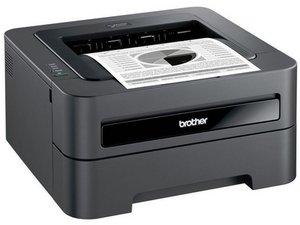
Brother printer on my network prints jumbled...windows 10

SInce I got a new windows 10 machine, my brother HL 5140 printer that is on my network at work and connected to another machine (hard wired) prints from my laptop in my office, but it prints jumbled nonsense.

Brother is no help. I feel like it's a driver issue. They say no windows 10 drivers are available for Windows 10??

Bu soruyu yanıtla Ben de bu sorunu yaşıyorum

Bu iyi bir soru mu?

Puan 0
Yorum Ekle

2 Cevap

Filtre ölçütü:
En Yararlı Yanıt

Hi,

According to the Brother website Win 8 and Win10 have inbuilt support for the basic functions of your printer.

http://support.brother.com/g/b/downloadl...

These are the functions supported by the drivers. Networked printers only support the printing option

http://support.brother.com/g/b/faqend.as...

Perhaps you could try uninstalling the printer from your laptop and then re-installing it.

Here is a link that shows how to do it, scroll down to If you are connecting your Brother machine via Network connection:

http://support.brother.com/g/b/faqend.as...

Bu yanıt yardımcı oldu mu?

Puan 2

2 Yorum:

Hi @drron,

Is it possible for you to connect directly to the printer, using USB, to see whether it is a network (is it WiFi?) problem in your Win10 laptop (possibly), or not? Also it worked before Win10 I assume. What OS was in use by the previous machine as well as what is the OS of the printer 'host' PC?

tarafından

Hello. I've done those steps, 2-3 times. It didn't work. It's frustrating because it seems like it should.

tarafından

Yorum Ekle

Well....I tried printing something and it worked!

I think it may have been working all along, because the only thing I tried printing to test the printer functionality was the "test page", which kept coming out jumbled....not like the typical windows test page.

So I decided yesterday to try to print a few sentences from Notepad and it printed fine!! I guess it was printing fine all along as I didn't change anything.

Thanks for the responses!

Ron

Bu yanıt yardımcı oldu mu?

Puan 0
Yorum Ekle

Yanıtını ekle

Ron sonsuza kadar minnettar olacak.
İstatistikleri Görüntüle:

Son 24 Saat: 0

Son 7 gün: 0

Son 30 gün: 2

Her zaman: 126
