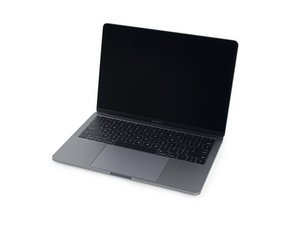
A1708 / EMC 2978 — Ekim 2016'da piyasaya sürülen bu giriş seviyesi MacBook Pro, (OLED Touch Bar'ın aksine) geleneksel fonksiyon tuşlarını korur. Fonksiyon tuşlu sürüm, bir Intel Core i5 işlemci ve iki adet Thunderbolt 3 portu içerir.
I tried several different things, only this solution: https://www.tonymacx86.com/threads/stop-... worked for me. I had to set the timer to 5 seconds, otherwise I still had popping.
Andy - Correct the issue is not solved! It's not something we can address here as Apple needs to fix it.
'Solved' doesn't always mean the problem its self is fixed only if we've addressed it as best we can. Basically, the answer is in the hands of others. Sorry Mate!
Dan - that's ridiculous. People will be coming in from Google worried about their device to find a forum post that clearly says solved. The word solved actually does mean that the problem is fixed.
As the system is so new I would bring it into an Apple Store to have them check it out.
One thing you want here is documented proof you noted the problem so if in the future you do find it was something that needed attention you have hard evidence you encountered the problem which it was still under warranty.
It's clearly something wrong with the machine, I'll try to replace it today as I had this for 6 days, its my 3rd MacBook Pro 2016 - I'm thinking of swapping it for a 2015 15" it's 4 core CPU and 16GB of ram on the 2015 modell that they have in the store so it's better then this one and I'm so tired of replacing the machine.
Write an email to Tim Cook (tcook@apple.com). List the system serial numbers and the defect for your other two systems plus this one.
Make it short and to the point of the quality defects and your disappointment. Unless he hears it with proof he's just like our new Prez are in denial of the facts!
On anything I buy, if I have problems with it during the first year I take out the extended warranty. You can take out Apple Care to extend your warranty another two years as long as it is still within that first year.
I have the same issue (sometimes dull pop sometimes crisper) on a 2016 model and my 2017 model. Both 13 with touch bar. On the 2017 the top case got replaced, but I feel like it only got worse. I think it comes from both sides of the MacBook, perhaps left and right speaker. Really annoying, but I can't leave the MacBook at the Genius Bar at this time.
I have the same issue, MBP 13" 512GB SSD w/ TouchBar. Pops seemingly randomly... replaced with a new unit within a week and the replacement unit shows the same behaviour, started from a blank install rather than Time Machine backup the second time around, but the issue seems to still exist. Not a clue whats going on, and Apple Store employees seem to give me blank stares when I tell them about the issue I'm having.
I just bought a few months ago a MacBook Pro (2016 model) without the Touch Bar (13”) and I have experienced the same issue. From a point of view, I’m thankful it doesn’t happen so often however, it is very annoying especially when I’m working on a narrated PPT presentation and when I review my narration I can hear the recorded “popping” sound. Moreover, sometimes the caps-lock key and the enter key don’t function. Especially when I hit the caps-lock at the edge and not at the centre of the key.
Very disappointed by Apple. I have been using Macs for the past two and a half decades and I have never experience a single issue other than the MAC OS not getting updated.
From reading all the comments here and elsewhere online (by the way, not a single Mac or computer related magazine doesn’t mention this issue, I wonder why!!!) I’m also thinking of taking my Mac back to the store from where I bought it (it was not an Apple store) and demanding of having it replaced. I mean what’s the point of keep asking them to repair it and going back again and again when probably it will not be fixed?
By the way, a fellow Mac user suggested to record the problem (for example, with a smart phone). This is an excellent idea because you/ we need to show to the store evidence of what is happening. I mean sure there are videos on the Youtube that show this problem but, it’s not your machine in the videos.
By the way, can anyone tell me if this “popping” issue is something that is present only on the Space Gray MacBook Pro’s?? The MacBook Pro 13” that I have is a Space Gray.
Many thanks for your time guys. I could say that I hope Apple would solve this but, obviously after 2 years they don’t really care.

 3
3  2
2 
 977
977 

9 Yorum
HI
Anybody solved the problem?
WL
wojtek tarafından
I tried several different things, only this solution: https://www.tonymacx86.com/threads/stop-... worked for me. I had to set the timer to 5 seconds, otherwise I still had popping.
HumbertoTomba tarafından
This is not solved as stated.
andypapster tarafından
Andy - Correct the issue is not solved! It's not something we can address here as Apple needs to fix it.
'Solved' doesn't always mean the problem its self is fixed only if we've addressed it as best we can. Basically, the answer is in the hands of others. Sorry Mate!
DanJ tarafından
Dan - that's ridiculous. People will be coming in from Google worried about their device to find a forum post that clearly says solved. The word solved actually does mean that the problem is fixed.
Dan Hibbert tarafından
4 tane daha yorum göster