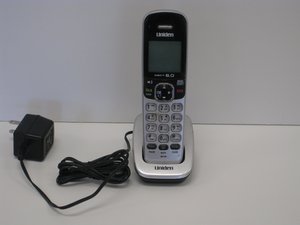
How do I activate/program answering facility
How do I activate/program the answering facility
Bu iyi bir soru mu?
Puan
0

How do I activate/program the answering facility
Bu iyi bir soru mu?

İtibar: 535b
 11
11
 407
407
 1,5b
1,5b
Hi,
Try the following:
1. Press the Message/Mute button
2. Press 8 or the talk button
3. Say your message
4. When finished speaking your greeting, press 8 or End button.
You should hear a confirmation tone followed by the greeting you just recorded.
For Record Time:
Press Menu & Select "Answ. Setup" then select "Record Time"
Scroll to the desired setting (1min, 4min, or Announce Only).
Press the OK soft key or Select (depending on model). You will hear a confirmation tone.
For Ring Time:
Press Menu & Select "Answ. Setup" then select "Ring Time"
2) Scroll to the desired setting (2, 4, 6, or Toll Saver).
3) Press the OK soft key or Select (depending on model). You will hear a confirma
Hi,
Not sure of this, but do you get a "delete" option if you press the End button again after the message has been replayed following the recording of the answer message?
Bu yanıt yardımcı oldu mu?
Thanks for you're assistance. I need to erase a previous message as both ( new and old)messages are coming thru at the same time.
Michael
Son 24 Saat: 0
Son 7 gün: 0
Son 30 gün: 18
Her zaman: 1,432

2 Yorum
When someone calls and I do not answer they get a message my answering machine is not set up. How do I set it up properly in order to activate it?
Paulette Rabe tarafından
Hi @paulette ,
Please confirm the make and model number of your phone?
jayeff tarafından