
Ana içeriğe geç
Onarım Topluluğuna Katılın - Hesap Oluşturun

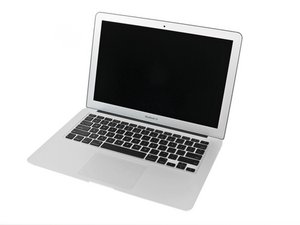
Model A1369, 1.6, 1.7, or 1.8 GHz Processor, 64, 128 or 256GB Flash Storage

Shut down buy itself

I having this issues with my macbook 13 mid 2011

After power up for short period its will shut down by itself without any message .

What could be issue ?

Which part fault?

Thanks in adv

Bu soruyu yanıtla Ben de bu sorunu yaşıyorum

Bu iyi bir soru mu?

Puan 0
Yorum Ekle

4 Cevap

Filtre ölçütü:
En Yararlı Yanıt

Commonly on this model shutting down is a bad thermal diode in the PCH die itself that shuts down the machine far before it is overheating. Only solution is a new board. Technically you can replace the PCH but sourcing a good chip would be the problem.

Of course check your battery and maybe reload the OS as others suggested before jumping to the board.

Bu yanıt yardımcı oldu mu?

Puan 2
Yorum Ekle

Need to troubleshoot it. Does it boot into OS before turning off? Is it plugged in and/or charged when it "shuts off by itself"? Also are you sure it isn't sleeping?

Bu yanıt yardımcı oldu mu?

Puan 1

5 Yorum:

Yes it was boot till OS after then shut dwon it was during charging and without charge .

I'm quite sure it wasn't in sleep mode

tarafından

If it boots into os and shuts down while charging then it is not or not just your battery. It could be your settings (system preferences), battery and/or charger, or internal hardware components like cpu, fan, or contacts on the motherboard.

tarafından

I'd say start with the charger and as Dan said the battery (however I don't use an app because you can check your battery outputs directly on the system report/diagnostics under the power tab.). Is the charger an apple original or a cheap imitation off Amazon because I've heard of those are messing up MacBooks.

tarafından

@crazymuniz - The reason we use the free app is it offers a clean way to see whats happening and the person can paste the output here so we can see it to help them.

The Apple battery menu pull down does not clearly tell you or fully explain things.

tarafından

Ok. I understand what you are saying @danj . It's better to post that to a public message board rather then your system settings menu. Thank you for the clarity as i am new to this it is welcomed and greatly appreciated.

tarafından

Yorum Ekle

Lets focus on the battery first to see if thats the issue. Download this gem of an app: CoconutBattery. Paste a screen shot of main window with the MagSafe connected and a second one with the MagSafe disconnected so we can see whats happening.

Adding images to an existing question

Bu yanıt yardımcı oldu mu?

Puan 1
Yorum Ekle

This could be a failed battery or your charger. Could I possibly see the battery of the phone in a picture? That is, if you’re willing to open it up and take pictures of most/all of the sides.

Bu yanıt yardımcı oldu mu?

Puan 0

2 Yorum:

Also, you could try rolling back the software to see if the current applications are causing some sort of conflict.

tarafından

Software - OS

tarafından

Yorum Ekle

Yanıtını ekle

pye nyein sonsuza kadar minnettar olacak.
İstatistikleri Görüntüle:

Son 24 Saat: 4

Son 7 gün: 14

Son 30 gün: 39

Her zaman: 330
