
Ana içeriğe geç

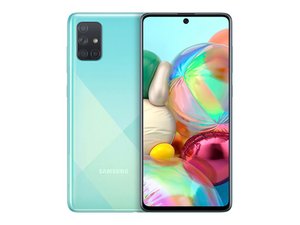
The Samsung Galaxy A71 is an Android smartphone manufactured by Samsung Electronics as part of the Galaxy A series. It was released in January 2020. Versions: SM-A715F/DS, SM-A715F/DSN (Global), SM-A715F/DSM (Russia).

A71 Power Connection Port

The power port/plug-in on A71 does not connect properly. I have tried several cables, but the phone doesn’t have that little snap/click anymore and the cable may or not be connected for charging. It also seems to have become progressively worse. Can this connector plug in be replaced?

Yanıtlandı! Cevabı görüntüle Ben de bu sorunu yaşıyorum

Bu iyi bir soru mu?

Puan 0
Yorum Ekle

3 Cevap

Filtre ölçütü:
Seçilen Çözüm

Hi @lawstn ,

The easiest option is to replace the USB charging dock board (supplier example only to show part and possible cost).

Here’s a video that shows how to replace the board. The board can be seen being removed at 2:56 minutes into the video.

There are other suppliers online that may suit you better. Just search a Samsung Galaxy A71 USB charging port dock connector board.

If doing this yourself seems too daunting, contact a reputable, professional mobile phone repair service and ask for a quote.

Bu yanıt yardımcı oldu mu?

Puan 1

1 Yorum:

I had a problem with my Galaxy A71 USB-C port and intermittent charging. What I thought was a bad phone charging port, since it acted the same way with multiple cables, turned out to be nothing more than an accumulation of "pocket lint". in the port. Careful scraping with a wooden toothpick followed by a blast of canned air rendered it like new again!

tarafından

Yorum Ekle


I had a problem with my Galaxy A71 USB-C port and intermittent charging. What I thought was a bad phone charging port, since it acted the same way with multiple cables, turned out to be nothing more than an accumulation of "pocket lint". in the port. Careful scraping with a wooden toothpick followed by a blast of canned air rendered it like new again!

Bu yanıt yardımcı oldu mu?

Puan 0
Yorum Ekle

It’s full of dust and needs cleaned out. That’s why your not getting that click to confirm the chargers in correctly. Use something with a fine tip to remove the debris keeping away from the pins in the centre. If your not confident find a shop to clean it out for you.

Bu yanıt yardımcı oldu mu?

Puan 0
Yorum Ekle

Yanıtını ekle

Rick sonsuza kadar minnettar olacak.
İstatistikleri Görüntüle:

Son 24 Saat: 1

Son 7 gün: 6

Son 30 gün: 28

Her zaman: 1,399


