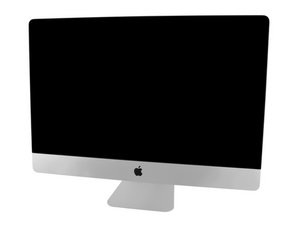
Model A1419 / EMC 2806 / 2014 Sonu veya 2015 Ortası. 3,3 veya 3,5 GHz Core i5 ya da 4,0 GHz Core i7 (Kimlik iMac15,1); EMC 2834 2015 sonu / 3,3 veya 3,5 GHz Core i5 ya da 4,0 GHz Core i7 (iMac17,1) Hepsi Retina 5K ekranlı
so i have this IMAC 27'' late 2015 model, due to relocation had it packed up and off for a few months, now after 3 months its not powering on, tried pressing the power button in all sorts of ways, took it to repair shop and they're telling to replace the logic board, cant say if theyre genuine or what, asking for 500$ to replace it, is it really that costly for an older version of mac. is it really the issue of logic board if a mac doesnt power on at all or are there any other way to fix it like changing some sort of power supply board or anything. please help
Well… If the system was working before you packed it to move and the system didn’t get damaged in transit, then I can’t see the logic board being the issue. But, I can see how the NVRAM battery might have died sitting so long unpowered. This battery is mostly used when the power is not present, otherwise the AC line cord offers a small vampire charge to hold the settings.
Bu yoruma uygun yeri bulmak için bu konuyu kaydırın. Ardından, taşımak için "Bu yazıya yorum ekle"ye tıklayın.
1 Yorum:
yeah, i tried the smc resest, its not working still, so is the next option trying to replace the nvram battery, there's no hardware damage as it has been packed so carefully and moved, the repair shop claims some sort of chip has been shorted and hence has to change the entire logic board
@imacfix54445 "is it really that costly for an older version of mac." you can get the logicboard for around USD $200-250 and repalce it yoursel. Here is the guide for it iMac Intel 27" Retina 5K Ekran Anakart Değişimi In general, with every repair half the cost is commonly for labor, which makes it so expensive. Yes, a legit shop would probably charge that price.
When you plug your iMac in (and I am sure you made sure you have a working outlet :-) check the back for the diagnostic LED's (A). For now, focus on LED1:
It indicates that the trickle voltage from the power supply has been detected by the main logic board. This LED will turn on when you connect the iMac to a working AC power source. The LED will remain on as long as the computer is on or asleep.
If no LED is visible: Disconnect the power cord from the computer and wait 15 seconds to reset the power supply and LED status. Reconnect the power cord and check the LED status again. Verify the AC source. Verify that a known-good power cord is connected. Verify the cable connection between the AC inlet and the power supply. Verify the cable connection between the power supply and the logic board. Verify the power supply.
It would be odd (but anything is possible) that your logicboard all of a sudden is dead. I would investigate this a bit more before spending any money.
B. Coin Battery Voltage Test Pads
Shut down and unplug the iMac. Allow approximately two minutes for the power supply to discharge.
Measure the coin battery voltage by using a voltmeter set for DC. Place the probes on the pads (negative probe on left
pad, positive probe on right pad) in location B. If the voltage is 2.7 volts DC or less, then the coin battery
should be replaced.
C. Real-Time Clock (RTC) Reset Pads
Caution: Do not make contact with any of the surrounding components or traces while performing this procedure. Some of the smaller components can be broken off very easily. Shut down and unplug the iMac. Allow approximately two minutes for the power supply to discharge. Reset the RTC by shorting the pads in location C. Use the tip of a flat-blade screwdriver to touch both pads at the same time.

 1
1 
 347
347  977
977 


