Ana içeriğe geç

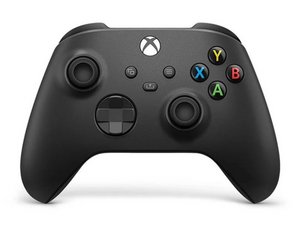
The third revision of the classic Xbox Wireless Controller was released in November 2020, bundled with the Xbox Series X and Series S. This controller is backwards compatible with previous Xbox One consoles, and PCs.

View button sometimes not registering when pressed not in dead center.

Hey guys!

My new Xbox controller has an issue whereby the View/Select button only responds when pressed dead center, when pressed on a angle (like for example by the left side), sometimes it doesn't register, the pause button exhibits the same issue when pressed on the left side/angle. I cleaned it with isopropyl alcohol and still the same thing, can this be fixed with use? Is it a defect?

Any way to fix it without opening the controller? I'd rather make that the nuclear option since the shell starts creaking lol

Bu soruyu yanıtla Ben de bu sorunu yaşıyorum

Bu iyi bir soru mu?

Puan 0
Yorum Ekle

1 Cevap

Filtre ölçütü:

The buttons are probably worn out then. They are small and will fail after a number of uses. You could try and solder new buttons on the board if you think you can do this

Bu yanıt yardımcı oldu mu?

Puan 0

1 Yorum:

It's brand new tho, 3 to 4 days old, took it out of a sealed box myself. When I push the button, there's a play before the button "clicks" so maybe it needs to be used for a few days, get the button to break in like they say? (Also I think the issue is in the plastic "button" that sits between the physical and on-board button)

I live in a country where there's no warranty, so I can't send it back to the seller and would cost me a leg to ship it to France for Microsoft's warranty service. And opening the controller is, as I said, risky since they always start creaking after I open them.

tarafından

Yorum Ekle

Yanıtını ekle

Rachid Rahmoune sonsuza kadar minnettar olacak.
İstatistikleri Görüntüle:

Son 24 Saat: 1

Son 7 gün: 2

Son 30 gün: 7

Her zaman: 81