
Ana içeriğe geç

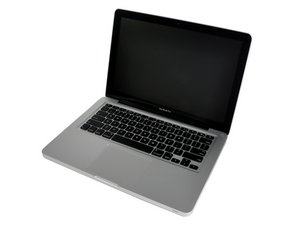
Late 2011 model, A1278 / 2.4 GHz i5 or 2.8 GHz i7 processor.

How to make HD into external HD?

Hello! I’ve a MacBook Pro late 2011 that stoped working, doesn’t turn on anymore. I just got a new MacBook Air M4 but need to acess my lifetime files from the previous computer. I was thinking on turning the HDD from the MacBook 2011 into an external HDD, so I could plug in my new MacBook Air and download all my files through it and transfer it to a safer backup in a brand new external SSD I just bought.

I wish to know:

1) Would it work as simple as it sounds? Just removing it from the old MacBook and conecting it through an adapter to the new MacBook would be fine to acess all my files?

2) What adapter should I buy to turn this specific HDD into an readable external HDD to my new computer?

Thanks in advance!

Bu soruyu yanıtla Ben de bu sorunu yaşıyorum

Bu iyi bir soru mu?

Puan 0
Yorum Ekle

2 Cevap

Filtre ölçütü:

I do it all the time on Windows -- search this hdd usb adapter for mac

Now if the drive was the reason the old mac didn't run, this may not work.

Bu yanıt yardımcı oldu mu?

Puan 0
Yorum Ekle

All you need is a case to hold the SATA HDD like this one MacBook and MacBook Pro (Non-Retina) SSD Upgrade Kit just select the case only option (USD $29.00) from the pull down list as the default lists the kit with tools.

And then just a simple USB-A to USB-C adapter like this one USB ADAPTER TYPE C TO TYPE A. It won't offer the speed a true USB-C drive could offer but it's all you need!

Upgrade the storage and improve boot time and read/write speed in your MacBook and MacBook Pro (Non-Retina) with this SSD upgrade kit. Görseli

Ürün

MacBook and MacBook Pro (Non-Retina) SSD Upgrade Kit

$72.99

Bu yanıt yardımcı oldu mu?

Puan 0
Yorum Ekle

Yanıtını ekle

gabriela sonsuza kadar minnettar olacak.
İstatistikleri Görüntüle:

Son 24 Saat: 0

Son 7 gün: 1

Son 30 gün: 5

Her zaman: 72

