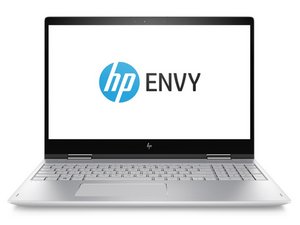

Can we change Ram.
HP envy x360
Update (07/22/25)
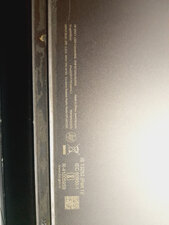
Here is the image
Bu iyi bir soru mu?
Puan
0
İtibar: 11
 1
1
HP envy x360
Here is the image
Bu iyi bir soru mu?
İtibar: 550,3b
11
 425
425
 1,6b
1,6b
Hi @amarjitsah
Your laptop is a HP Envy 13-ag0035AU
Unfortunately, the memory cannot be upgraded in the laptop.
There is 8GB of onboard memory on the motherboard which is non removable i.e. soldered onto the board and there's no extra memory slot on the board to insert any more.
You're limited to what you already have.
Here's the maintenance and service guide, taken from this support page for your exact model¹. Go to p.32 (40 of 79 pdf) to view the procedure to remove the memory shield which exposes the onboard memory, if you wish to verify.
¹ Note that the model number (HP ENVY x360 - 13-ag0035au), serial number (8CG92482W6) and product number (5FP71PA) for the laptop shown in the support page is exactly what is shown in the image that you posted.
Bu yanıt yardımcı oldu mu?
How to improve it's overall performance?
There's nothing that you can do to the hardware that will improve performance.
There's already an SSD installed for storage (they are faster than a HDD), you can't increase the memory, and you can't replace the CPU.
Make sure that the Windows OS and the hardware drivers (check in Device Manager) are up to date and that there are no viruses or malware installed which could slow things down
But in cmd prompt it shows that I can upgrade it upto 32 gb ram
Open up the laptop and you will find that there's no way to do this as you cannot remove the old ram and there's no empty ram slots to install any more.
Son 24 Saat: 1
Son 7 gün: 13
Son 30 gün: 91
Her zaman: 1,952


2 Yorum
Hi @amarjitsah
Wat is the full model number of the laptop as shown on the product information label on the bottom of the laptop?
jayeff tarafından
HP envy x360 convertible
Amarjit Sah tarafından