Ana içeriğe geç
Onarım Topluluğuna Katılın - Hesap Oluşturun

ANKER SoundCore Charging Port Replacement

Neye ihtiyacın var

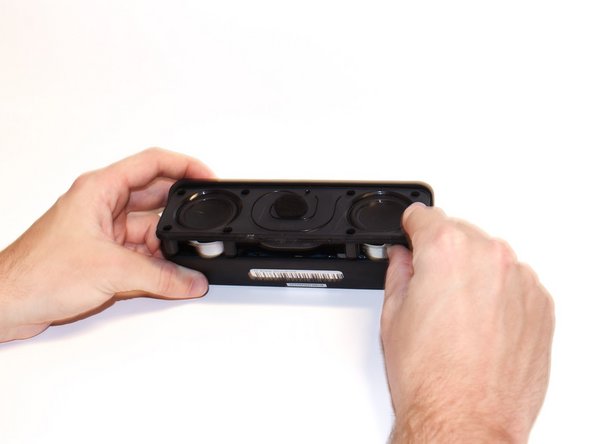
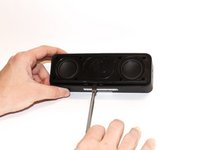
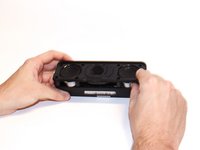
    1. ANKER SoundCore Charging Port Replacement, Charging Port: adım 1, 3 resimden 1. ANKER SoundCore Charging Port Replacement, Charging Port: adım 1, 3 resimden 2. ANKER SoundCore Charging Port Replacement, Charging Port: adım 1, 3 resimden 3.
      • Use the plastic opening tool to pry off the screen.

      • Remove the screen from the device.

      FixBot'a Sor

      Yorum Ekle

    2. ANKER SoundCore Charging Port Replacement: adım 2, 1 resimden 1.
      • Remove the eight 10 mm Phillips #0 screws from the speaker mount.

      FixBot'a Sor

      Yorum Ekle

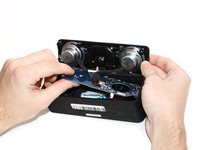
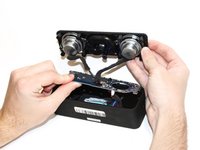
    3. ANKER SoundCore Charging Port Replacement: adım 3, 2 resimden 1. ANKER SoundCore Charging Port Replacement: adım 3, 2 resimden 2.
      • Use the metal spludger to pry off speaker mount.

      FixBot'a Sor

      Yorum Ekle

    4. ANKER SoundCore Charging Port Replacement: adım 4, 1 resimden 1.
      • Remove the two 8mm Phillips #0 screws from the circuit board.

      FixBot'a Sor

      Yorum Ekle

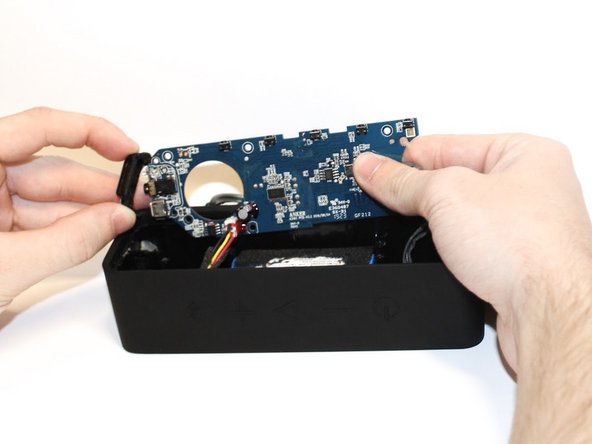
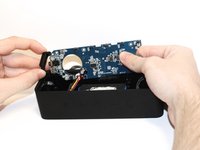
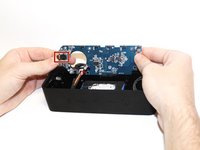
    5. ANKER SoundCore Charging Port Replacement: adım 5, 2 resimden 1. ANKER SoundCore Charging Port Replacement: adım 5, 2 resimden 2.
      • Carefully remove the circuit board from the speaker body.

      FixBot'a Sor

      Yorum Ekle

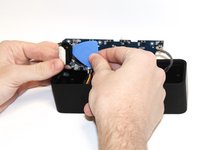
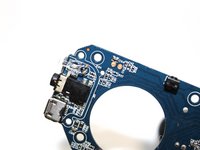
    6. ANKER SoundCore Charging Port Replacement: adım 6, 2 resimden 1. ANKER SoundCore Charging Port Replacement: adım 6, 2 resimden 2.
      • Use the iFixit Opening Pick to pry off the charging port cover.

      • Remove the charging port cover.

      FixBot'a Sor

      Yorum Ekle

    7. ANKER SoundCore Charging Port Replacement: adım 7, 2 resimden 1. ANKER SoundCore Charging Port Replacement: adım 7, 2 resimden 2.
      • Desolder the charging port from the circuit board.

      • Solder a new charging port in place of the old one.

      • For help soldering and desoldering, follow this guide.

      FixBot'a Sor

      Yorum Ekle

Sonuç

To reassemble your device, follow these instructions in reverse order.

İptal et: Bu kılavuzu tamamlamadım.

3 farklı kişi bu kılavuzu tamamladı.

Briana Kuo

Üyelik tarihi: 02/10/20

311 İtibar

1 Kılavuz yazıldı

Ekip

Cal Poly, Team S22-G1, Regan Winter 2020 Cal Poly, Team S22-G1, Regan Winter 2020 üyesi

CPSU-REGAN-W20S22G1

5 Üyeler

12 adet Kılavuz yazıldı

4Kılavuz Yorumları

Where can I find a replacement port that is compatible?

tommy2197 - Yanıt Paylaş

Where can I find a replacement port that is compatible?

Mike - Yanıt Paylaş

The Charging port is an USB Mirco Port. To find right part search for JBL FLIP 3 on ebay or other platforms. It is the same part as used for the Anker SoundCore.

Agi - Yanıt Paylaş

Hi I have a Anker soundcore motion plus, the charging port is loose and not charging, it's a usb c, where can I buy that replacement part

.thanks

Justin - Yanıt Paylaş

Yorum Ekle

İstatistikleri Görüntüle:

Son 24 Saat: 4

Son 7 gün: 23

Son 30 gün: 125

Her zaman: 13,699