Ana içeriğe geç
Onarım Topluluğuna Katılın - Hesap Oluşturun
Battery Disconnection

Salt Önkoşul
Bu sadece bir ön koşul kılavuzudur! Bu kılavuz başka bir prosedürün parçasıdır ve tek başına kullanılması amaçlanmamıştır.

Neye ihtiyacın var

  1. Battery Disconnection, Heat the rear glass: adım 1, 1 resimden 1.
    • Prepare an iOpener and apply it to the rear glass for at least two minutes to loosen the adhesive underneath.

    • A hair dryer, heat gun, or hot plate may also be used, but be careful not to overheat the phone—the screen and internal battery are both susceptible to heat damage.

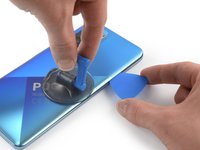
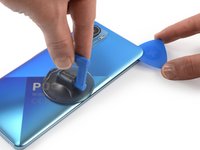
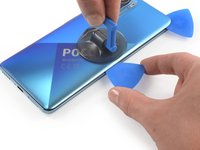
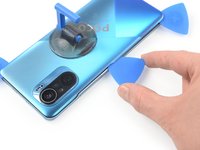
  2. Battery Disconnection, Insert an opening pick: adım 2, 2 resimden 1. Battery Disconnection, Insert an opening pick: adım 2, 2 resimden 2.
    • Secure a suction handle to the right edge of the rear glass, as close to the edge as possible.

    • If the rear glass is cracked, the suction handle may not stick. Try lifting it with strong tape, or superglue the suction handle in place and allow it to cure so you can proceed.

    • Lift the rear glass with the suction handle to create a small gap between the rear glass and the frame.

    • In case you have trouble creating a gap, apply more heat to further soften the adhesive. Follow the iOpener instructions to avoid overheating.

    • Insert an opening pick into the gap you created.

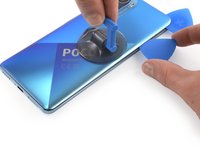
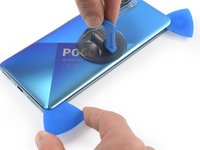
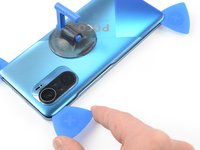
  3. Battery Disconnection, Slice the adhesive: adım 3, 2 resimden 1. Battery Disconnection, Slice the adhesive: adım 3, 2 resimden 2.
    • Slide the opening pick to the top right corner to slice the adhesive.

    • Leave the opening pick in place to prevent the adhesive from resealing.

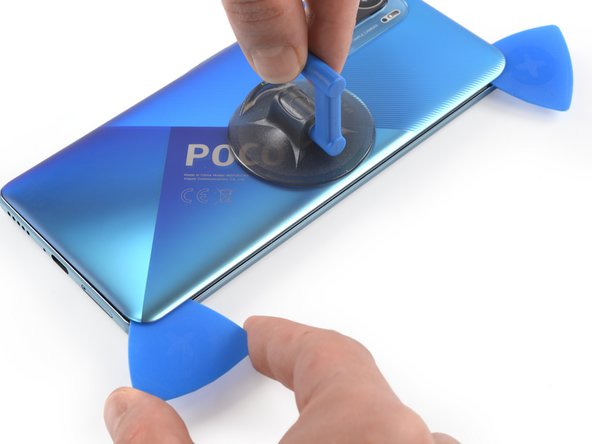
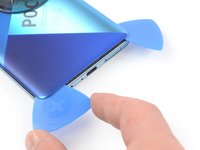
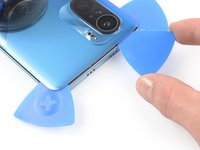
  4. Battery Disconnection: adım 4, 3 resimden 1. Battery Disconnection: adım 4, 3 resimden 2. Battery Disconnection: adım 4, 3 resimden 3.
    • Insert a second opening pick at the top right corner.

    • Slide the opening pick to the bottom right corner to slice the adhesive.

    • Leave the opening pick in place to prevent the adhesive from resealing.

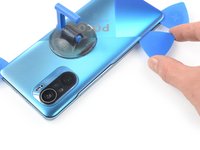
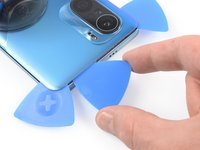
  5. Battery Disconnection: adım 5, 2 resimden 1. Battery Disconnection: adım 5, 2 resimden 2.
    • If the adhesive becomes hard to cut, it has most likely cooled down. Use your iOpener for one to two minutes to reheat it.

    • Insert a third opening pick in the bottom right corner.

    • Slide the opening pick along the bottom edge of your phone to slice the adhesive.

    • Leave the opening pick in the bottom left corner to prevent the adhesive from resealing.

  6. Battery Disconnection: adım 6, 3 resimden 1. Battery Disconnection: adım 6, 3 resimden 2. Battery Disconnection: adım 6, 3 resimden 3.
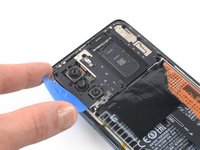
    • Insert a fourth opening pick in the bottom left corner of your phone.

    • Slide the opening pick along the left edge to slice the adhesive.

    • Leave the opening pick in the top left corner to prevent the adhesive from resealing.

    • Be careful not to damage the button cables. They are also glued and you might unintentionally catch them while cutting through the glue.

  7. Battery Disconnection: adım 7, 2 resimden 1. Battery Disconnection: adım 7, 2 resimden 2.
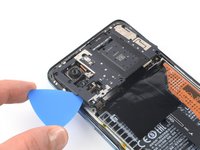
    • Insert a fifth opening pick underneath the top left corner.

    • Slide the opening pick along the top edge of the rear glass to slice the remaining adhesive.

  8. Battery Disconnection, Remove the rear glass: adım 8, 1 resimden 1.
    • Remove the rear glass.

    • Apply new adhesive where necessary after cleaning the relevant areas with isopropyl alcohol (>90%).

    • Secure the new rear glass with pre-cut adhesive or double-sided adhesive tape. After installing the rear glass, apply strong, steady pressure to your phone for several minutes to help the adhesive form a good bond—a stack of heavy books works well.

  9. Battery Disconnection, Unscrew the motherboard cover: adım 9, 1 resimden 1.
    • Use a Phillips screwdriver to remove the eleven screws securing the motherboard cover:

    • Ten 3.4 mm-long screws

    • One 1.5 mm-long screw

  10. Battery Disconnection, Lift up the motherboard cover: adım 10, 2 resimden 1. Battery Disconnection, Lift up the motherboard cover: adım 10, 2 resimden 2.
    • Insert the tip of an opening pick under the bottom left edge of the motherboard cover.

    • Use the opening pick to lift up the motherboard cover and release the plastic clips that hold the cover in its place.

    • Don't remove the motherboard cover all the way yet! It's still connected to the motherboard.

  11. Battery Disconnection, Disconnect the motherboard cover: adım 11, 2 resimden 1. Battery Disconnection, Disconnect the motherboard cover: adım 11, 2 resimden 2.
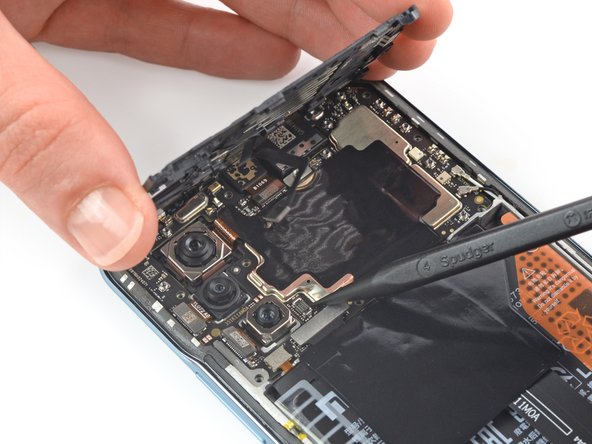
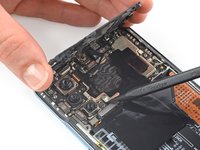
    • Use your fingers to lift up the motherboard cover to access the connector on the motherboard.

    • Use a spudger to disconnect the motherboard cover by prying the connector straight up from its socket at the motherboard.

    • Remove the motherboard cover.

  12. Battery Disconnection, Disconnect the battery: adım 12, 2 resimden 1. Battery Disconnection, Disconnect the battery: adım 12, 2 resimden 2.
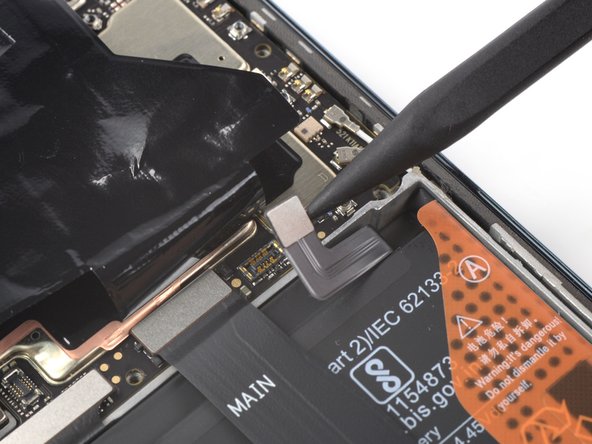
    • The battery connector is covered by a graphite foil. Carefully fold it up or tape it to the top edge of the Poco F3 to access the battery connector.

    • Use a spudger to disconnect the battery by prying the connector straight up from its socket.

Sonuç

To reassemble your device, follow these instructions in reverse order.

Adriana Zwink

Üyelik tarihi: 12/18/19

63.191 İtibar

167 adet Kılavuz yazıldı

Ekip

iFixit iFixit üyesi

Staff

123 Üyeler

23.906 adet Kılavuz yazıldı

0Kılavuz Yorumları

Yorum Ekle

İstatistikleri Görüntüle:

Son 24 Saat: 1

Son 7 gün: 1

Son 30 gün: 5

Her zaman: 69