Ana içeriğe geç
Onarım Topluluğuna Katılın - Hesap Oluşturun

Disassembling Fujifilm X30 Camera

Neye ihtiyacın var

    1. Disassembling Fujifilm X30 Camera, Battery: adım 1, 2 resimden 1. Disassembling Fujifilm X30 Camera, Battery: adım 1, 2 resimden 2.
      • Turn the camera upside down.

      • Place your thumb on the switch, and slide it towards the center of the camera.

      • The compartment will pop open.

      FixBot'a Sor

      Yorum Ekle

    2. Disassembling Fujifilm X30 Camera: adım 2, 1 resimden 1.
      • Once you have the battery compartment open, slide the orange tab away from the battery until it ejects.

      FixBot'a Sor

      Yorum Ekle

    3. Disassembling Fujifilm X30 Camera: adım 3, 1 resimden 1.
      • Pull the battery out.

      FixBot'a Sor

      Yorum Ekle

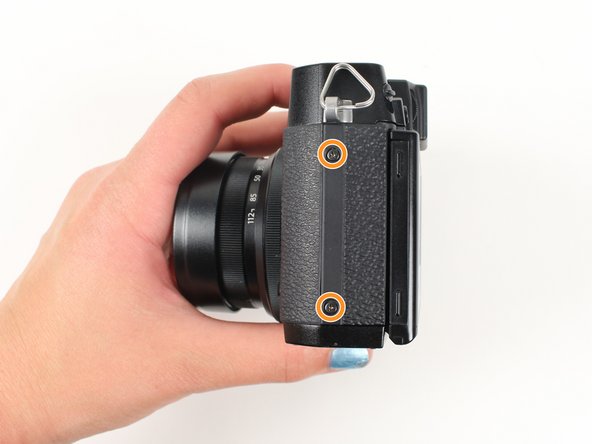
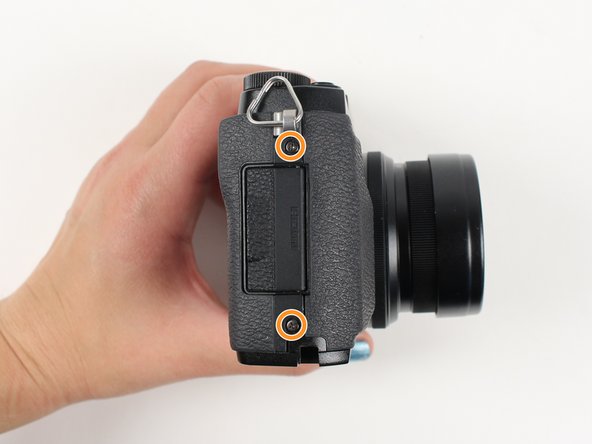
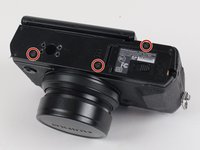
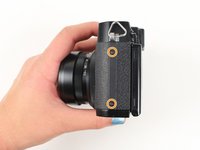
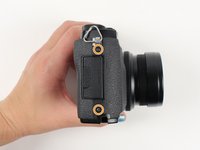
    1. Disassembling Fujifilm X30 Camera, Motherboard: adım 4, 3 resimden 1. Disassembling Fujifilm X30 Camera, Motherboard: adım 4, 3 resimden 2. Disassembling Fujifilm X30 Camera, Motherboard: adım 4, 3 resimden 3.
      • Begin by removing the outside screws using a Phillips #000 Screwdriver:

      • Remove the three 3.6 mm silver screws located on the bottom of the camera.

      • Remove all four of the 4.7 mm screws from the sides of the camera.

      FixBot'a Sor

      Yorum Ekle

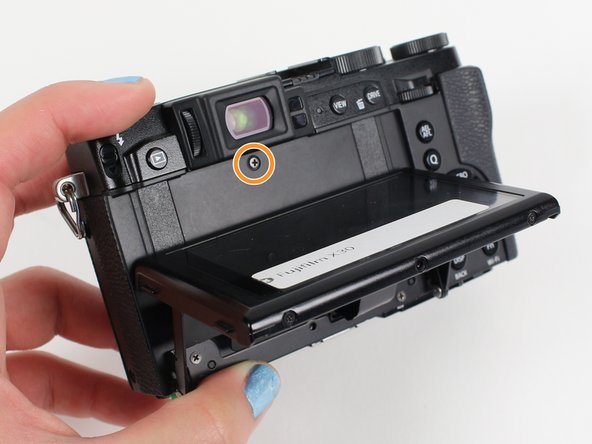
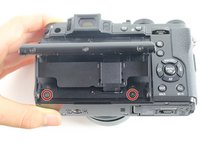
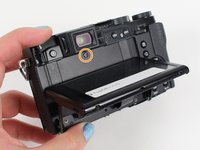
    2. Disassembling Fujifilm X30 Camera: adım 5, 2 resimden 1. Disassembling Fujifilm X30 Camera: adım 5, 2 resimden 2.
      • Remove all screws below using a Phillips #000 Screwdriver:

      • Lift up the screen and remove the two 4.5 mm screws located in the bottom corners.

      • Remove the 4.0 mm screw that is located behind the screen and directly under the eye piece.

      FixBot'a Sor

      Yorum Ekle

    3. Disassembling Fujifilm X30 Camera: adım 6, 1 resimden 1.
      • Carefully lift up the bottom piece of the camera to remove it.

      • Be careful with delicate speaker wires attached to bottom.

      FixBot'a Sor

      Yorum Ekle

    4. Disassembling Fujifilm X30 Camera: adım 7, 1 resimden 1.
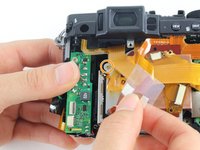
      • Do not pull hard when removing the backing because it could rip the orange strip attached to the motherboard.

      • Gently pull off the back of the camera from the left side so that it is partially open.

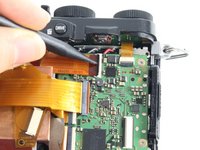
      • Use a spudger to lift up the tab holding the orange strip and slide the strip out to disconnect it

      • Refer to the next step to see pictures of how to properly use the spudger when removing a strip.

      FixBot'a Sor

      Yorum Ekle

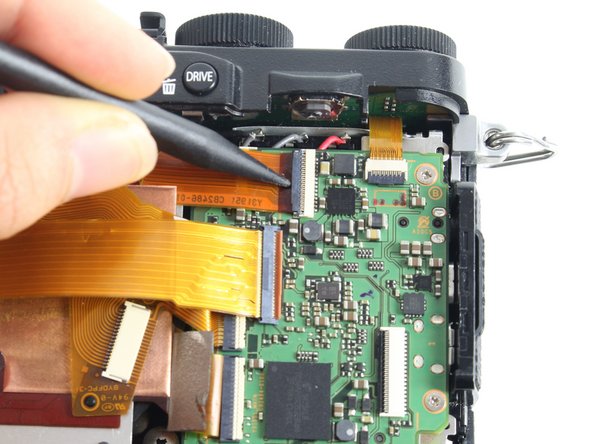
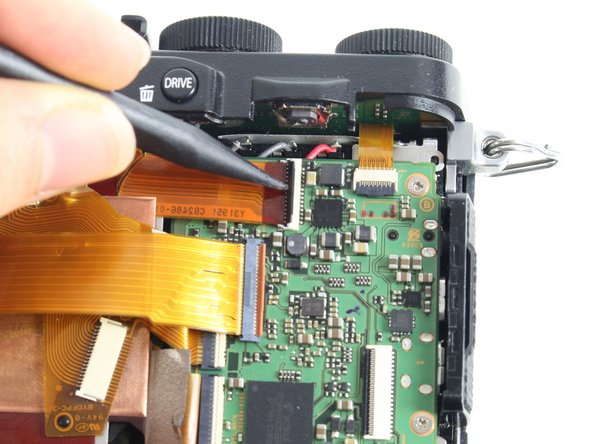
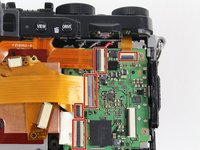
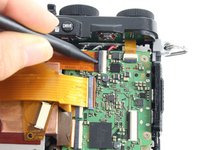
    5. Disassembling Fujifilm X30 Camera: adım 8, 3 resimden 1. Disassembling Fujifilm X30 Camera: adım 8, 3 resimden 2. Disassembling Fujifilm X30 Camera: adım 8, 3 resimden 3.
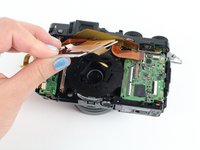
      • For all five indicated orange strips:

      • Use a spudger to lift up the tab holding the orange strip and slide the strip out to disconnect it.

      FixBot'a Sor

      Yorum Ekle

    6. Disassembling Fujifilm X30 Camera: adım 9, 1 resimden 1.
      • For the last orange strip located behind the top strip:

      • Use a spudger to lift up the tab holding the orange strip and slide the strip out to disconnect it.

      FixBot'a Sor

      Yorum Ekle

    7. Disassembling Fujifilm X30 Camera: adım 10, 1 resimden 1.
      • This step is required if you are doing a full disassembly, but can be skipped if you are only removing the motherboard.

      • For the two orange strips attached to the capacitor circuitboard:

      • Use a spudger to lift up the tab holding the orange strip and slide the strip out to disconnect it.

      FixBot'a Sor

      Yorum Ekle

    8. Disassembling Fujifilm X30 Camera: adım 11, 3 resimden 1. Disassembling Fujifilm X30 Camera: adım 11, 3 resimden 2. Disassembling Fujifilm X30 Camera: adım 11, 3 resimden 3.
      • Remove all screws listed below using a Phillips #000 screwdriver:

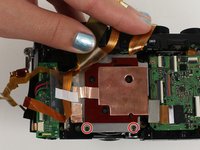
      • Remove the two 3.4 mm screws at the bottom of the silver plate.

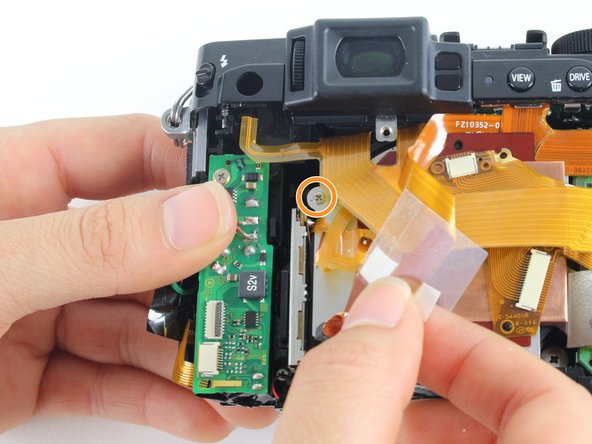
      • Hold back the clear strip to reveal a 2.8 mm screw on the left of the silver plate and remove it.

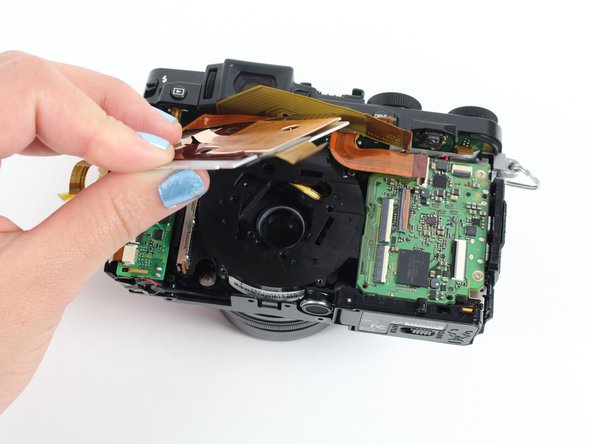
      • Peel back the copper plate.

      FixBot'a Sor

      Yorum Ekle

    9. Disassembling Fujifilm X30 Camera: adım 12, 1 resimden 1.
      • Remove the three 2.6 mm screws located in the top two corners and the bottom right corner of the motherboard using a Phillips #000 screwdriver.

      FixBot'a Sor

      Yorum Ekle

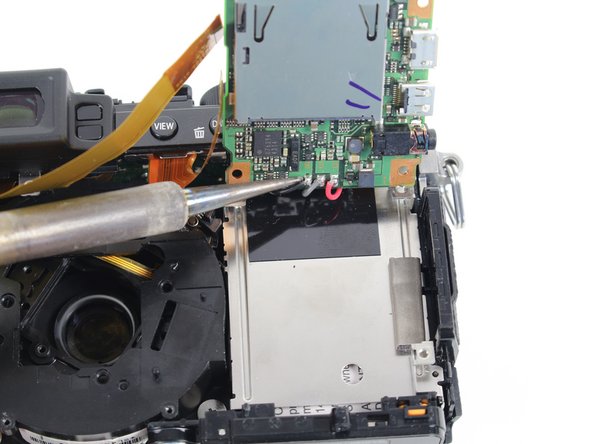
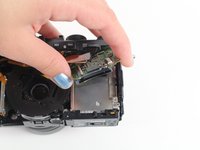
    10. Disassembling Fujifilm X30 Camera: adım 13, 2 resimden 1. Disassembling Fujifilm X30 Camera: adım 13, 2 resimden 2.
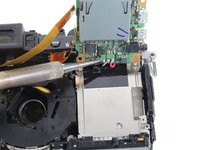
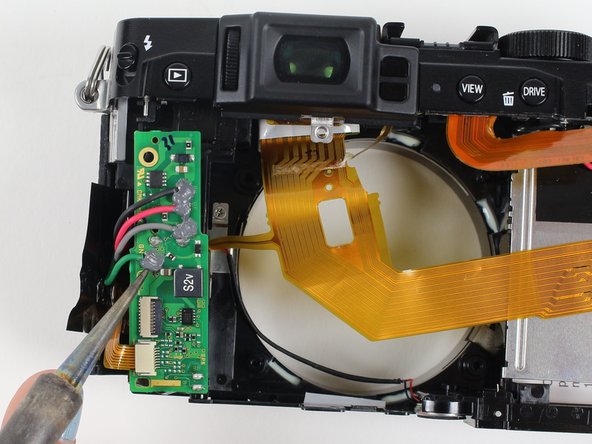
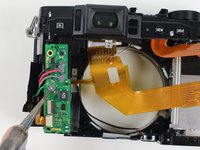
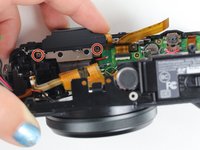
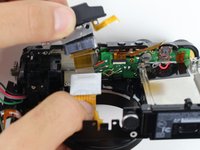
      • Tilt up the motherboard to locate the black, grey, and red wires.

      • Desolder these wires in order to completely remove the motherboard.

      • You can learn about soldering techniques here.

      FixBot'a Sor

      Yorum Ekle

    1. Disassembling Fujifilm X30 Camera, Disassembling Fujifilm X30 Camera: adım 14, 1 resimden 1.
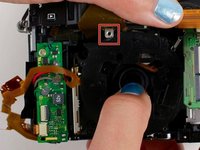
      • Remove the four 4.4 mm silver screws at the corners of the lens using a Phillips #000 screwdriver.

      FixBot'a Sor

      Yorum Ekle

    2. Disassembling Fujifilm X30 Camera: adım 15, 2 resimden 1. Disassembling Fujifilm X30 Camera: adım 15, 2 resimden 2.
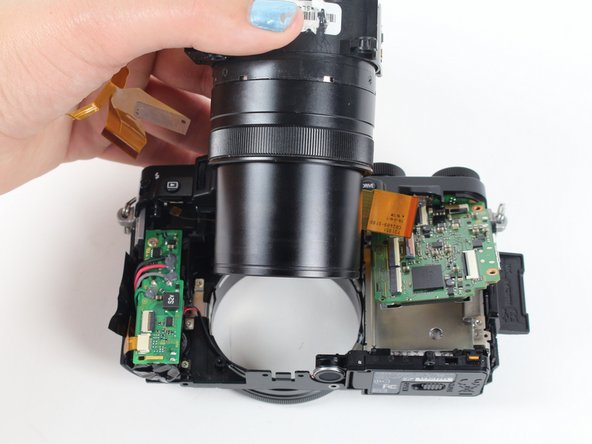
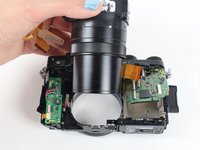
      • Pull the lens toward the bottom of the camera so it can clear the silver tab.

      • Then push the lens with your index fingers from the front of the camera until it is removed.

      FixBot'a Sor

      Yorum Ekle

    3. Disassembling Fujifilm X30 Camera: adım 16, 2 resimden 1. Disassembling Fujifilm X30 Camera: adım 16, 2 resimden 2.
      • Do not touch the leads on the capacitor below the green circuitboard because they can shock you.

      • Remove the silver 3.4 mm screw from the top left corner of the capacitor circuitboard using a Phillips #000 screwdriver.

      • Desolder the red, black, grey, and green wires attached to the capacitor circuitboard so the circuitboard is disconnected and can be set aside.

      FixBot'a Sor

      Yorum Ekle

    4. Disassembling Fujifilm X30 Camera: adım 17, 2 resimden 1. Disassembling Fujifilm X30 Camera: adım 17, 2 resimden 2.
      • Rotate the camera so you are looking at the bottom.

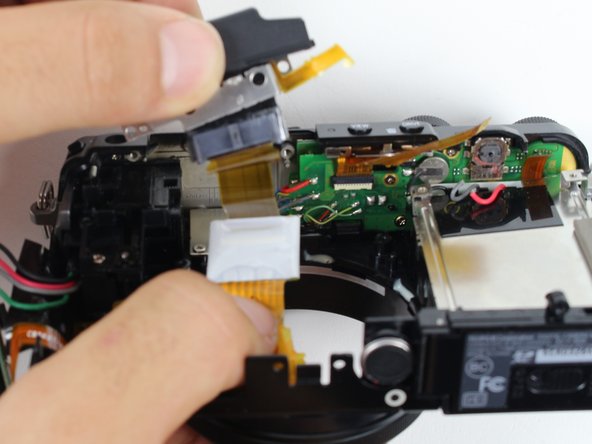
      • Remove the two silver 3.4 mm screws on the silver plate that are holding the eyepiece using a Phillips #000 screwdriver.

      • Lift the eyepiece out of the camera.

      FixBot'a Sor

      Yorum Ekle

    5. Disassembling Fujifilm X30 Camera: adım 18, 2 resimden 1. Disassembling Fujifilm X30 Camera: adım 18, 2 resimden 2.
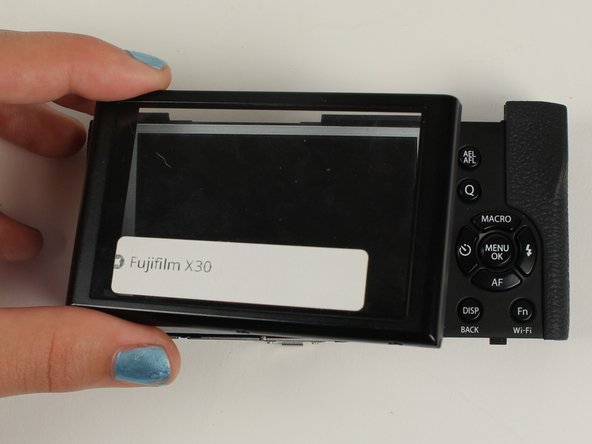
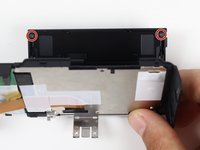
      • To remove the LCD screen, look at the back of the tiltable screen plate.

      • Remove the two black 3.7 mm screws in the back corners of the screen plate using a Phillips #000 screwdriver.

      • Lay the back panel flat to lift off the clear casing that is over the LCD screen.

      FixBot'a Sor

      Yorum Ekle

    6. Disassembling Fujifilm X30 Camera: adım 19, 1 resimden 1.
      • You have disassembled the Fujifilm X30 camera!

      FixBot'a Sor

      Yorum Ekle

Sonuç

To reassemble your device, follow these instructions in reverse order.

İptal et: Bu kılavuzu tamamlamadım.

10 farklı kişi bu kılavuzu tamamladı.

Jay Sterner

Üyelik tarihi: 01/12/16

470 İtibar

2 adet Kılavuz yazıldı

Ekip

Cal Poly, Team 70-3, Forte Winter 2016 Cal Poly, Team 70-3, Forte Winter 2016 üyesi

CPSU-FORTE-W16S70G3

5 Üyeler

4 adet Kılavuz yazıldı

2Kılavuz Yorumları

the big question is how to repair the common stuck open flash?

Don Makaveli - Yanıt Paylaş

and the broken battery latch (orange tab)? Thanks.

yoyoy - Yanıt Paylaş

Yorum Ekle

İstatistikleri Görüntüle:

Son 24 Saat: 7

Son 7 gün: 32

Son 30 gün: 119

Her zaman: 17,806