Giriş
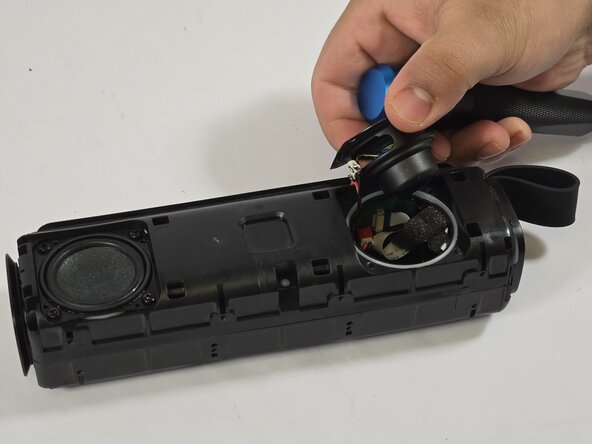
Use this guide to replace the speaker driver in your DOSS E-Go II wireless speaker. This is important because if the speaker driver is not working properly, then the noise will be muffled or nonexistent. Before continuing with this guide, please make sure that your speaker is charged.
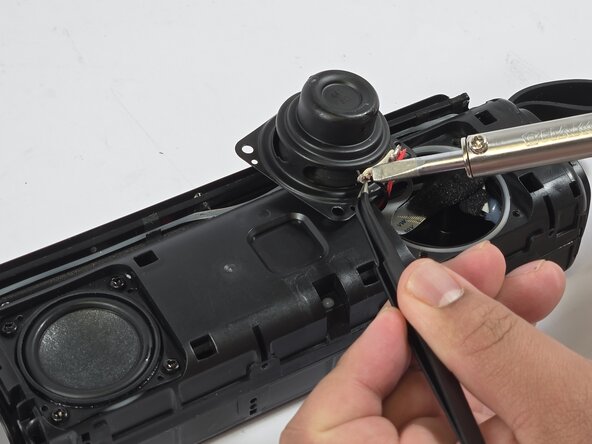
Before continuing this guide, make sure to follow up with the troubleshooting page to check for other reasons why speaker buttons may not be working properly. Beware that if the alternative ways don’t fix your button issue, this potential solution requires soldering.
Neye ihtiyacın var
-
-
Peel the backing off of the speaker.
-
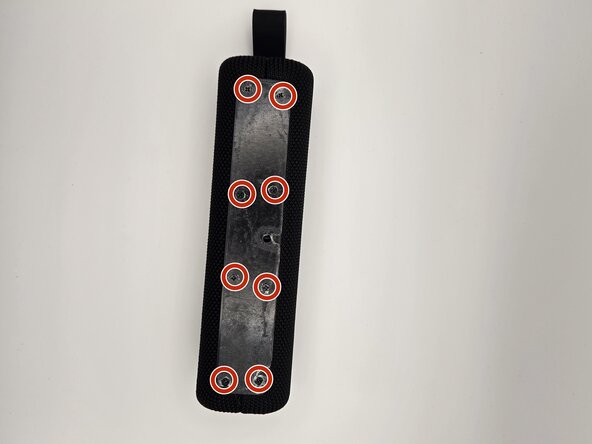
Remove eight 7.9 mm screws using the Phillips #00 screwdriver.
-
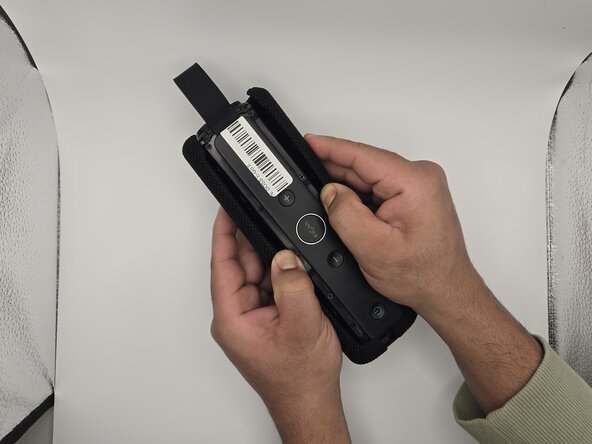
Gently pull apart the grille on the sides of the speaker.
-
-





To reassemble your device, follow these instructions in reverse order.



Ekip

Idaho State University, Team 1-6, Watkins Spring 2025 Idaho State University, Team 1-6, Watkins Spring 2025 üyesi
ISU-WATKINS-S25S1G6
3 Üyeler
5 adet Kılavuz yazıldı
