Ana içeriğe geç

Parrot Skycontroller 2 Buttons Replacement

Neye ihtiyacın var

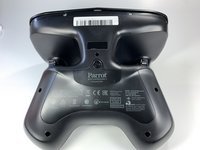
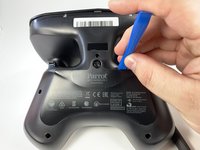
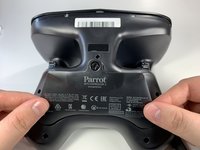
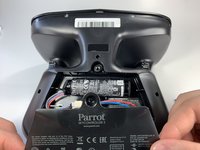
  1. Parrot Skycontroller 2 Buttons Replacement, Battery: adım 1, 3 resimden 1. Parrot Skycontroller 2 Buttons Replacement, Battery: adım 1, 3 resimden 2. Parrot Skycontroller 2 Buttons Replacement, Battery: adım 1, 3 resimden 3.
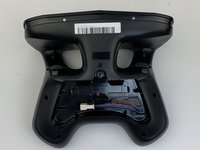
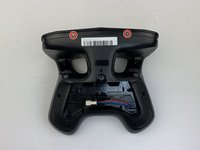
    • Flip your controller face down.

  2. Parrot Skycontroller 2 Buttons Replacement: adım 2, 1 resimden 1.
    • Remove one 9mm screw using a #4 flathead screwdriver.

  3. Parrot Skycontroller 2 Buttons Replacement: adım 3, 3 resimden 1. Parrot Skycontroller 2 Buttons Replacement: adım 3, 3 resimden 2. Parrot Skycontroller 2 Buttons Replacement: adım 3, 3 resimden 3.
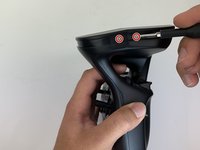
    • Insert the plastic opening tool into the top of the cover and pry upwards to lift the battery cover.

    • Remove the cover by pulling up and out.

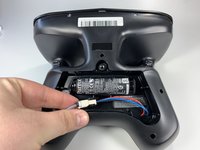
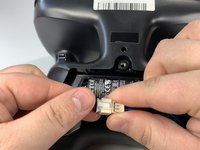
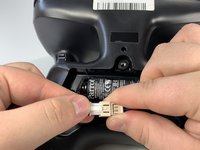
  4. Parrot Skycontroller 2 Buttons Replacement: adım 4, 3 resimden 1. Parrot Skycontroller 2 Buttons Replacement: adım 4, 3 resimden 2. Parrot Skycontroller 2 Buttons Replacement: adım 4, 3 resimden 3.
    • Pull the connectors out by gently pushing the tabs and pulling up on the connector.

    • Disconnect the battery from the remote by pressing the white tab and pulling the connectors apart.

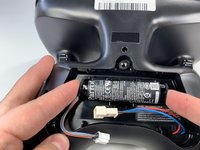
  5. Parrot Skycontroller 2 Buttons Replacement: adım 5, 2 resimden 1. Parrot Skycontroller 2 Buttons Replacement: adım 5, 2 resimden 2.
    • Remove the battery from its brackets by pulling up on the ends of the battery.

  6. Parrot Skycontroller 2 Buttons Replacement, Buttons: adım 6, 1 resimden 1.
    • Remove the seven black 11mm screws using the Torx TR6 screwdriver.

    • There is a hidden screw located behind the sticker in the battery compartment.

    • Pull back the sticker with your finger nail and remove the one black 11mm screw using the Torx TR6 screwdriver.

  7. Parrot Skycontroller 2 Buttons Replacement: adım 7, 3 resimden 1. Parrot Skycontroller 2 Buttons Replacement: adım 7, 3 resimden 2. Parrot Skycontroller 2 Buttons Replacement: adım 7, 3 resimden 3.
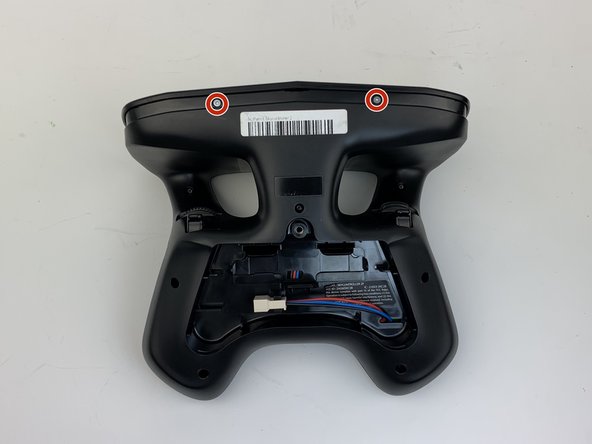
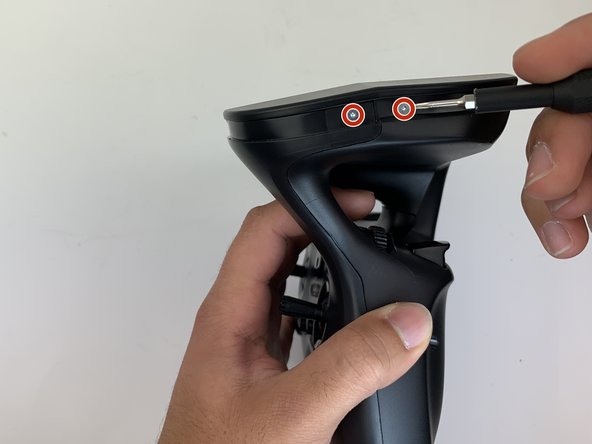
    • Remove the seven silver 4mm screws from around the edge of the top plate using the Torx TR6 Screwdriver.

    • The opposite side to the third picture has a screw located on each side of the USB port.

  8. Parrot Skycontroller 2 Buttons Replacement: adım 8, 1 resimden 1.
    • Remove the battery compartment plate by pulling up and out.

  9. Parrot Skycontroller 2 Buttons Replacement: adım 9, 1 resimden 1.
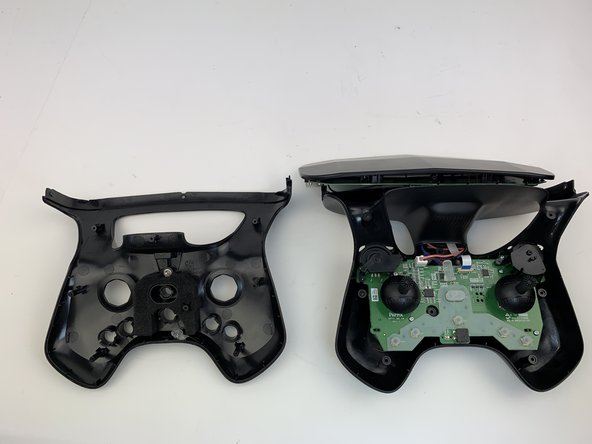
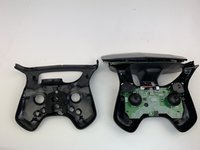
    • Remove the top plate by pushing on the corners with your hand.

    • Be careful to not pull too hard on the cable.

  10. Parrot Skycontroller 2 Buttons Replacement: adım 10, 2 resimden 1. Parrot Skycontroller 2 Buttons Replacement: adım 10, 2 resimden 2.
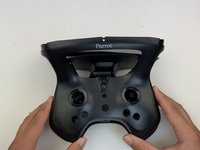
    • Remove the face plate by pulling up and out.

    • Buttons will fall out when this plate is removed.

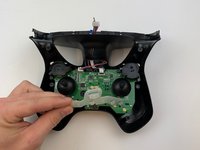
  11. Parrot Skycontroller 2 Buttons Replacement: adım 11, 3 resimden 1. Parrot Skycontroller 2 Buttons Replacement: adım 11, 3 resimden 2. Parrot Skycontroller 2 Buttons Replacement: adım 11, 3 resimden 3.
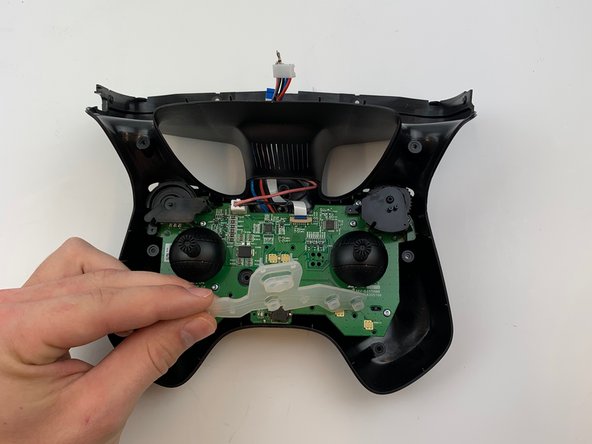
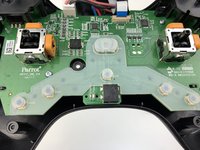
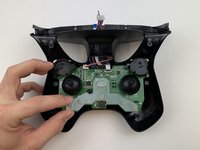
    • Use some force pull up and out on the rubber backing for the buttons.

Sonuç

To reassemble your device, follow these instructions in reverse order.

0Kılavuz Yorumları

Yorum Ekle

İstatistikleri Görüntüle:

Son 24 Saat: 0

Son 7 gün: 2

Son 30 gün: 9

Her zaman: 472