Giriş
Follow the steps in this guide to replace the home button assembly, including the gasket and cable, in your iPhone 6s.
Please note that only the phone's original home button assembly will be capable of using the Touch ID fingerprint scanner. Installing a new home button will only restore ordinary home button functions, not the Touch ID features.
You can also use this guide to replace the home button bracket.
Neye ihtiyacın var
-
-
Remove the two 3.4 mm P2 Pentalobe screws on the bottom edge of the iPhone, on either side of the Lightning connector.
-
-
Bu adımda kullanılan alet:Clampy - Anti-Clamp$24.95
-
Pull the blue handle backwards to unlock the Anti-Clamp's arms.
-
Slide the arms over either the left or right edge of your iPhone.
-
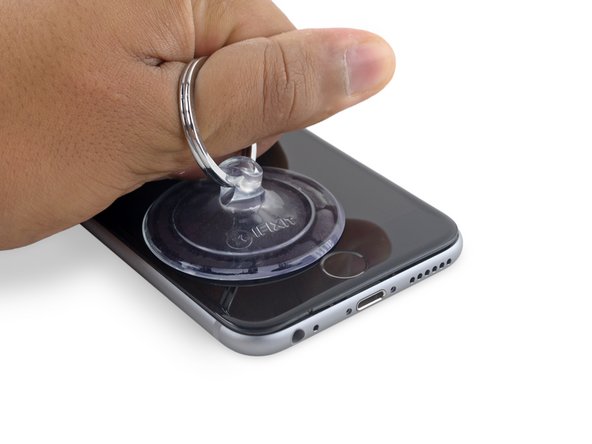
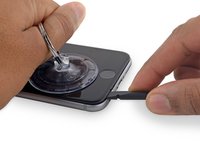
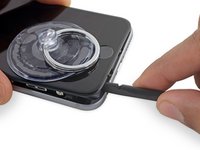
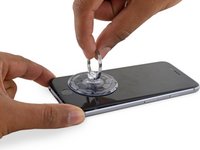
Position the suction cups near the bottom edge of the iPhone just above the home button—one on the front, and one on the back.
-
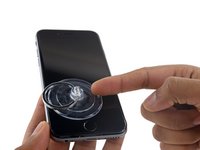
Squeeze the cups together to apply suction to the desired area.
-
-
Bu adımda kullanılan alet:Clampy - Anti-Clamp$24.95
-
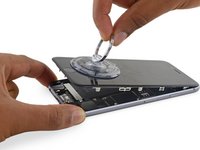
Apply mild heat to the lower edge of the iPhone using an iOpener or hair dryer for about a minute.
-
-
-
-
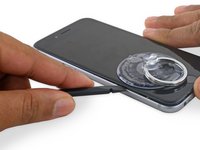
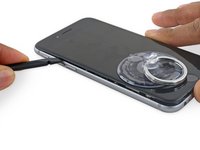
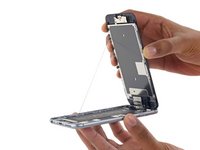
Gently grasp the display assembly and lift it up to open the phone, using the clips at the top of the front panel as a hinge.
-
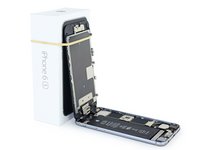
Open the display to about a 90º angle, and lean it against something to keep it propped up while you're working on the phone.
-
Add a rubber band to keep the display securely in place while you work. This prevents undue strain on the display cables.
-
During reassembly, pause here if you wish to replace the adhesive around the edges of the display.
-
During reassembly, the camera end of the screen body needs to hook under the edge of the body. The hooks of the screen frame need to be under the rim of the main body and snugged toward the camera end to easily close the cover and have it properly clip.
-
These hooks are not really a proper hinge but clasps that need to be under the rim of the main phone frame/edge!! This way the screen easily will return to its closed state nicely gently snapping into place.
-
During reassembly, reverse order for getting the screen clipped back in means pressing along the right side top to bottom corner. Then the left.
-
-
Bu adımda kullanılan alet:Magnetic Project Mat$16.96
-
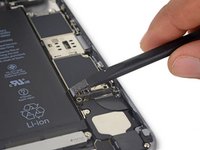
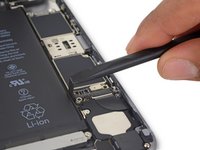
Remove two Phillips screws securing the battery connector bracket, of the following lengths:
-
One 2.9 mm screw
-
One 2.2 mm screw
-
-
-
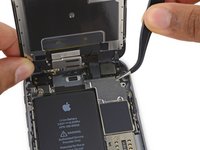
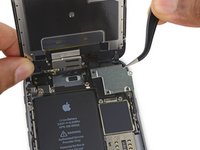
Remove the following four Phillips screws securing the display cable bracket:
-
Three 1.2 mm screws
-
One 2.8 mm screw
-
-
-
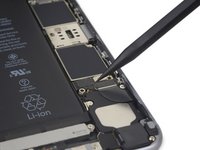
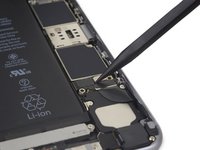
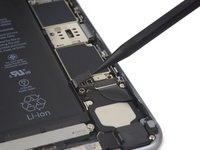
Remove the three 1.7 mm Phillips screws securing the home button bracket.
-
-
Bu adımda kullanılan alet:iOpener$24.99
-
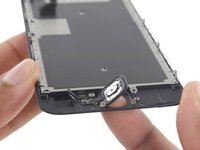
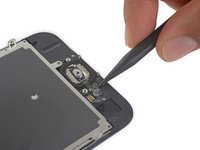
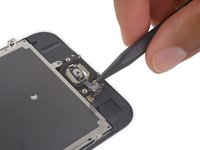
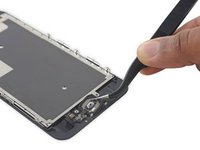
Apply mild heat (with an iOpener, heat gun, or hair dryer) to soften the adhesive securing the home button gasket.
-
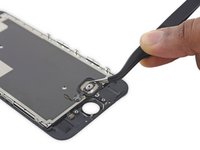
Using your fingertip, gently press up on the home button from the front side of the display assembly. Use firm, constant pressure to slowly separate the home button's rubber gasket from the front panel.
-
































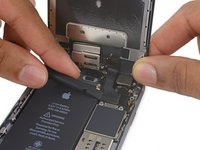
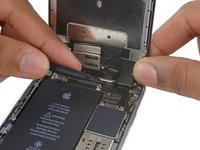


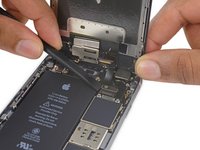
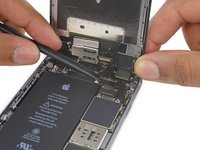


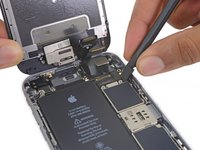
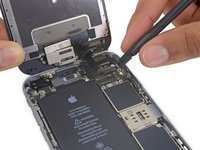


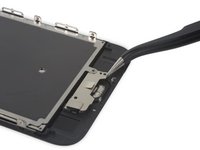
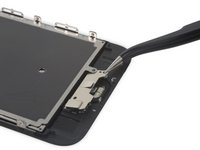
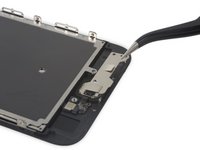


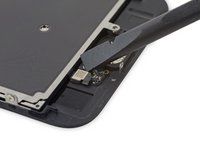
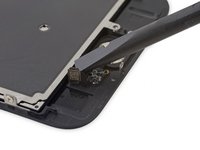


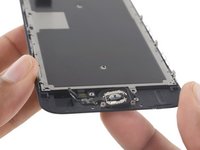




To reassemble your device, follow these instructions in reverse order.
İptal et: Bu kılavuzu tamamlamadım.
207 farklı kişi bu kılavuzu tamamladı.



25Kılavuz Yorumları
So... how does this work as far as error 53 goes? I'm currently on ios 9.2, and cracked my home button. It still works, but it bothers me that it's cracked, however I don't really want to brick my phone in the process. Do I need to be on 9.3 before I replace the home button? Or does it not matter anymore? I'm kinda lost as far as that goes. Any help is greatly appreciated. Thank You.
-Calvin
So my home button no longer works at all. I'm thinking the problem could be that I replaced my white screen (and home button) with a black screen from ifixit. Everything worked but the home button. Looks silly having a white home button on a black screen but its whatever. It no longer works though. The piece that was glued to the screen that the home button snaps into came unglued too? If that would do anything.. idk.. Any help would be appreciated. I assembled it back the way it was supposed to.
I have same issue. Replace screen from ifixit. And of course swap my home button and now unable to activate touch id. There is something fishy going on here
Where you able to figure out how to fix that issue? I just did it and not longer works.
